


AI Summarize


Share


Businesses with global operations need to have processes in place to comply with privacy laws from multiple jurisdictions. The requirements for privacy laws vary by location, but an important requirement of many major privacy laws is responding to privacy requests from individuals.
This article explains how businesses with an international audience can manage privacy requests across jurisdictions. It covers what your staff needs to know about privacy and data protection laws, identity verification, responding to privacy requests, dealing with unknown user locations, and using compliance tools.
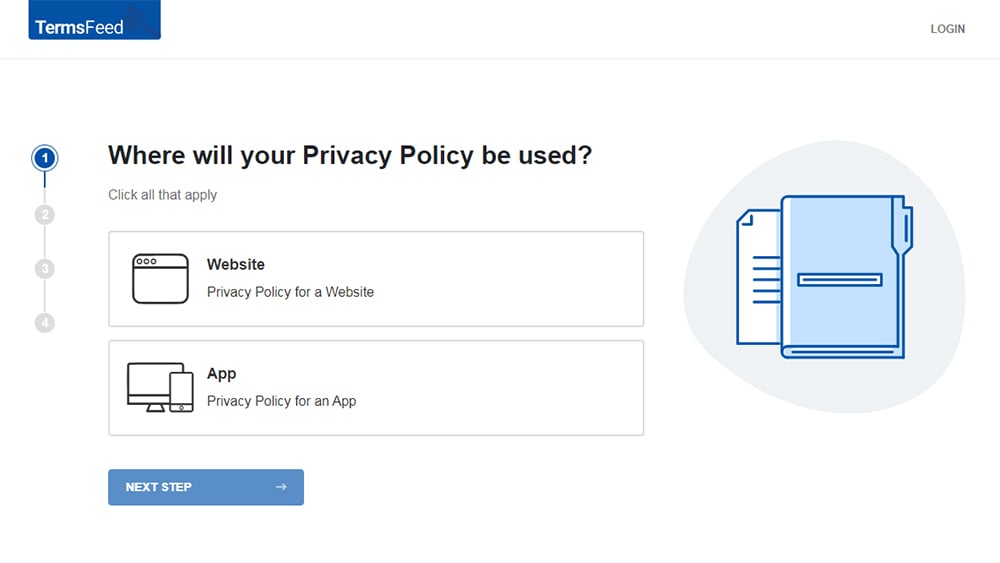
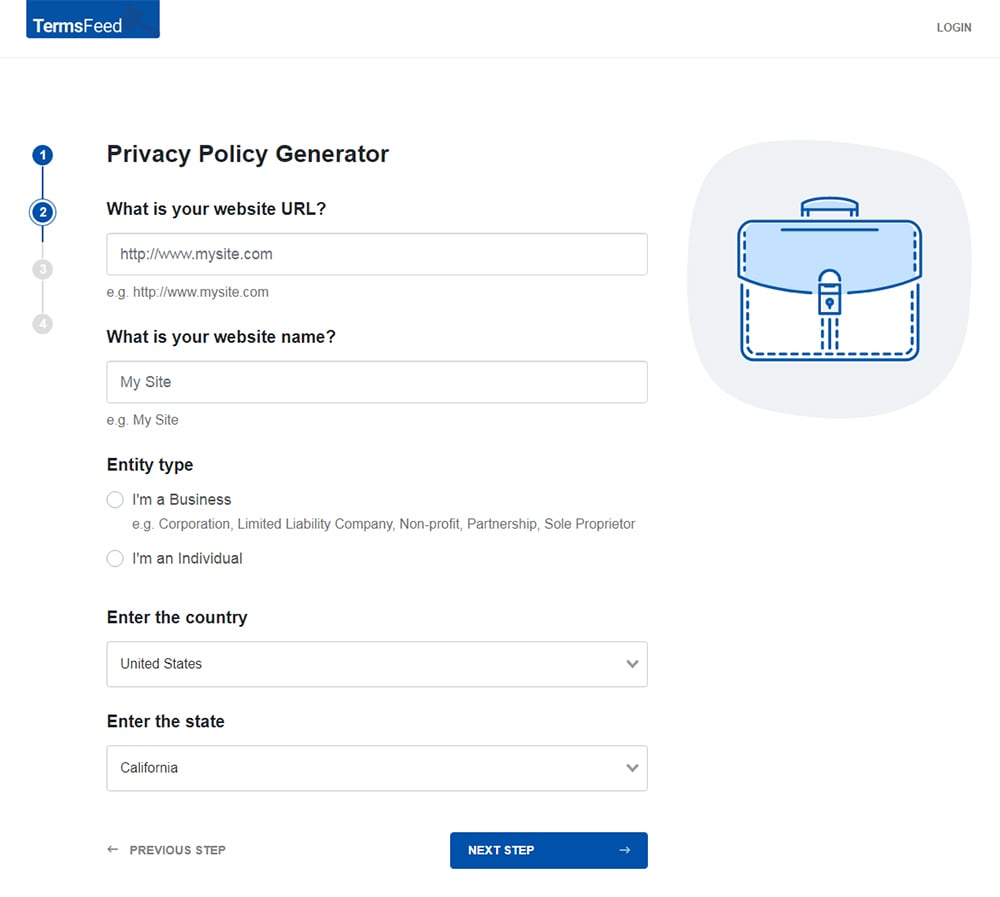
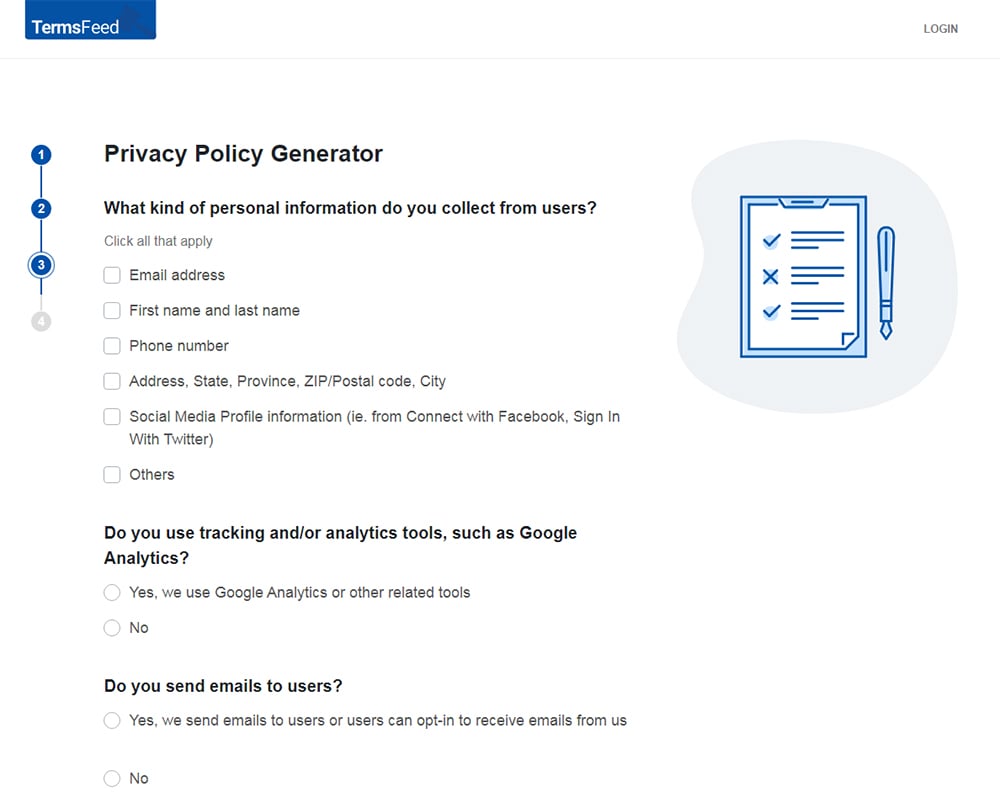
Our Privacy Policy Generator makes it easy to create a Privacy Policy for your business. Just follow these steps:
-
At Step 1, select the Website option or App option or both.
-
Answer some questions about your website or app.
-
Answer some questions about your business.
-
Enter the email address where you'd like the Privacy Policy delivered and click "Generate."
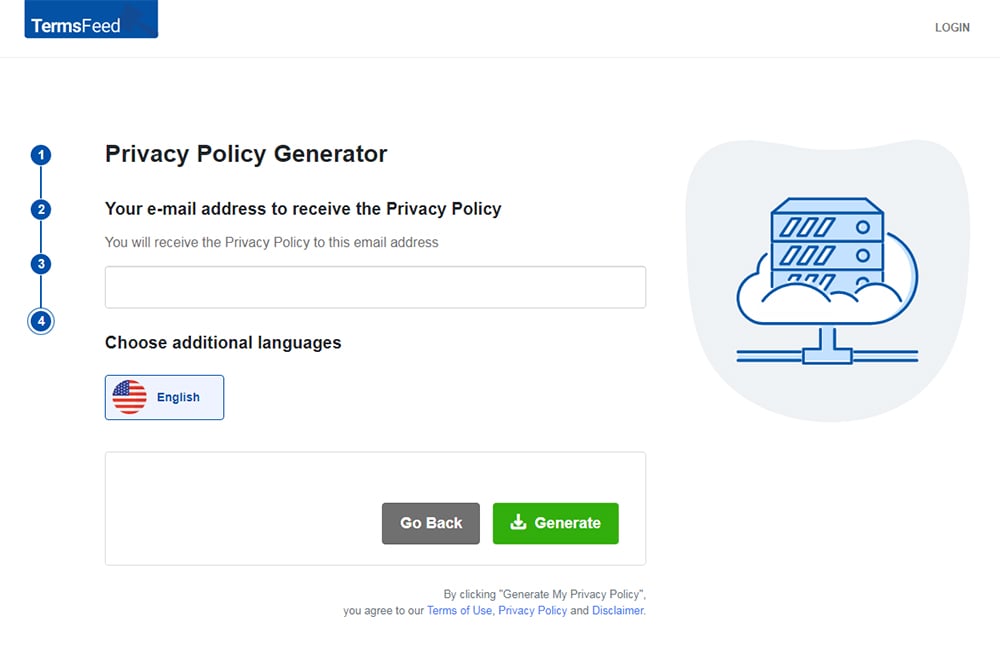
You'll be able to instantly access and download your new Privacy Policy.


- 1. 6 Tips for Managing Privacy Requests Across Jurisdictions
- 1.1. 1. Create a Data Map
- 1.2. 2. Maintain a Privacy Policy
- 1.3. 3. Maintain Documentation
- 1.4. 4. Stay Up-to-Date on Privacy Laws
- 1.5. 5. Maintain a Privacy-First Workplace Culture
- 1.6. 6. Run regular audits
- 2. What Your Staff Needs to Know in Order to Respond to Privacy Requests Under Multiple Legal Regimes
- 2.1. Which Privacy Laws May Apply and What They Require
- 2.2. How to Verify Identity
- 2.2.1. Use Personal Information You Already Have
- 2.2.2. Explain What You Are Using Verification Data For
- 2.2.3. Make Sure the Data Used to Verify Identity Matches the Risk Level of the Request
- 2.2.4. Minimize Data
- 2.2.5. Keep a Record of the Verification Process
- 2.3. How to Respond to Privacy Requests
- 2.4. What to Do When User Location is Uncertain
- 2.5. How to Use Compliance Tools
- 3. Summary
6 Tips for Managing Privacy Requests Across Jurisdictions
Following these six tips can set you up for success in training your staff on how to respond to privacy requests under different privacy laws.
1. Create a Data Map
Privacy and data protection laws around the world require applicable organizations to protect individuals' personal information. Personal information is any data that can be used to identify an individual (either on its own or in combination with other data) such as names, birthdays, email addresses, and online identifiers.
A data map helps you and your staff understand how personal information flows through your business, enabling you to keep personal data secure and comply with privacy laws.
Creating a data map involves:
- Identifying the types of data you collect and where the data comes from
- Listing how you collect, process (use), store, and transfer data
- Explaining whether you share or sell the data
The tools you use to map your data depend on the size of your business and the amount of data you handle. Smaller businesses can use something as simple as a spreadsheet to map their data, while larger organizations may do better with automated data mapping software.
2. Maintain a Privacy Policy
A Privacy Policy is a legal document that explains how you handle users' personal information and how they can exercise their privacy rights.
Maintaining a clearly written, regularly updated, and easily accessible Privacy Policy is required by many privacy laws, and can help you communicate the exact processes you use to respond to individuals' privacy requests.
Your staff should have access to and understand the contents of your Privacy Policy, and receive training on any pertinent updates made to the document.
HSBC's Online Privacy Statement includes sections containing information about state-specific privacy rights and how users can update their personal information by contacting the bank through its Customer Service page, over the phone, or via mail.

You should make sure users can easily find your Privacy Policy by putting links to the document wherever you collect personal information.
Common places to put Privacy Policy links include:
- Website footer
- Checkout page
- Account sign-in/creation page
- Cookie banner
- In-app menu
Visitors to the Volkswagen website are presented with a cookie banner that contains links to its Cookie Policy and Privacy Policy.

3. Maintain Documentation
Keeping a record of the privacy requests you receive and how you respond to them can help you comply with accountability and transparency requirements of privacy laws like the GDPR and the CCPA.
4. Stay Up-to-Date on Privacy Laws
Privacy laws are ever-evolving; it's important to stay up to date on applicable legislation changes and ensure that ongoing staff trainings reflect those changes.
5. Maintain a Privacy-First Workplace Culture
Maintaining a privacy-first workplace culture can help ensure that all staff are on the same page.
Privacy first means that you only collect data that is essential for your purposes, you are transparent about how you use the data, and you give data subjects (individuals to whom personal data belongs) the ability to control how their data is processed.
A business that embraces privacy first principles ensures that all staff are trained on best privacy practices and how to comply with applicable privacy laws.
6. Run regular audits
It's important to conduct tests on a routine basis to ensure your mechanisms for handling privacy requests are functioning properly.
What Your Staff Needs to Know in Order to Respond to Privacy Requests Under Multiple Legal Regimes
Here's what your team should know in order to respond to privacy requests from individuals in different locations.
Which Privacy Laws May Apply and What They Require
While the requirements concerning privacy requests vary by law, many laws require applicable organizations to:
- Verify the identity of the individual making the request
- Respond to requests to access, edit, or delete individuals' personal information within a specific timeframe
- Provide information about and keep records of the privacy request process
- Not discriminate against individuals for exercising their privacy rights
It's important–and often legally required–that your staff understands which laws apply to the data you collect or process and how to comply with those laws.
Section 1798.130 (C) of the CCPA explains that anyone responsible for responding to questions about a business's privacy practices must understand the law's requirements and be able to inform consumers about how they can exercise their privacy rights.

The privacy laws that apply to you depend on factors such as where your business and your users are located, the types of data you collect or process, how you process data and where you store it, and your business size and industry.
Let's take a look at a few of the major privacy laws around the world and what they require regarding consumer privacy requests.
- General Data Protection Regulation (GDPR). The GDPR is the EU's main privacy law. The GDPR applies to organizations that collect or process EU residents' personal data and organizations located outside of the EU that offer goods or services to EU residents or track their behavior. It requires applicable organizations to have a legal reason for processing personal data, explain what they do with users' data, and respond to privacy requests from data subjects, among other requirements.
- California Consumer Privacy Act (CCPA). The CCPA protects the privacy rights of California consumers (residents). The law applies to for-profit businesses that collect California residents' personal information, do business in California, and meet certain thresholds. The CCPA requires businesses to inform California consumers about how they intend to use personal information and honor consumers' privacy rights, including their rights to make requests concerning their data.
- Lei Geral de Proteção de Dados (LGPD). Brazil's LGPD applies to data processing activities involving individuals located in Brazil and requires data processors to respect individuals' privacy rights, including responding to personal data requests.
- Personal Information Protection and Electronic Documents Act (PIPEDA). PIPEDA is Canada's main privacy law. It protects personal information belonging to individuals in Canada and requires businesses to maintain a Privacy Policy, get consent, and respect Canadians' rights to access and correct their data, among other requirements.
- Australia Privacy Act of 1988. Australia's Privacy Act applies to certain private sector organizations and protects Australian residents' personal data. It requires applicable organizations to be transparent about their data processing activities and give individuals a way to request access to or correct their data.
Article 12 of the GDPR explains that data controllers (those who make decisions about how and why to process data) must respond to requests from data subjects concerning their personal data.

Letting users know what their data is used for and how to exercise the following rights can help you comply with many major privacy laws:
| User Right / Law | GDPR | CCPA | PIPEDA | LGPD | APP |
| Right to know what data is processed and why | ✔ | ✔ | ✔ | ✔ | ✔ |
| Right to access their data | ✔ | ✔ | ✔ | ✔ | ✔ |
| Right to correct their data | ✔ | ✔ | ✔ | ✔ | ✔ |
| Right to delete their data | ✔ | ✔ | ✔ | ✔ | |
| Right to limit or restrict the processing of their data | ✔ | ✔ | ✔ | ||
| Right to data portability | ✔ | ✔ | |||
| Right to opt out of the sale or sharing of their data | ✔ | ✔ |
How to Verify Identity
Privacy laws may require or recommend that you verify an individual's identity before processing their privacy request. You can do this by having the user provide information only they have access to.
Identity verification must be done with care, as any personal data used for verification purposes needs to be protected, and you need to ensure that unauthorized individuals can't access personal information.
So how do you verify data subjects' identity?
There are a few identity verification tips you and your staff can follow to help you comply with major privacy laws, including matching information to data you already have and minimizing data.
Use Personal Information You Already Have
You can ask the individual making a privacy request to provide information that matches data you already have. This helps minimize data collection and–as long as your verification channel is secure–keep the information safe.
For example, if you verified a user's identity via email when you first collected their data and they submit a low-risk privacy request (such as opting out of marketing) via the same email address, you can typically verify their identity using that email address.
Explain What You Are Using Verification Data For
You should clearly explain exactly what types of data you need to verify identity and why you need it.
Make Sure the Data Used to Verify Identity Matches the Risk Level of the Request
If there is not much risk involved in the request (such as opting out of marketing or changing cookie settings) then you can use data such as an email address to verify identity. For higher-risk requests such as data deletion, you may need to ask for more sensitive information, such as transaction details or account information.
Minimize Data
You should limit the collection of personal information to that which is absolutely necessary for verifying a user's identity.
You'll want to avoid asking for copies of government-issued IDs, passports, or birth certificates unless essential, as those types of information may not be proportionate to your needs.
Keep in mind that information that remains unchanged for a long period of time is at a greater risk of unauthorized access. When you acquire sensitive personal information (such as financial data or information about race or ethnicity) you must take extra steps (such as conducting a data impact assessment) to ensure its security.
Keep a Record of the Verification Process
You should keep a secure record of what verification method you use for each privacy request, why it is the right method for that type of request, whether it worked, and when it was used.
Authentication methods can include:
- Email or SMS verification. If you need to verify identity for a lower-risk privacy request such as unsubscribing from a newsletter, you can send a code to the user via email or text and have them click a link to verify their identity.
- Knowledge-based authentication. This type of verification requires users to provide information only they should have access to, such as a description of their most recent purchase or part of their account number.
- Authentication via account login. With this method, users must log into an account to submit their request. If you allow account login authentication, you should provide another identity verification method for individuals who don't have an account. The CCPA states that businesses cannot require users to set up an account to submit a privacy request, but can enable users who already have an account to submit a request via their account.
- Multi-factor authentication. Multi-factor authentication relies on two or more verification methods. For instance, a user may be required to provide their password and submit a passcode sent through text or an app. This method is a bit more complex but is beneficial for higher-risk data requests, such as deletion or data transfer requests.
Recital 64 of the GDPR states that data controllers should use "all reasonable measures" to verify the identity of data subjects requesting access to their personal data, but should not keep any personal data that is used only to respond to privacy requests.

But what should you do if you can't verify the identity of an individual who has submitted a privacy request?
If you can't verify the individual's identity, you may need to request more information for verification purposes before you can process the request. If you can't take action due to being unable to verify the user's identity, you should inform the individual as soon as possible about why their request can't be fulfilled.
How to Respond to Privacy Requests
Once you've verified the data subject's identity, you can take the next step, which is responding to the privacy request. All staff that play a part in receiving, responding to, or fulfilling individuals' privacy requests need to be trained on how to respect applicable privacy laws when handling requests.
Some laws may require you to provide certain types of data request submission methods. For instance, the CCPA requires businesses to provide at least two methods for submitting privacy requests, such as a toll-free telephone number and a web form.
Section 1798.130 of the CCPA explains that businesses must provide at least two "reasonably accessible" methods of submitting privacy requests.

McDonald's' Privacy Statement is an example of what this can look like in action. It includes a section on US state-specific privacy rights that lets users know that they can submit a request to exercise privacy rights such as opting out of targeted advertising and accessing, correcting, or deleting their data by visiting the company's linked Privacy Rights Center or calling a toll-free telephone number.

Whether you fulfill a privacy request or not depends on the legitimacy of the request as determined by the applicable law.
For instance, the CCPA caps the number of access requests a business must respond to at two requests per 12-month period. Furthermore, if the business can't verify the identity of the consumer making the request, they do not have to fulfill the request.
Similarly, the GDPR allows businesses to deny repetitive requests or charge a "reasonable fee" for unfounded or excessive requests.
The California Privacy Protection Agency (CPPA) is the enforcing body of the CCPA. Its website lists common reasons that a business can deny consumers' requests to know what personal information is collected about them, including if the business has provided personal information to the consumer more than twice in 12 months and if the business can't verify the consumer's identity.

Once you've determined the request is legit, you can then apply redactions, retrieve and send a copy of data, and correct or delete data as requested.
If you choose not to fulfill the request, you will still need to respond to the request within the applicable law's required timeframe. Your response should include your reasons for not fulfilling the request and the individual's right to appeal your decision, if applicable.
For example, Article 12 of the GDPR requires organizations to respond to privacy requests within one month, with the ability to extend the response time by an additional two months, as long as they inform the data subject of the reason for the delay.

In addition, you should have a process in place for notifying third parties with whom you've shared data about relevant privacy requests.
Article 19 of the GDPR states that data controllers should communicate data correction or deletion requests to third parties who have received the data subject's information.

What to Do When User Location is Uncertain
If you can't verify a user's location, then you should default to the strictest applicable privacy law.
Designing your privacy protocols so that they cater to the strongest privacy laws can help you ensure that all your bases are covered in situations where you can't verify a user's location.
For instance, the CCPA requires businesses to respond to privacy requests within 45 days, while the GDPR gives businesses one month to respond. If you have users from both California and the EU, establishing a one-month deadline for responding to privacy requests can help ensure compliance with both laws.
How to Use Compliance Tools
Choosing the right tools to help you comply with privacy laws depends on the size of your business, the amount and types of privacy requests you receive, and your budget.
Tools that can be used to help you and your staff respond to privacy requests from users in different regions include:
- Privacy platforms. Platforms like DataGrail and TrustArc can help you create a privacy center that provides a way for website visitors to submit region-specific privacy requests and make decisions about their personal data.
- Data mapping tools. Tools such as OneTrust and Astera can help you identify, locate, and manage data.
- Identity verification tools. Privacy software such as BigID can help you confirm users' identity when making privacy requests.
- Spreadsheets. Smaller organizations can use spreadsheets such as Google Sheets or Microsoft Excel to organize data and track privacy requests.
- Document generator tools. With a generator tool such as TermsFeed, you can input information about your business and the laws that apply and get a customizable Privacy Policy in minutes.
Astera relies on AI to power its data mapping and integration software.

TermsFeed's free Privacy Policy generator can help you create a Privacy Policy that complies with state and global privacy laws and helps your staff and users understand how you handle personal information.

Summary
If you do business globally, you'll need to understand what privacy laws apply to you and your users and have processes in place to respond to privacy requests from users located in different legal jurisdictions.
Taking the following steps can help ensure your staff are well-prepared to respond to privacy requests and help you comply with applicable privacy laws:
- Creating a data map
- Maintaining a Privacy Policy
- Documenting your privacy request process
- Staying informed about privacy law changes
- Maintaining a privacy-first workplace culture
- Conducting regular audits
In order to respond to privacy requests from individuals in different locations, your staff will need to be trained on the following:
- What privacy laws may apply and how to comply with each
- Best practices for verifying the identity of individuals making privacy requests
- How to respond to privacy requests
- What to do if the location of the individual making a privacy request can't be confirmed
- How to use compliance tools, such as privacy platforms and data mapping and authentication tools

The first step to compliance: A Privacy Policy.
Stay compliant with our agreements, policies, and consent banners — everything you need, all in one place.


