Steps

  1. Go to our Free Cookie Consent Solution page to create the Cookie Consent code necessary to show the notice banner on your Simvoly website.

  2. Log in to your Simvoly account. Go to Website Settings:
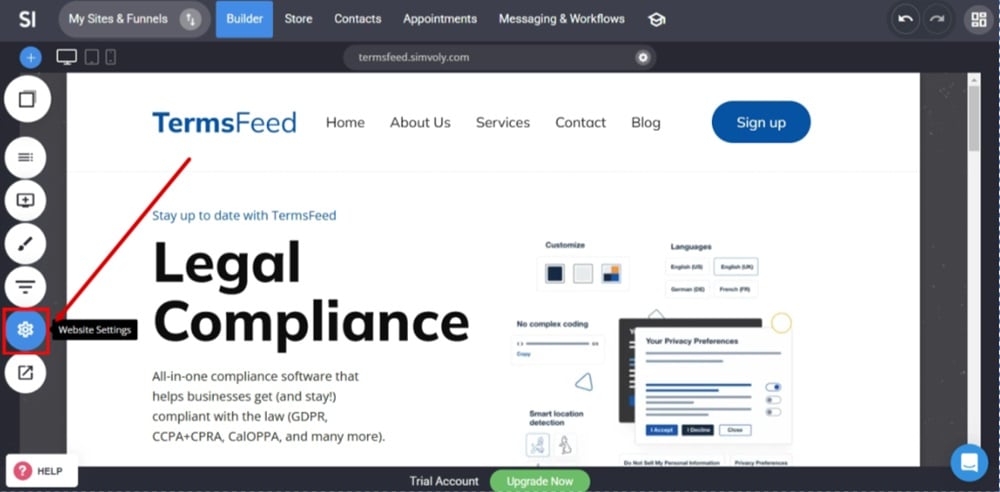
    TermsFeed Simvoly - Builder menu - Website Settings

  3. Under the Website Settings section, select Custom code:
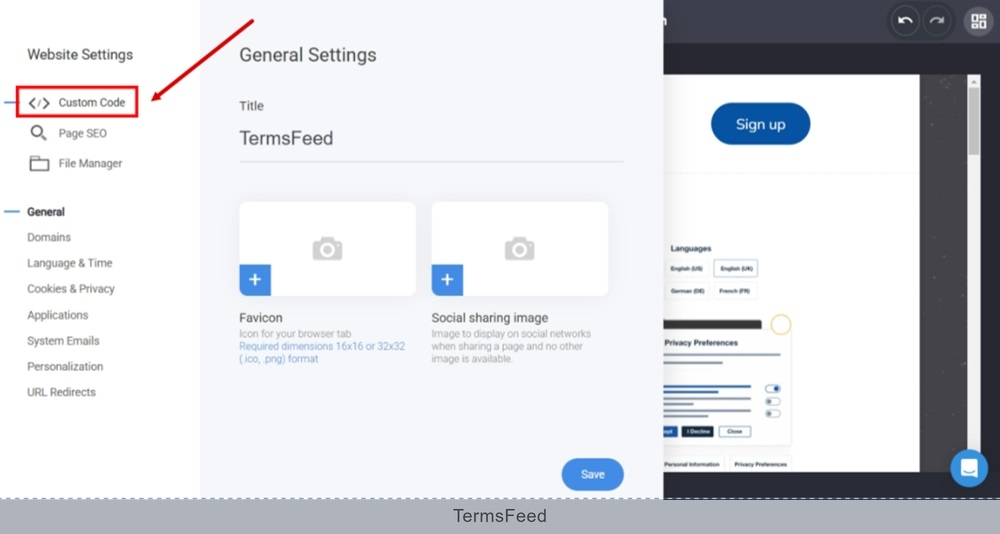
    TermsFeed Simvoly - Builder menu - Website Settings - Custom code

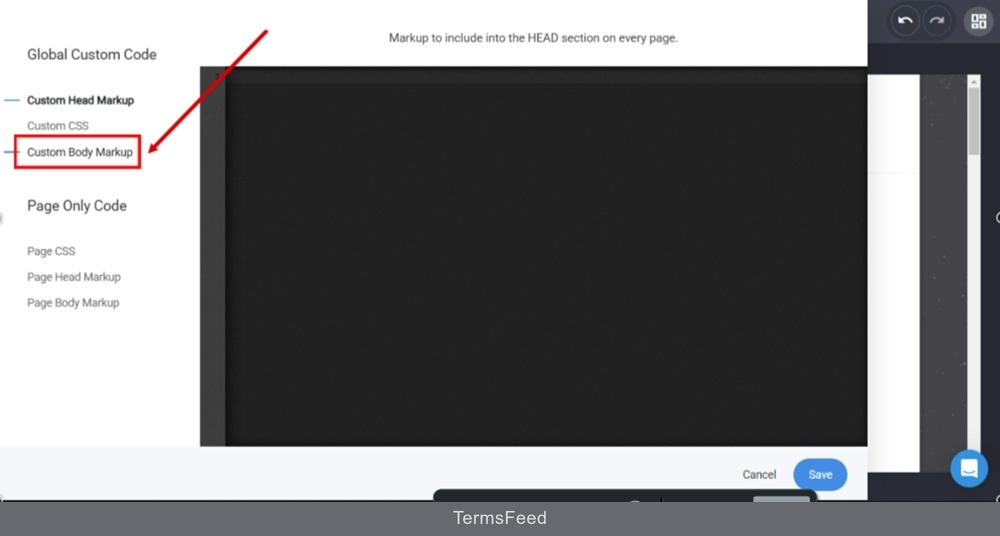
  4. Switch to the Custom Body Markup:

    TermsFeed Simvoly - Builder menu - Website Settings - Custom code - Switch to the Custom Body Markup

  5. Use the CTRL + V keys to paste the generated free Cookie Consent banner from TermsFeed and click Save:
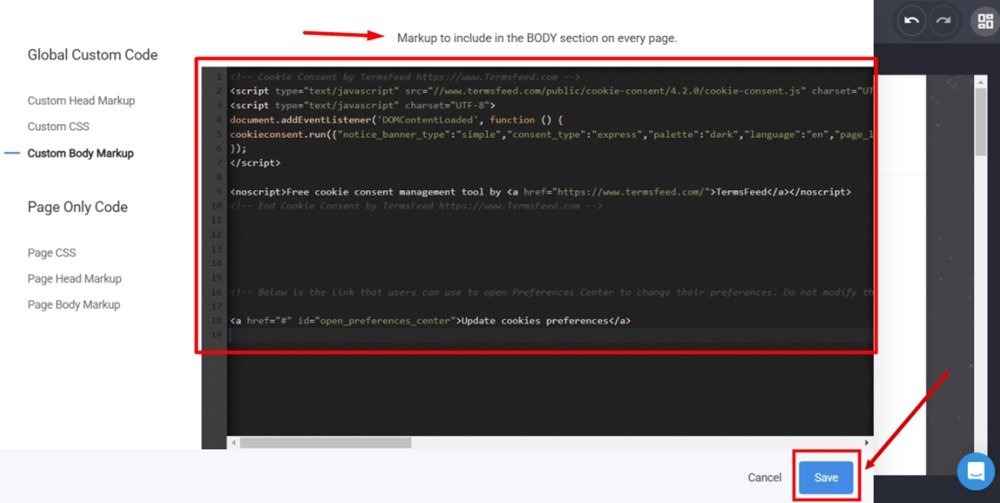
    TermsFeed Simvoly - Builder menu - Website Settings - Custom code - Body Markup - Paste the generated Cookie Consent banner and click Save

  6. Go to Website Preview to see the changes:
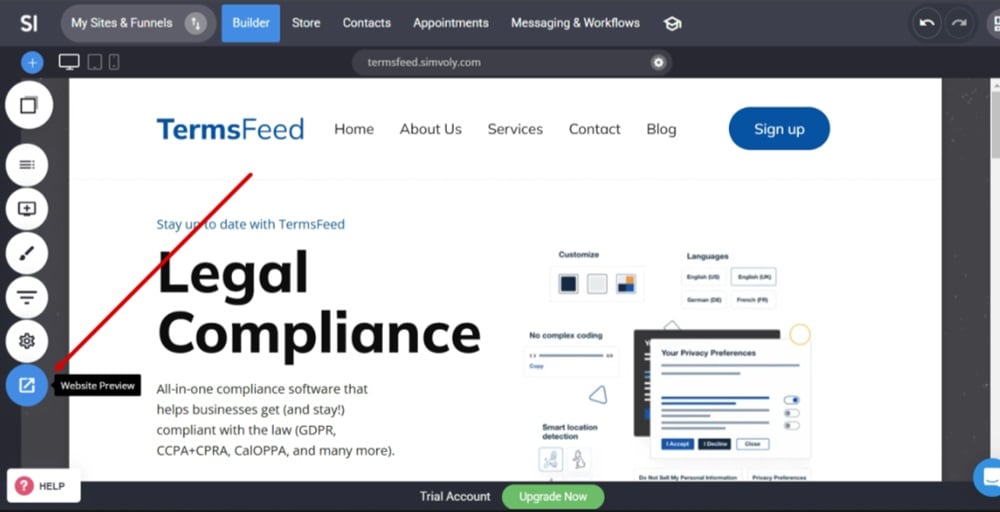
    TermsFeed Simvoly - Builder menu - Website Preview

  7. The Cookie Consent notice banner is now displayed:
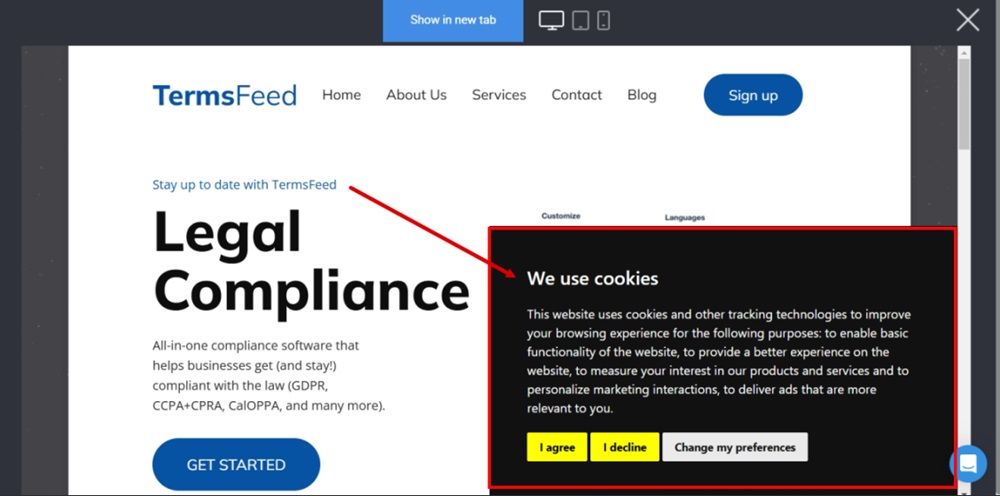
    TermsFeed Simvoly - Builder menu - Website Preview - The free and custom Cookie Consent notice banner displayed