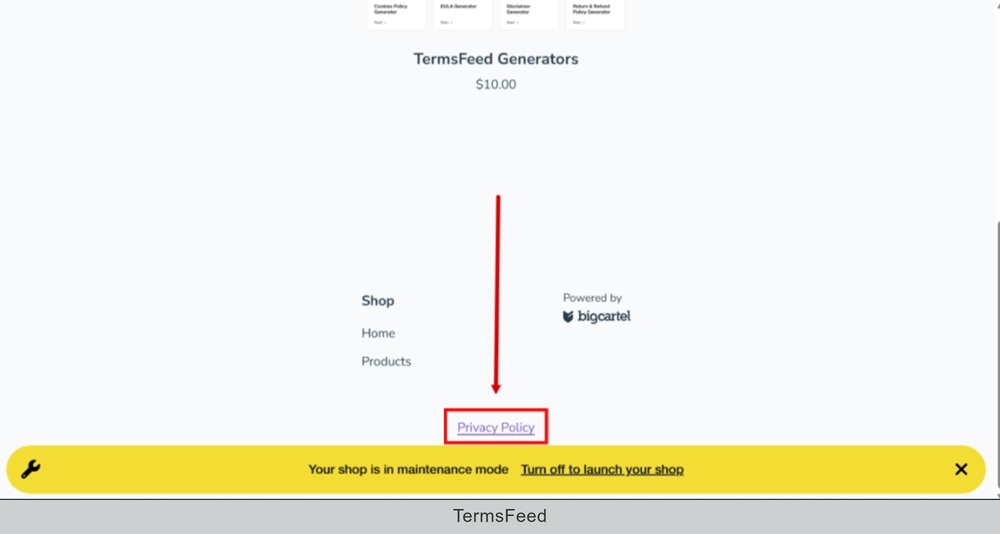
In this video we'll show you how to add an external link to the footer of a Big Cartel website.
Let's start.
-
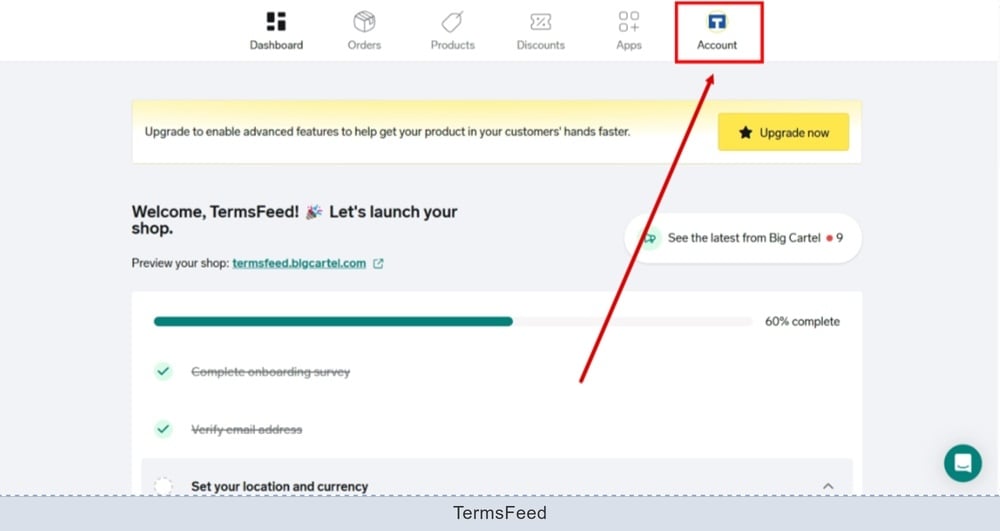
Log in to the Big Cartel dashboard and go to Account:
-
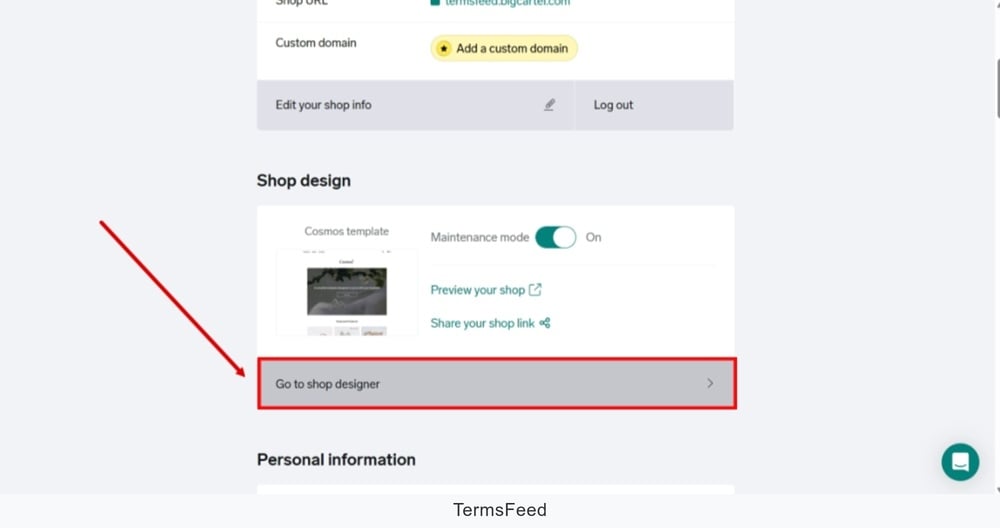
Find the Shop design and click the "Go to shop designer" to start editing:
-
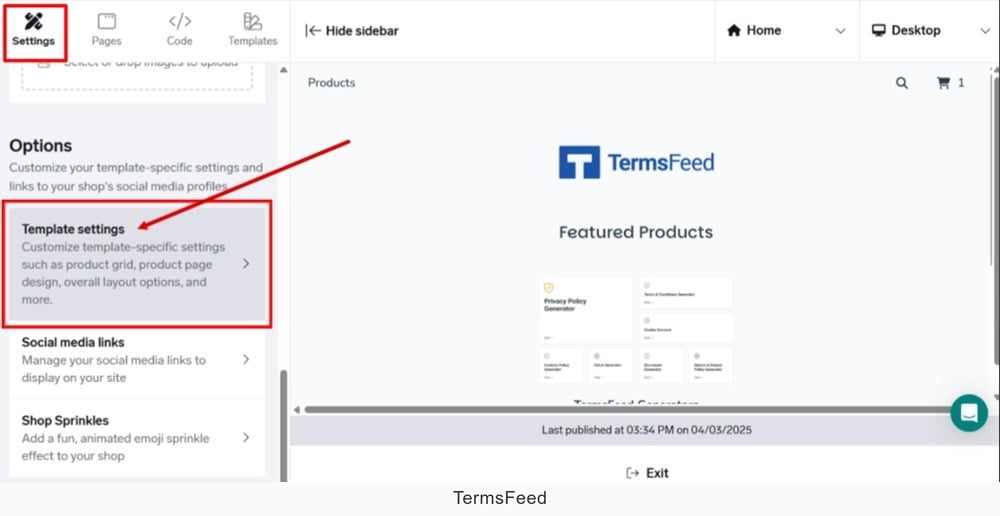
From the Settings menu, open the Template settings:
-
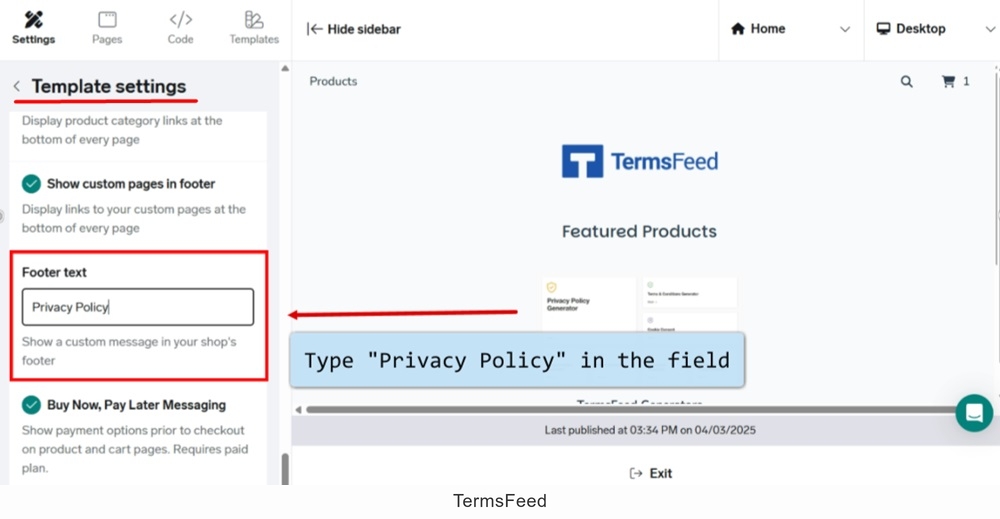
In the "Footer text" field, type "Privacy Policy:"
-
Copy the URL to the Privacy Policy page.
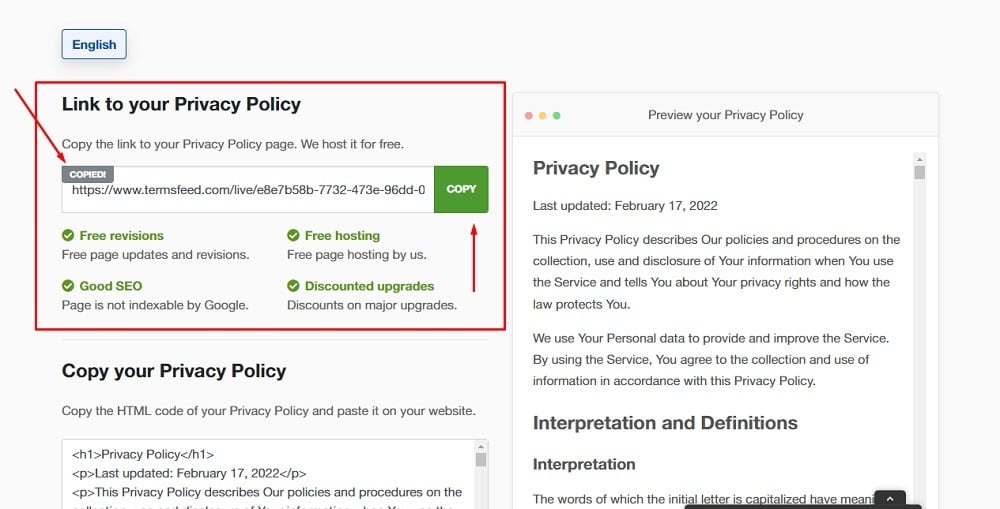
To get a Privacy Policy URL link, go to the TermsFeed Privacy Policy Generator to create a Privacy Policy and get the hosted Privacy Policy URL.
Once you have a Privacy Policy created by TermsFeed, click Copy from the Link to your Privacy Policy section to copy the URL:
-
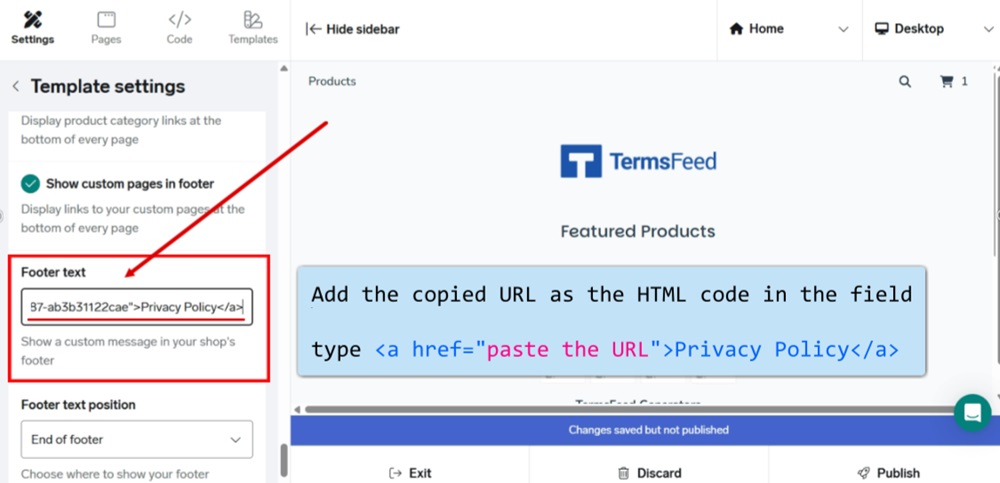
To add the copied URL to the "Footer text", you'll need to add it as the HTML code as shown in the image below:
-
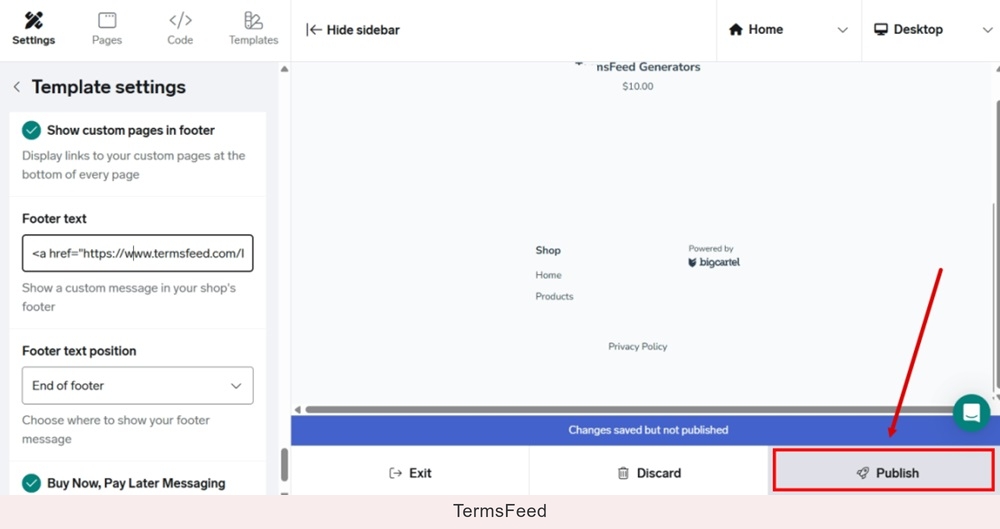
Publish your changes:
-
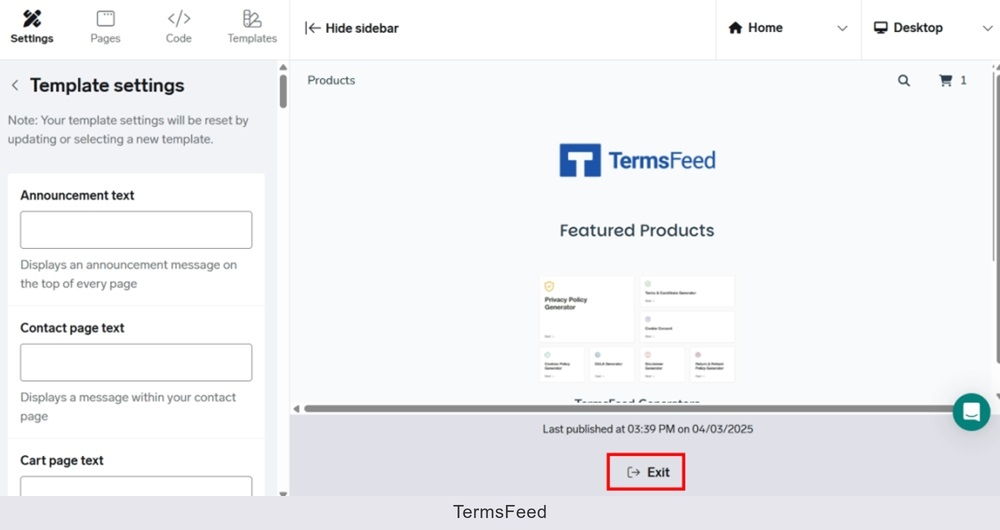
Exit the editor:
-
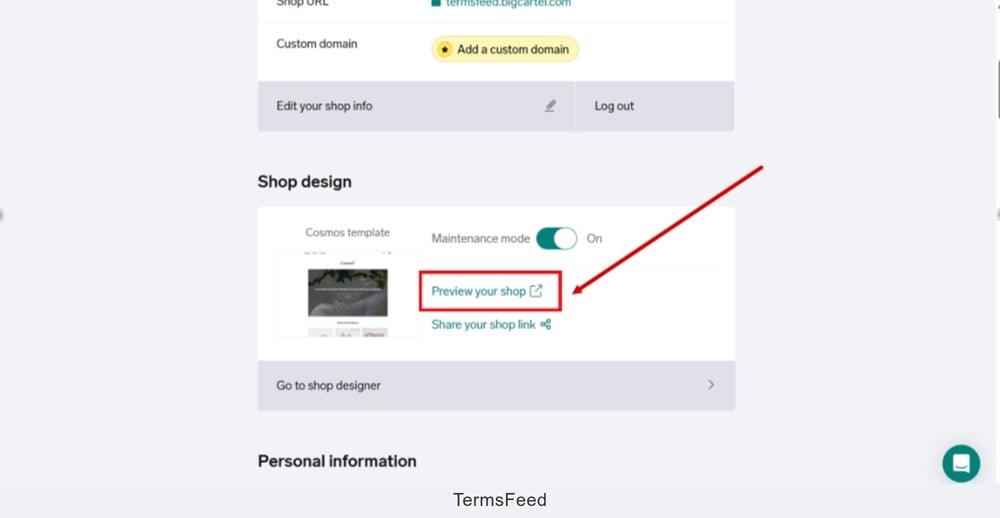
Go back to the "Shop design" and click the "Preview your shop:"
-
The Privacy Policy URL is displayed at the footer of your Big Cartel shop: