


AI Summarize


Share


Secure Privacy is a mid-to-low budget consent management platform (CMP) with one of the widest regulatory coverage sets on the market.
Secure Privacy provides cookie consent tools, automated website scanning, and privacy compliance for businesses. Core capabilities include:
- Identifies cookies, trackers, and data flows through automated scanning
- Blocks non-essential cookies until valid consent is obtained with a consent management engine
- Handles Data Subject Access Request (DSAR) through a built-in portal
- Integrates natively with Google Consent Mode v2 and Meta Consent Mode
Secure Privacy has a free plan, and paid plans start at $15 per month per domain. There is a 30-day free trial on all paid plans. The main pro is that Secure Privacy holds System and Organization Controls (SOC) 2 Type II certification, and the main limitation is that the free plan is quite limited in what it provides. TermsFeed is a better alternative for businesses that need legal document generation alongside consent management.
- 1. What is Secure Privacy?
- 2. What is the Secure Privacy Price?
- 3. What are the Best Secure Privacy Features?
- 3.1. 1. Automated Cookie and Tracker Scanner
- 3.2. 2. 55+ Global Privacy Law Compliance
- 3.3. 3. Google Consent Mode v2 Integration
- 3.4. 4. Meta Consent Mode Integration
- 3.5. 5. Geolocation-Based Banner Customization
- 3.6. 6. Cookie Blocking Until Consent
- 3.7. 7. DSAR Management Portal
- 3.8. 8. Privacy Policy Generator
- 3.9. 9. Cross-Domain Consent Sharing
- 3.10. 10. 70+ Pre-Translated Languages
- 3.11. 11. SOC 2 Type II Certification
- 3.12. 12. Customizable Consent Interface
- 3.13. 13. Consent Analytics Dashboard
- 3.14. 14. Monthly Compliance Reports
- 3.15. 15. Multi-User & Role-Based Access
- 4. How does Secure Privacy Work?
- 4.1. Requirements Before You Begin
- 4.2. Getting Started: Step-by-Step
- 4.3. How the Scanning and Consent Engine Works
- 4.4. Known Limitations and Workarounds
- 5. What are the Pros and Cons of Secure Privacy?
- 5.1. What are the Pros of Secure Privacy?
- 5.2. What are the Cons of Secure Privacy?
- 6. What are the alternatives to Secure Privacy?
- 6.1. What is the history of Secure Privacy?
What is Secure Privacy?
Secure Privacy is a cookie and consent management platform that helps businesses manage privacy obligations across websites and marketing technologies.
The Secure Privacy platform covers 55+ global privacy laws from a single configuration, including the General Data Protection Regulation (GDPR), California Consumer Privacy Act and California Privacy Rights Act (CCPA/CPRA), Lei Geral de Proteção de Dados from Brazil (LGPD), and the Digital Personal Data Protection (DPDP) Act from India. Secure Privacy offers a free plan and accessible pricing for paid plans.
Secure Privacy has:
- SOC 2 Type II certification
- Google CMP Partner status with native Google Consent Mode v2 integration
- Native Meta Consent Mode integration
These 3 credentials are difficult to find together at the pricing tier Secure Privacy occupies. The platform targets SMBs and agencies that want enterprise-grade compliance infrastructure without enterprise-scale costs.
What is the Secure Privacy Price?
The Secure Privacy price is $0 per month on the free plan and from $15 to $249 per month on paid plans. Secure Privacy is billed per domain. All paid plans include a 30-day free trial. Each domain requires its own license at the same subscription level.
| Plan | Monthly Price (Per Domain) | Monthly Consents | Key Features |
| Free | $0 | 500 | Core consent, Google Consent Mode v2, basic cookie management, 1 user |
| Small | $15 | 5,000 | Branding customization, multi-language, increased limits, 2 users |
| Business | $59 | 50,000 | Cross-domain consent, Privacy Policy, DSAR form, 65+ templates, 10 users |
| Advanced | $249 | 5,000,000 | SLA, Enterprise SSO, scan behind login, unlimited users, dedicated success manager, audit logs |
The Secure Privacy pricing is shown in the image below.

Secure Privacy provides SOC 2-certified compliance at $15 per month for a single domain. This price is low compared to competitors.
What are the Best Secure Privacy Features?
The best Secure Privacy features are an automated cookie scanner, 55+ law coverage, Google and Meta Consent Mode integrations, geolocation-based banner rules, and a built-in DSAR portal. The features include the following.
- Automated Cookie & Tracker Scanner
- 55+ Global Privacy Law Compliance
- Google Consent Mode v2 Integration
- Meta Consent Mode Integration
- Geolocation-Based Banner Customization
- Cookie Blocking Until Consent
- DSAR Management Portal
- Privacy Policy Generator
- Cross-Domain Consent Sharing
- 70+ Pre-Translated Languages
- SOC 2 Type II Certification
- Customizable Consent Interface
- Consent Analytics Dashboard
- Monthly Compliance Reports
- Multi-User & Role-Based Access
1. Automated Cookie and Tracker Scanner
Automated Cookie and Tracker Scanner is the Secure Privacy tool that continuously scans websites for cookies, trackers, pixels, and data flows.
The scanner identifies first-party cookies, third-party cookies, tracking pixels, and local storage objects, categorizing each by purpose. Secure Privacy categorizes these as strictly necessary, analytics, functional, or marketing.
The scanner runs on a scheduled basis. It detects new cookies added by third-party scripts without manual review. It then generates a cookie declaration that populates the consent banner automatically.
An image of the scanner is shown in the image below.

GDPR and ePrivacy require businesses to disclose all cookies placed on a visitor device. Agencies and developers managing sites with multiple third-party scripts benefit from this feature, because new scripts frequently introduce undisclosed cookies.
The scanner is available on all plans, including the free plan. This makes the scanner a useful free compliance audit tool.
2. 55+ Global Privacy Law Compliance
55+ Global Privacy Law Compliance is the Secure Privacy capability to manage consent under pre-configured privacy law rule sets. The platform applies this automatically based on the location of each visitor.
The platform includes pre-configured rule sets for GDPR, CCPA/CPRA, LGPD, the DPDP Act, Protection of Personal Information Act from South Africa (POPIA), and 50+ additional laws. The platform applies rule sets automatically based on visitor geolocation and updates them as laws change. This removes the need for manual configuration adjustments.
A sample of privacy law coverage is shown in the image below.

Secure Privacy includes all 55+ laws in every paid plan with no per-regulation add-on fees. This makes it good value for businesses with international traffic.
3. Google Consent Mode v2 Integration
Google Consent Mode v2 Integration is the Secure Privacy native connection that passes consent signals from the banner directly to Google Analytics 4 and Google Ads for privacy-compliant measurement.
The integration sends consent state signals to Google without additional configuration. Visitors who reject analytics cookies trigger Secure Privacy to signal Google to use modeled conversions instead of direct tracking. This preserves measurement data even without consent.
Some features of the Google Consent Mode v2 Integration are shown in the image below.

Since March 2024, Google requires this integration for EU advertisers and publishers using Google Ads and Google Analytics under the Digital Markets Act (DMA). Secure Privacy holds Google CMP Partner status, which provides documented proof of compliant implementation. The integration is available on all plans, including the free tier. Some other CMPs restrict it to paid tiers.
4. Meta Consent Mode Integration
Meta Consent Mode Integration is the Secure Privacy native connection that passes consent signals to Meta (Facebook) for compliant social advertising and pixel tracking.
The integration ensures the Meta Pixel and advertising tags only fire based on the consent state chosen by the visitor. Visitors who decline marketing cookies trigger Secure Privacy to block the pixel and signal Meta accordingly. This protects the business from placing tracking technologies on a device without valid consent.
GDPR enforcement has produced fines for running the Meta Pixel without proper consent management and inadequate data security. Few CMPs at this price point offer native Meta Consent Mode integration alongside Google Consent Mode v2. Having both in one platform is a meaningful differentiator.
The integration is available on all plans, including the free tier.
5. Geolocation-Based Banner Customization
Geolocation-Based Banner Customization is the Secure Privacy feature that serves different consent experiences to visitors based on their geographic location. It applies the correct legal framework automatically.
The platform detects the location of each visitor and shows the appropriate banner. For example, there is an opt-in banner for EU visitors under GDPR, or an opt-out banner for California visitors under CCPA. All of this runs from a single account without separate setups per region.
This is a particularly useful feature for businesses with traffic from many countries.
The cookie consent banner jurisdiction feature is shown in the image below.

Showing no banner to EU visitors is an ePrivacy Directive violation. Showing a generic opt-in banner to all visitors regardless of location creates a poor experience. Geolocation-based customization solves both problems at once.
Geolocation-based banner rules are available on all paid plans.
6. Cookie Blocking Until Consent
Cookie Blocking Until Consent is the Secure Privacy mechanism that automatically prevents non-essential cookies and trackers from firing until the visitor provides valid consent.
Secure Privacy intercepts third-party scripts, advertising pixels, analytics tags, and social media plugins at the browser level. They remain blocked until the visitor makes an active choice. Secure Privacy stores the consent state per visitor. The platform does not prompt returning visitors again.
Displaying a banner while cookies run in the background violates ePrivacy Directive and GDPR consent requirements. Both require prior consent before non-essential cookies fire. Multiple European data protection authorities have issued fines for exactly this practice. Secure Privacy includes pre-consent blocking across all plans, including the free tier.
7. DSAR Management Portal
DSAR Management Portal is the Secure Privacy built-in system for receiving, tracking, and responding to data subject access requests. This includes requests for data access, deletion, and portability.
The portal embeds customizable request forms directly on the business website. The portal logs each submission with its date, request type, and response deadline, and tracks it against the legal response window. The legal response window is one calendar month under GDPR and 45 days under CCPA. Records are exportable for compliance documentation.
Most CMPs at this price range handle cookie consent only. Having DSAR management in the same platform reduces the number of tools a business needs to maintain. The feature is available in the Business plan and above.
8. Privacy Policy Generator
Privacy Policy Generator is the Secure Privacy templated document generation tool for Privacy Policies and Cookie Banners.
The platform generates documents based on the account configuration. Documents reflect the cookie categories detected during scanning and the consent rules applied per jurisdiction. They update automatically as the compliance configuration changes. The generator is available in the Business plan and above via the Policy Center.
The image below shows the Privacy Policy and Cookie Banner generator page.

TermsFeed offers a more comprehensive and customizable legal document generator for businesses that need broader policy types, greater customization, or the option to own the document without a monthly subscription.
9. Cross-Domain Consent Sharing
Cross-Domain Consent Sharing is the Secure Privacy feature that allows a single consent choice made by a visitor to carry across multiple domains under the same account.
A visitor who consented on one domain in the account will not see a banner on other domains covered by the same configuration. The consent record links to the visitor across all configured domains. This is useful for multi-brand businesses and agencies managing multiple client websites.
The feature is available in the Business plan and above.
10. 70+ Pre-Translated Languages
70+ Pre-Translated Languages is the Secure Privacy feature that automatically displays consent banners in the correct language. This is based on the browser or geographic settings of each visitor.
Pre-translated text is available for more than 70 languages. The language is selected automatically based on visitor browser settings or geolocation. All standard banner elements are covered. This includes title, description, accept and reject buttons, and category labels. There are no manual translation files to maintain.
The image below shows the 70+ language feature.

GDPR requires that consent information be presented in a way the visitor understands. For example, a business serving German visitors needs to use German language.
However, the Secure Privacy account dashboard itself is in English only. This is a limitation for non-English-speaking operators.
Multi-language banner support starts from the Small plan at $15 per month.
11. SOC 2 Type II Certification
SOC 2 Type II Certification is the independently audited security credential that Secure Privacy holds. This confirms that its internal security controls meet the American Institute of Certified Public Accountants (AICPA) Trust Services Criteria over a sustained review period.
The certification requires an independent auditor to evaluate whether security controls have operated effectively over time. The timeframe is usually from 3 to 12 months. This evaluation takes place across security, availability, processing integrity, confidentiality, and privacy. Secure Privacy renews it on an ongoing basis.
The details of the SOC 2 compliance are shown in the image below.

Many CMPs at this price point do not hold SOC 2 Type II certification. Having this credential at $15 per month per domain is unusual in the market. This is a primary differentiator for buyers in data-sensitive industries or those with enterprise customers that require vendor compliance evidence.
12. Customizable Consent Interface
Customizable Consent Interface is the Secure Privacy design control system that allows businesses to adjust banner appearance, button styles, color schemes, and messaging to match brand guidelines.
The customization feature is displayed in the image below.

The platform provides controls for banner layout, colors, typography, button text, and the tone of the consent message. Supported formats include a bottom bar, center popup, and sidebar. Custom CSS is available on higher-tier plans for more advanced control.
Banner customization starts from the Small plan at $15 per month. For agencies delivering consent solutions to branded clients, design control is a core requirement.
13. Consent Analytics Dashboard
Consent Analytics Dashboard is the Secure Privacy reporting module that provides real-time data on consent rates, opt-in and opt-out patterns, and geographic trends across websites.
The dashboard displays consent rate by category, interaction rate, opt-in rate, and a geographic breakdown of consent decisions. Data updates in real time and is exportable for use in external reporting tools.
Analytics is available from the Business plan, with advanced reporting in the Advanced plan. For marketing teams that rely on consented data for advertising measurement, tracking consent rates by region and banner configuration is beneficial for business outcomes.
14. Monthly Compliance Reports
Monthly Compliance Reports is the Secure Privacy automated reporting feature that generates monthly summaries of scan results, consent metrics, and flagged compliance gaps.
Each report covers cookies detected during the period, consent rates recorded, new cookies found since the last scan, and any areas where the configuration needs review. Reports are downloadable and exportable for regulatory audit preparation.
The consent report management options are in the image below.

Ongoing compliance documentation matters under GDPR. Regulators expect businesses to demonstrate active monitoring, not just initial setup. Agencies use these reports to deliver regular compliance updates to clients without building manual reporting processes.
Monthly compliance reports are available from the Business plan at $59 per month.
15. Multi-User & Role-Based Access
Multi-User & Role-Based Access is the Secure Privacy team management feature that provides granular permission controls for different users within an account.
The platform supports multiple accounts with permission levels ranging from view-only to full configuration rights. The Business plan supports up to 10 users. The Advanced plan supports unlimited users.
Agencies managing consent for multiple clients need controls that prevent junior team members from making configuration changes that affect compliance. Role-based access makes Secure Privacy workable for teams rather than only solo operators.
How does Secure Privacy Work?
Secure Privacy works by deploying a JavaScript snippet on the business website, scanning the site to identify cookies and trackers, and collecting visitor consent through a customizable banner. It blocks or releases scripts based on the consent state of each visitor.
Consent signals pass to Google and Meta via native integrations. Secure Privacy stores consent records securely and makes them accessible for audit and reporting.
Requirements Before You Begin
Requirements before you begin include a Secure Privacy account, a website with the ability to add a JavaScript snippet or install a plugin, and access to the consent configuration dashboard.
- Legal knowledge is not required. The platform provides pre-configured rule sets for each jurisdiction.
- Coding is not required for standard deployments.
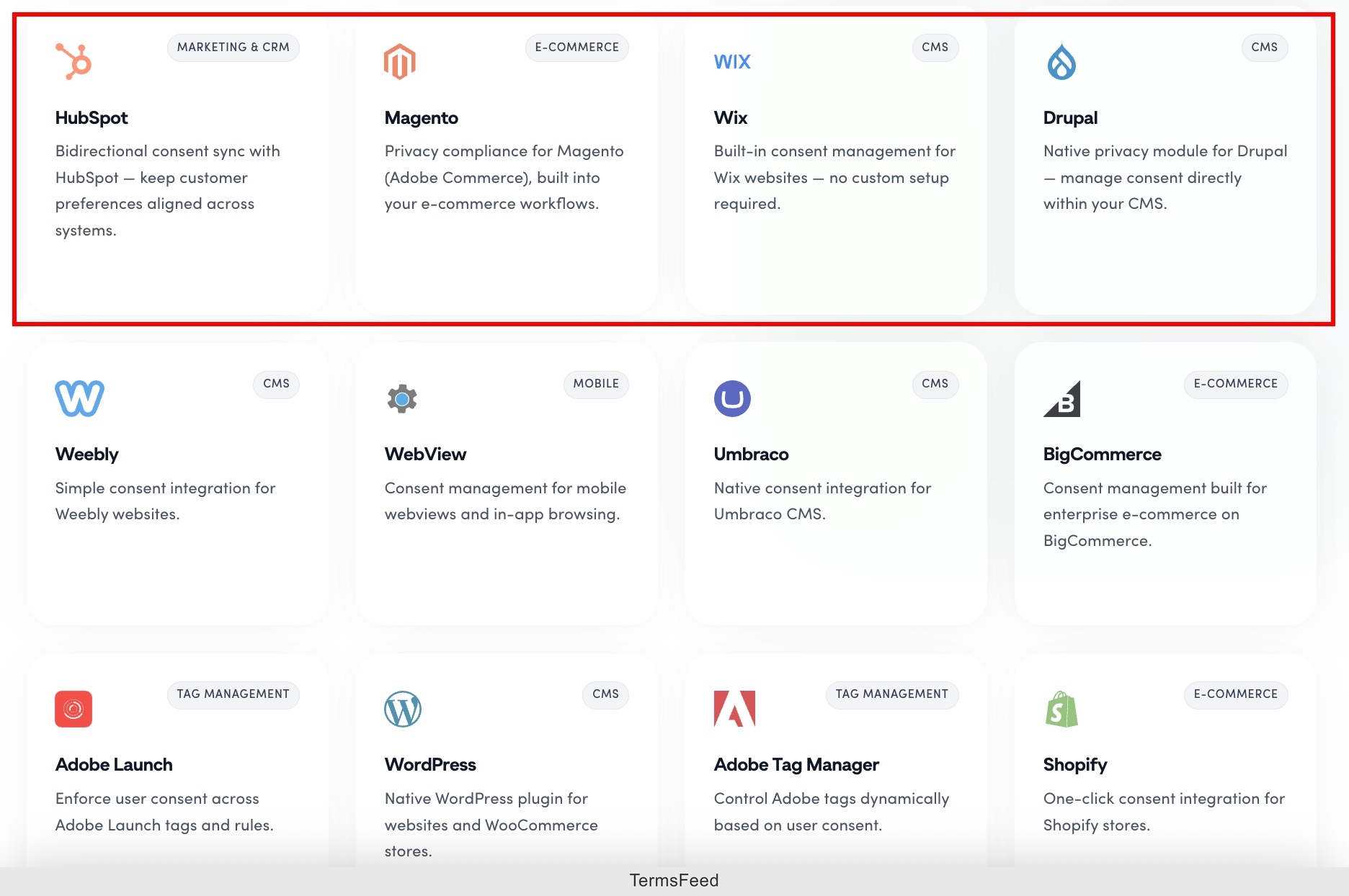
- Native integrations exist for WordPress, Wix, Shopify, Squarespace, Weebly, Joomla, HubSpot CMS, and Drupal.
- Other platforms place the JavaScript snippet in the website header.
- A credit card is not required for a free account.
The sign-up form for Secure Privacy is shown in the image below.

Getting Started: Step-by-Step
Getting started: step-by-step with Secure Privacy follows 6 main stages from account creation to live consent management.
- Create a Secure Privacy account at secureprivacy.ai. No payment method is required for the free plan.
- Add the business domain to the account. The platform runs an initial scan to identify existing cookies and trackers.
- Install the Secure Privacy script. WordPress users install the plugin from the plugin directory. Other platforms place the JavaScript snippet in the website header.
- Configure the consent banner. Set the layout, color scheme, button text, and language rules. Set geolocation rules to determine which law applies to visitors from each region.
- Review the scan results. The scanner categorizes detected cookies and populates the banner configuration. Adjust categorizations before going live.
- Activate the banner and verify cookie blocking. Confirm that non-essential cookies do not fire before consent is given. Confirm that Google Consent Mode v2 signals are passing correctly in Google Analytics 4.
Most business websites complete the initial setup in under 15 minutes.
Enterprise setups requiring behind-login scanning, SSO configuration, or advanced audit log requirements take longer and are suited to the Advanced plan.
How the Scanning and Consent Engine Works
How the scanning and consent engine works is based on automated cookie detection, consent signal propagation, and real-time script enforcement.
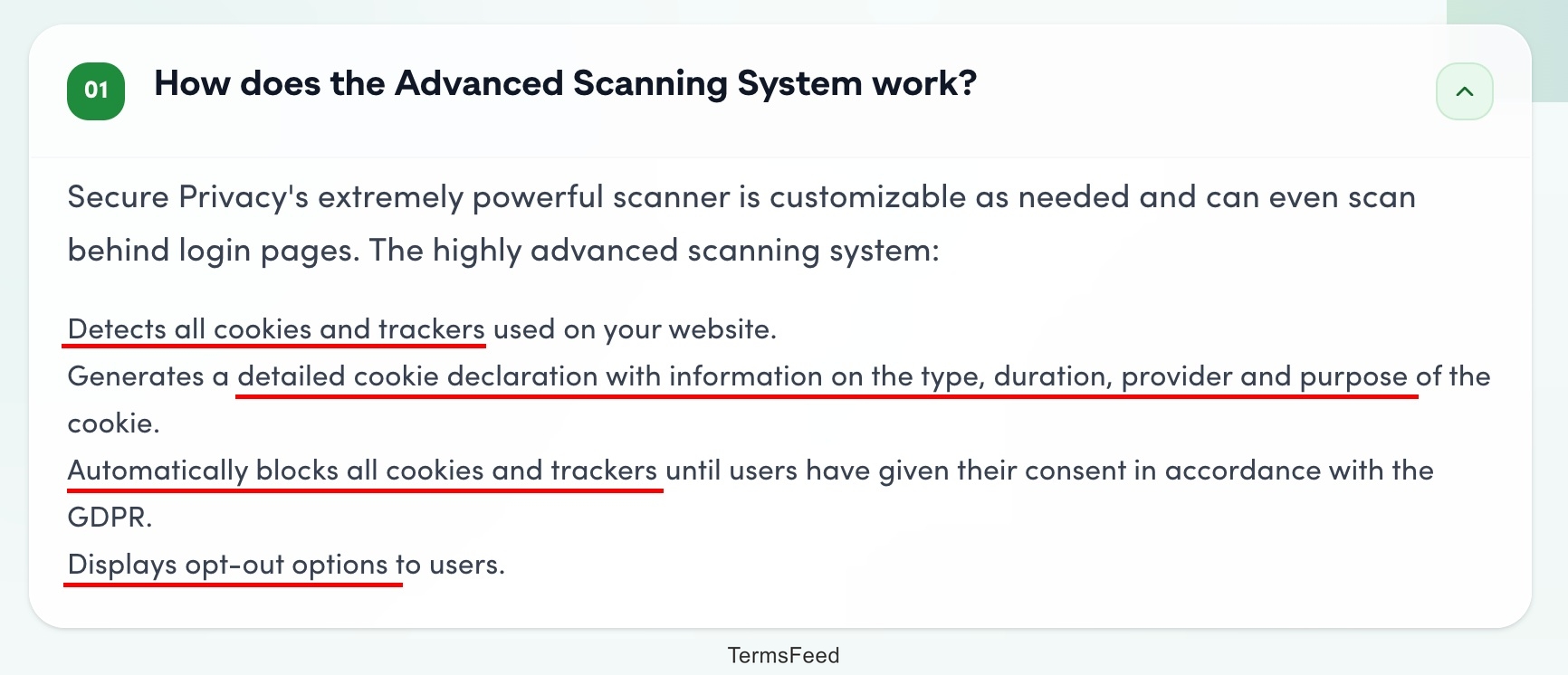
- Automated cookie detection. The scanner crawls the website on a scheduled basis. Automated categorization classifies each cookie and tracker by purpose. The scan updates the consent banner configuration as the scanner detects new cookies.
- Consent signal propagation. The visitor banner choice passes directly to Google Consent Mode v2, Meta Consent Mode, and any configured analytics connectors. Tags do not fire until Secure Privacy sends the appropriate signal.
-
Real-time script enforcement. Secure Privacy intercepts non-essential scripts at the browser level before they execute. Secure Privacy records each consent event with a timestamp, the visitor choice, and the policy version in effect.

Known Limitations and Workarounds
Known limitations and workarounds for Secure Privacy are free plan consent cap, opt-in rates, dashboard language, and advanced technical setups.
- Free plan consent cap. The 500 monthly consent cap is very low for any website with meaningful traffic. The workaround is to upgrade to the Small plan at $15 per month, which raises the cap to 5,000 monthly consents.
- English-only dashboard. Non-English-speaking operators manage the account in English even while serving visitors in their local language. The banner itself supports 70+ languages, so visitor-facing compliance is not affected.
- Gap between Business and Advanced plans. Behind-login scanning, SSO, and audit logs are Advanced plan features at $249 per month. There is no intermediate option between the Business plan at $59 and the Advanced plan at $249.
What are the Pros and Cons of Secure Privacy?
The pros and cons of Secure Privacy are the affordability of the CMP, 55+ privacy laws available, and Google Consent Mode v2, as well as downsides like a capped free plan, English-only dashboard, and limited integrations.
| Pros | Cons |
| Affordable SOC 2-certified CMP | Free plan capped at 500 monthly consents |
| 55+ privacy laws included in every paid plan, no add-on fees | Dashboard available in English only |
| Native Google Consent Mode v2 AND Meta Consent Mode in one platform | Few native CMS plugins |
| SOC 2 Type II certified at $15/mo per domain | No intermediate plan between Business ($59) and Advanced ($249) |
| Setup in under 15 minutes | Smaller brand recognition than established competitors |
| 30-day free trial on all paid plans, no credit card for free plan | Documentation thin for edge-case configurations |
| Built-in DSAR management from the Business plan | Third-party integration ecosystem still growing |
What are the Pros of Secure Privacy?
The pros of Secure Privacy are competitive pricing with broad law coverage, SOC 2 certification at a budget price point, native Google and Meta integrations, and built-in DSAR management.
- Affordable SOC 2-certified CMP. Paid plans start at $15 per month per domain. This is a low price for access to a high-quality CMP.
- 55+ privacy laws included in every paid plan with no per-regulation add-on fees. Other enterprise tools sometimes charge extra for regulatory coverage beyond GDPR and CCPA.
- Native Google Consent Mode v2 AND Meta Consent Mode integration in one platform. Not many other CMPs at this price point offer both integrations natively.
- SOC 2 Type II certified. This independently audited security credential is rarely available at the Secure Privacy price point and simplifies vendor procurement for enterprise buyers.
- Fast implementation. Most business websites complete basic setup in under 15 minutes, compared to weeks-long enterprise deployments.
- Transparent pricing with a 30-day free trial on all paid plans. No credit card is required for the free plan.
- Built-in DSAR management from the Business plan. Many CMPs at this price point do not offer DSAR management.
-
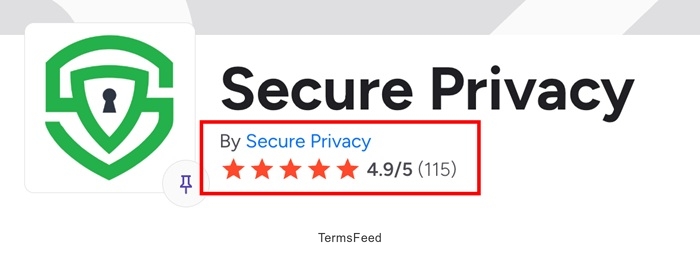
4.9 out of 5 stars on G2 from 100+ reviews, and 5 out of 5 stars on Capterra. User reviews consistently cite ease of use and compliance breadth.

What are the Cons of Secure Privacy?
The cons of Secure Privacy are a very limited free tier, smaller brand recognition, English-only dashboard, and fewer native CMS plugins compared to competitors.
- Limited free plan. The 500 monthly consent cap means the free tier is not usable for any website with meaningful traffic.
- Smaller brand recognition compared to Cookiebot, OneTrust, or CookieYes. Businesses purchasing a CMP for the first time do not find Secure Privacy as easily during initial research.
- Fewer native CMS plugins than competitors. WordPress, Shopify, Wix, and several other platforms are supported, but the plugin ecosystem is not significantly developed.
- Advanced features only available in the Advanced plan at $249 per month. SSO, SLA, dedicated support, and audit logs have no intermediate option between the Business plan at $59 and the Advanced plan at $249.
- English-only dashboard. Non-English-speaking operators must manage the account in English.
- Limited documentation for edge-case configurations. Users setting up advanced Google Tag Manager (GTM) configurations or behind-login scanning report a steeper learning curve.
-
Minimal community and third-party integrations. The platform lacks some of the broader marketing stack integrations available in more established CMPs.
Some of the offered integrations are displayed in the image below.

What are the alternatives to Secure Privacy?
The alternatives to Secure Privacy are TermsFeed, Cookiebot, CookieYes, Osano, OneTrust, and Enzuzo.
TermsFeed is the strongest alternative for businesses that need legal document generation alongside compliance tools.
-
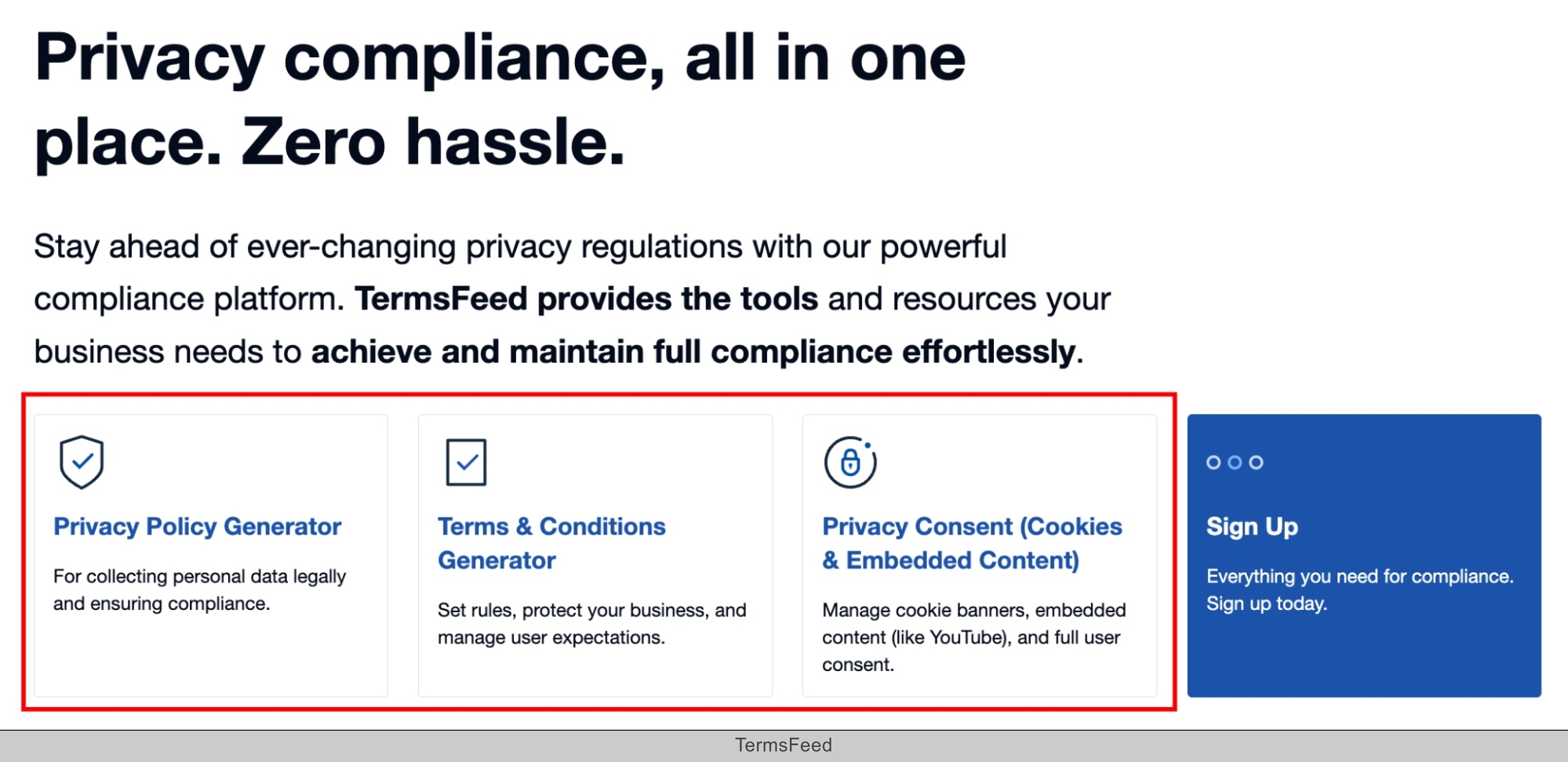
TermsFeed is the best alternative to Secure Privacy for 2 types of businesses. First, businesses that need legal document generation, such as Privacy Policies, Terms and Conditions, Cookie Policies, Disclaimers, and End User License Agreements (EULAs), without a monthly CMP subscription. Second, TermsFeed is good for businesses already using a CMP that need the legal documents their consent banner links to.
Some of the TermsFeed legal document generators are displayed in the image below.
- Secure Privacy manages consent interactions. TermsFeed generates the underlying legal documents. TermsFeed offers a broader document library, greater customization at the point of generation, and the option to own the document outright without a recurring cost.
- Cookiebot is a mid-range CMP with a patented cookie scanner and Google Gold CMP Partner certification. It is a good alternative for businesses that prioritize a well-recognized scanner brand and strong Google integration. Cookiebot is owned by Usercentrics.
- CookieYes occupies a similar budget positioning to Secure Privacy. It offers a more generous free tier and is widely deployed. It serves over 1.5 million websites. CookieYes suits businesses that want a free entry point with broad platform support.
- Osano includes a $500,000 compliance guarantee and vendor monitoring tools alongside consent management. This suits organizations that need compliance assurance beyond what a standard CMP provides.
- OneTrust is a full enterprise privacy suite covering consent management, data subject request workflows, data processing impact assessments, and data mapping. This is the right tool for enterprises that need a complete privacy program rather than just a consent banner.
- Enzuzo is an alternative consent management platform with strong multi-domain and multilingual capabilities. It is a good choice for e-commerce businesses with complex domain structures and international audiences.

What is the history of Secure Privacy?
The history of Secure Privacy is that of a privacy technology startup that built a compliance platform accessible to businesses of all sizes.
Secure Privacy was founded in 2017 by Dan Storbaek as a privacy-tech startup and has from 11 to 50 employees. It is headquartered in Copenhagen, Denmark.
It launched with automated scanning and consent management focused initially on GDPR and CCPA. Secure Privacy then expanded from covering 2 jurisdictions to 55+ global privacy laws.
The platform grew into a mid-market competitor through transparent per-domain pricing, a free entry tier, and fast implementation compared to enterprise tools.

The first step to compliance: A Privacy Policy.
Stay compliant with our agreements, policies, and consent banners — everything you need, all in one place.


