


AI Summarize


Share


Whether you use Google Analytics to track website traffic, interpret user's online behavior, or in conjunction with Google Ads, it's important to comply with privacy regulations that protect your users' data. Website owners who use Google Analytics should understand how European Union (EU) rulings impact the platform.
This article explains what Google Analytics is, how EU decisions affect the service, and configuration changes you can make to protect EU users' privacy. It also lists a few widely-used alternatives to Google Analytics.
Our Privacy Policy Generator makes it easy to create a Privacy Policy for your business. Just follow these steps:
-
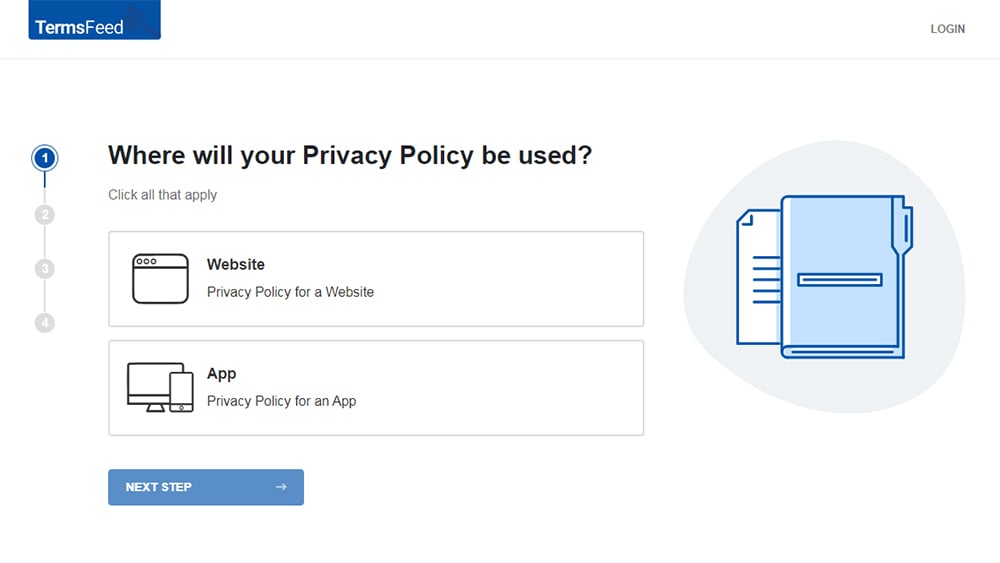
At Step 1, select the Website option or App option or both.
-
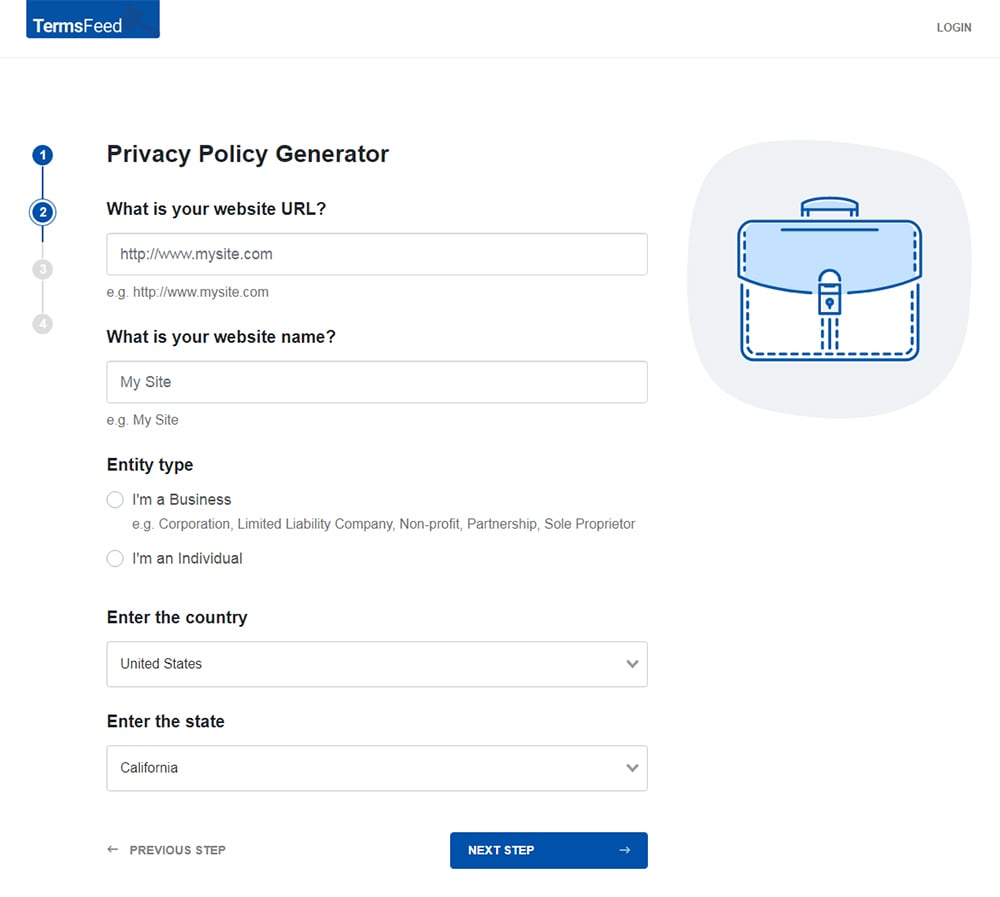
Answer some questions about your website or app.
-
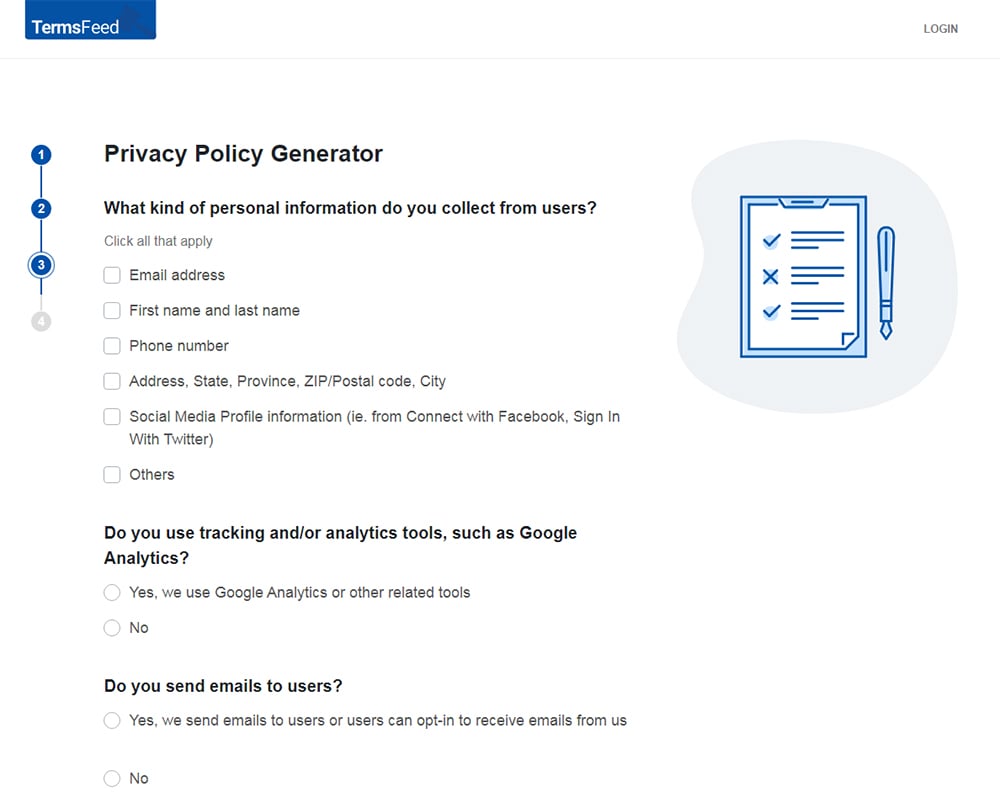
Answer some questions about your business.
-
Enter the email address where you'd like the Privacy Policy delivered and click "Generate."
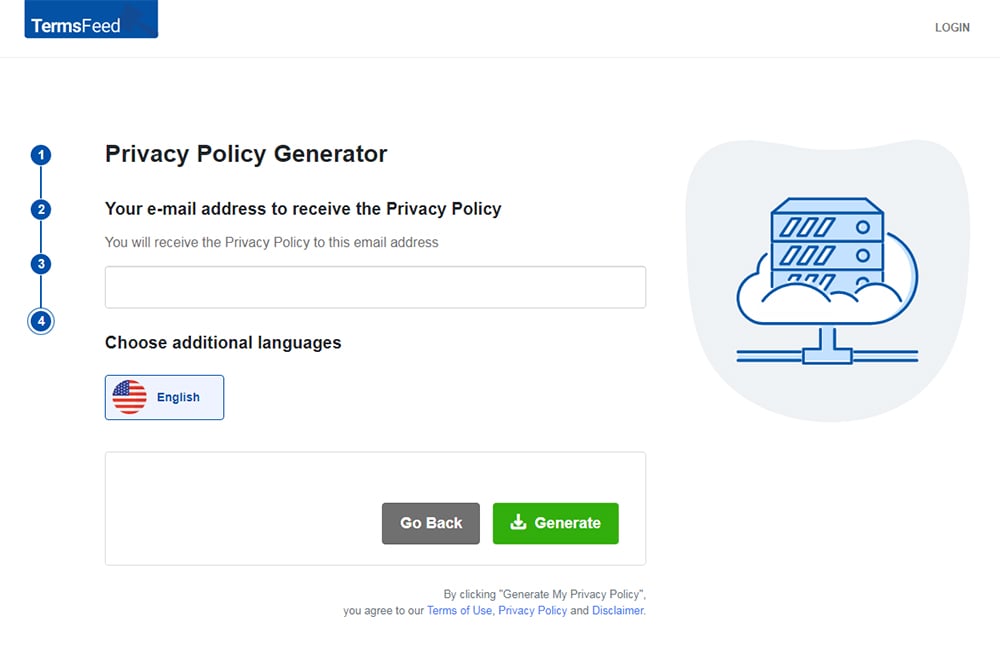
You'll be able to instantly access and download your new Privacy Policy.


- 1. What Is Google Analytics?
- 2. Is Google Analytics Illegal?
- 3. How Do EU Rulings Affect Google Analytics?
- 3.1. 1995: Data Protection Directive
- 3.2. 2000: Safe Harbour Framework
- 3.3. 2002: The ePrivacy Directive
- 3.4. 2013: Schrems I
- 3.5. 2016: Privacy Shield
- 3.6. 2018: GDPR
- 3.7. 2020: Schrems II
- 3.8. 2022: EU Data Protection Authority (DPA) rulings
- 3.9. 2023: EU-US Data Privacy Framework (DPF)
- 3.10. 2025: EU may force Google to sell part of its ad tech business
- 3.11. 2025: End of DPF?
- 4. What Google Analytics Configuration Changes Should You Make?
- 4.1. Get Consent
- 4.1.1. How to Get Consent to Google Analytics Using a CMP
- 4.2. Maintain a Privacy Policy
- 4.3. Limit Data Storage
- 4.4. Restrict Data Sharing
- 4.5. Change Data Collection Settings
- 5. What Google Analytics Alternatives Should You Use?
- 5.1. Matomo
- 5.2. Open Web Analytics
- 5.3. Piwik PRO
- 6. Summary
What Is Google Analytics?
Google Analytics is a tool that tracks users' online behavior. It helps website owners analyze user behavior and demographics and make informed decisions about their website's performance and their marketing activities.

Is Google Analytics Illegal?
Google Analytics is not illegal, but it has been subject to scrutiny due to privacy concerns over how data is collected, processed (used), transferred, and stored.
The reason many jurisdictions have issues with Google Analytics is that it collects and processes a substantial amount of data-including information about users' geolocations, online behavior, browsers, and devices.
The types of information Google Analytics uses can be considered personal data (information that can be used to identify an individual), which is protected by many state and global privacy laws.
Google Analytics stores the personal data it collects on US-based servers. Once the data has been transferred to the US, it may be accessible by US authorities. Certain countries have ruled that this access violates provisions of the General Data Protection Regulation (GDPR), the EU's primary privacy law that protects EU residents' personal data.
How Do EU Rulings Affect Google Analytics?
To understand the full context of how recent EU rulings may affect Google Analytics, we'll have to go back to the '90s. Here's a timeline of the directives, laws, and principles that have impacted Google Analytics.
1995: Data Protection Directive
This 1995 EU directive prohibited personal data from being sent outside the EU unless the country receiving the data had an equivalent data protection law.
2000: Safe Harbour Framework
In 2000, the European Commission (the executive body of the EU) approved the Safe Harbour Framework, allowing EU user data to be transferred to US servers as long as US companies agreed to provide “essentially equivalent” data protection.
2002: The ePrivacy Directive
The ePrivacy Directive (also known as the "Cookie Law") was introduced in 2002, providing regulatory guidelines for email marketing, cookie usage, and the confidentiality of online communications. It requires websites to get user consent before storing cookies (other than cookies necessary for functionality) on their browsers. Google Analytics is subject to the ePrivacy Directive as it uses cookies to track users' behavior.
2013: Schrems I
In 2013, Austrian law student Max Schrems filed a complaint against Facebook Ireland, arguing that EU user data transferred to the US was not protected from US government surveillance programs.
In 2015, the European Court of Justice ruled in favor of Schrems. The ruling invalidated the Safe Harbour agreement since US surveillance programs could access EU residents' data, EU individuals had no way to access, edit, or delete their data, and there was no way for EU authorities to exercise their powers in the US.
Google Analytics could previously legally transfer EU users' data to Google's US servers under the Safe Harbour agreement, but the Schrems I ruling called into question the legality of data transfers from the EU to the US.
2016: Privacy Shield
In 2016, the European Commission created a new data transfer agreement: the EU-US Privacy Shield. Privacy Shield required US organizations to follow data protection principles concerning EU users' data. However, Schrems challenged Privacy Shield, arguing that it failed to adequately protect EU users' personal data from access by US authorities.
2018: GDPR
The GDPR was introduced in 2018, replacing the Data Protection Directive. Among other requirements, the law requires organizations to have a lawful basis for processing data and restricts the transfer of EU users' data to countries without strong privacy protections.
2020: Schrems II
In 2020, the European Court of Justice invalidated Privacy Shield because US surveillance programs could access EU users' data beyond what was strictly necessary and proportional and EU users had no way to challenge US authorities' access to their data.
2022: EU Data Protection Authority (DPA) rulings
Following the Schrems II ruling, DPAs in several EU member states (including Austria, Denmark, France, and Italy) determined that Google Analytics violated the GDPR since US authorities could access EU users' data and anonymized data combined with other information could potentially be used to identify individuals.
2023: EU-US Data Privacy Framework (DPF)
In 2023, the EU and the US established a new data transfer agreement with the intention of setting guidelines for US government access to personal data and providing a way for EU individuals whose data is accessed by US authorities to pursue legal remedies. Google became certified with the DPF by agreeing to comply with its principles.
However, the Austrian privacy advocacy group NOYB ("None of Your Business") led by Max Schrems expressed their intention to challenge the framework.
2025: EU may force Google to sell part of its ad tech business
2025 may see EU officials moving forward with an order forcing Google to sell part of its ad tech business over concerns of its dominance of the digital marketing industry. If the divestiture takes place, customers with linked Google Ads and Google Analytics may see changes in the functionality of some Google Analytics features–such as ad tracking, remarketing, and ad data integration.
2025: End of DPF?
A January 2025 NYOB press release questioned whether the DPF can offer the protection the GDPR requires under US President Donald Trump's current restructuring efforts.
Max Schrems has expressed skepticism that the DPF will survive Trump's restructuring agenda, stating:
"I can hardly imagine that a Biden Executive Order that was forced on the US by the EU and that regulates US espionage abroad could survive Trump's 'America First' logic. The problem is, that not just US Big Tech, but especially normal EU businesses all rely on this system of unstable executive orders to argue that using US cloud systems is legal in the EU."
Schrems recommends businesses and organizations "have a 'host in Europe' contingency plan" in the event that the DPF is annulled.
What Google Analytics Configuration Changes Should You Make?
If EU users have access to your website or app, you should evaluate how you use Google Analytics and decide whether it's absolutely necessary. If you really depend on it to run your business, you may want to consider keeping the service but making configuration changes to protect user privacy.
Configuration changes are adjustments to the way Google Analytics is set up, and can include requiring user consent and disabling data sharing with Google.
If you want to keep using Google Analytics, here are some steps you can take to reduce privacy risks.
Get Consent
You can set up Google Analytics so that it can't automatically collect data from website visitors and its activation depends on user consent.
User consent to Google Analytics can be obtained through consent banners and Google consent mode.
Google partners with consent management platforms (CMPs), tools that can help you obtain user consent through a consent banner. The consent banner pops up on your website and asks users if they consent to sharing their personal data with Google for advertising and analytics purposes. The CMP then communicates users' consent choices to the Google tag through consent mode.
Users must signal their consent through the consent banner before the Google tag can read or write cookies.
For example, visitors to Politico's website are presented with a pop-up box that explains that it uses cookies and other technology to store data on users' personal devices. It requests user consent and provides links to its Privacy Policy, Cookie Policy, and a list of its partners who process users' personal data.

By clicking on the partners link, users can customize their data processing preferences for each partner, including Google.

How to Get Consent to Google Analytics Using a CMP
Here's the step-by-step process for getting user consent to Google Analytics via a CMP:
- Sign up for an account with a CMP.
- Create a consent banner through the CMP.
- Follow the CMP's installation instructions to add the consent banner to your site. You can use Google Tag Manager or install the consent banner manually.
- Set up Google consent mode.
The steps for setting up consent mode depend on the CMP you use. If you have your own consent banner, you will need to integrate with Google's consent Application Programming Interface (API).
Google's About consent mode page explains how you can set up basic or advanced consent mode. Basic consent mode blocks all Google tags until user consent is obtained. With advanced consent mode, limited data can be sent before user consent is given.

Maintain a Privacy Policy
Notifying users about your use of Google Analytics via your Privacy Policy can help you comply with privacy laws and Google's requirements.
A Privacy Policy is a legal document that explains how you handle users' personal information and how they can exercise their privacy rights.
Global and state privacy laws such as the GDPR and the California Consumer Privacy Act (CCPA)-and many service providers-require businesses to maintain a clearly written, regularly updated, and easily accessible Privacy Policy on their websites and apps.
Article 13 of the GDPR describes the information that data controllers (those who make decisions about how and why to process data) must provide to data subjects (those to whom data belongs) at the point of collection, including their reasons for processing the data and whether they share the data with any third parties.

Google Analytics requires users to post a Privacy Policy and disclose their use of Google Analytics and how it collects and processes data.
Google Analytics Terms of Service states that users must maintain a Privacy Policy that explains how they use cookies, mobile device identifiers, and other data collection technology.

Here are a couple of examples of how companies use their Privacy Policies to disclose their use of Google Analytics.
UF Health's Privacy Policy lets users know that it uses Google Analytics to collect information about how visitors use its website.

Goodwill's Privacy Policy includes a link to Google's Privacy and Terms page, where users can learn more about how Google uses their information.

Limit Data Storage
Reducing the length of time data is stored can help you comply with privacy laws such as the GDPR that require data to be stored for no longer than strictly necessary.
Follow these steps to set the Google Analytics data retention period:
- Click Admin.
- Go to Data collection and modification.
- Click Data retention.
- Choose the shortest data retention period for both Event data and User data.
- Turn the reset on new user activity switch off.
- Click Save.
Here's how it looks:

Restrict Data Sharing
You can restrict how the data you collect from websites and apps is shared with Google via the Admin section of your Google Analytics account. Simply click Account details, turn off each setting, and click Save.
Google Analytics enables you to turn data sharing settings on or off for Google products and services, modeling contributions and business insights, technical support, and recommendations for your business.

Change Data Collection Settings
You can manage data collection settings-including Google signals data collection, granular location and device data collection, and ads personalization via Data Collection from your Google Analytics Admin section.

What Google Analytics Alternatives Should You Use?
If you don't really need Google Analytics, you may want to disable the tool.
Here are a few popular online analytics tools that you may want to consider as alternatives to Google Analytics.
Matomo
Matomo is an open-source alternative to Google Analytics that prides itself on providing an analytics service that allows you 100% ownership over data and provides a GDPR Manager to ensure compliance. Matomo's privacy safeguards include EU-hosted data, IP address and data anonymization, and cookieless tracking.
Open Web Analytics
Open Web Analytics is another open source analytics tool that allows you to retain full ownership over the data you track. Open Web Analytics is customizable and provides advanced features such as user click heatmaps and clickstreams of anonymized user sessions in addition to standard metrics, dimensions, and reports.
Piwik PRO
Piwik PRO offers full data control, EU cloud hosting, advanced data anonymization, and a built-in Consent Manager. It is designed to comply with the GDPR, as well as other privacy laws, including the CCPA and the Lei Geral de Proteção de Dados Pessoais (LGPD), Brazil's primary privacy law.
Summary
Google Analytics is a tool that analyzes users' online behavior. It can be used to spot user trends and predict users' future actions, helping website owners determine the impact of their marketing strategies.
EU rulings that have impacted Google Analytics include:
- The Data Protection Directive
- Safe Harbour Framework
- ePrivacy Directive
- Privacy Shield
- GDPR
- Schrems I and II
- EU DPA rulings
- EU DPF
If you choose to continue to use Google Analytics, you might consider making the following configuration changes to reduce privacy risks:
- Get user consent
- Maintain an accessible Privacy Policy
- Limit data retention
- Restrict data sharing and collection
If you would prefer to disable Google Analytics and start using a different service, alternatives include Matomo, Open Web Analytics, and Piwik PRO.

The first step to compliance: A Privacy Policy.
Stay compliant with our agreements, policies, and consent banners — everything you need, all in one place.


