Steps

  1. Log in to your Volusion account. From the Dashboard, go to Design and select Site Content:
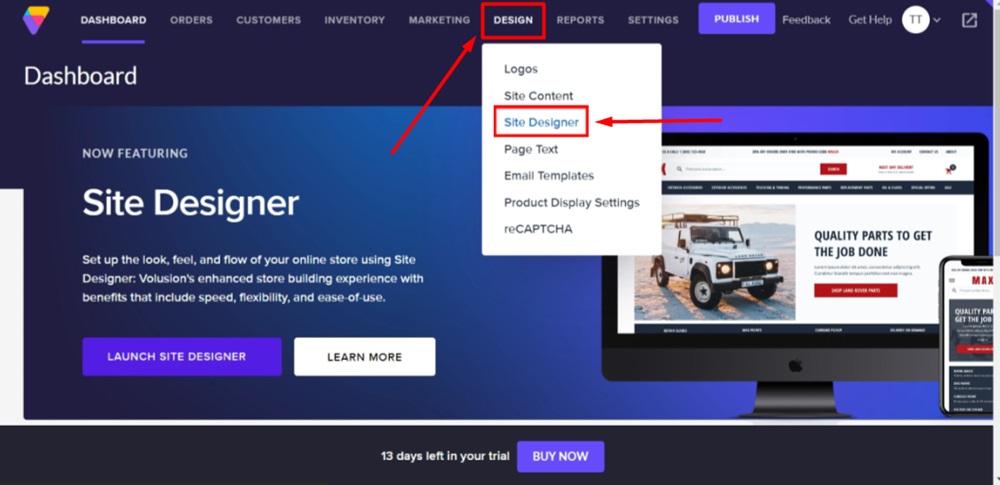
    TermsFeed Volusion - Dashboard - Design - Site Designer

  2. Scroll down to the footer section. Click inside it to open the footer block editor. Select Links section:
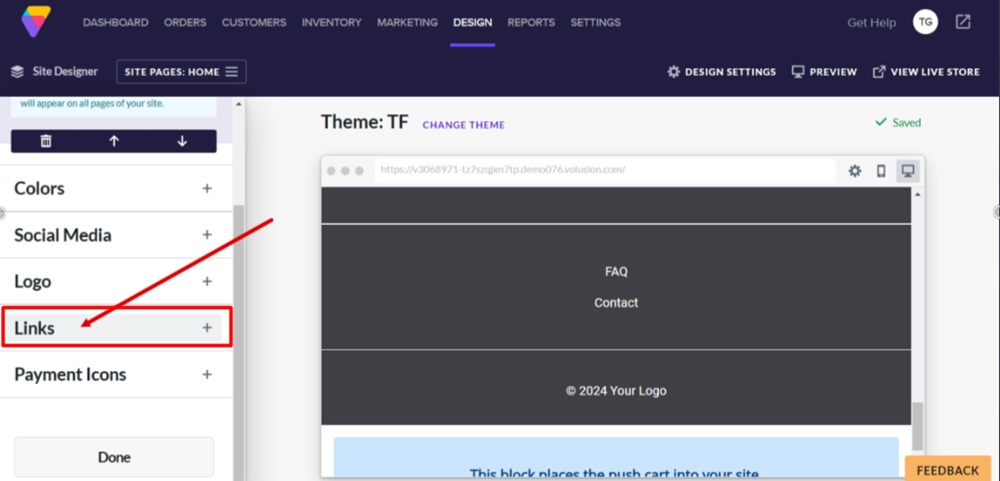
    TermsFeed Volusion - Site Designer - Footer block - Links section

  3. Click the Add button to add a new link:
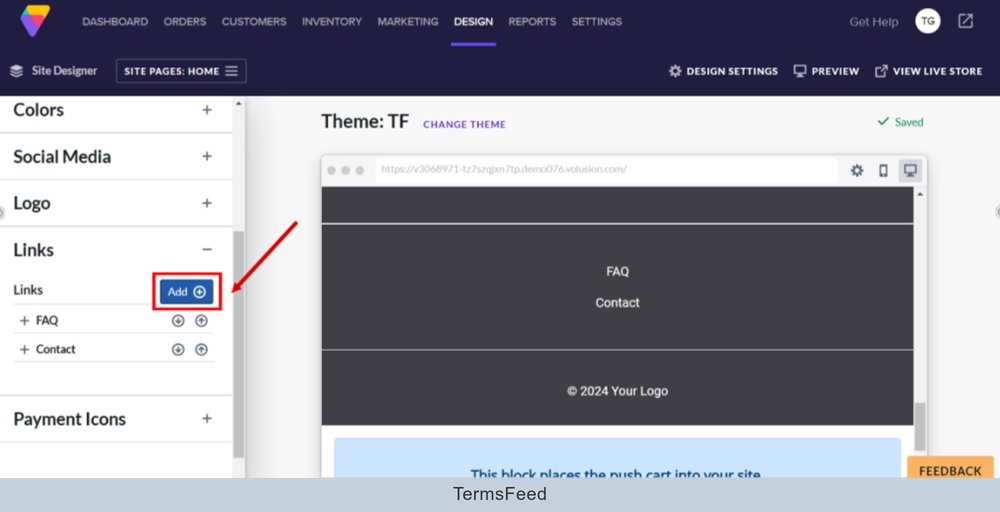
    TermsFeed Volusion - Site Designer - Footer block - Links section - Add

  4. The last link will be copied. Click on it to open the link editor. Under Text click on the Edit Text button:
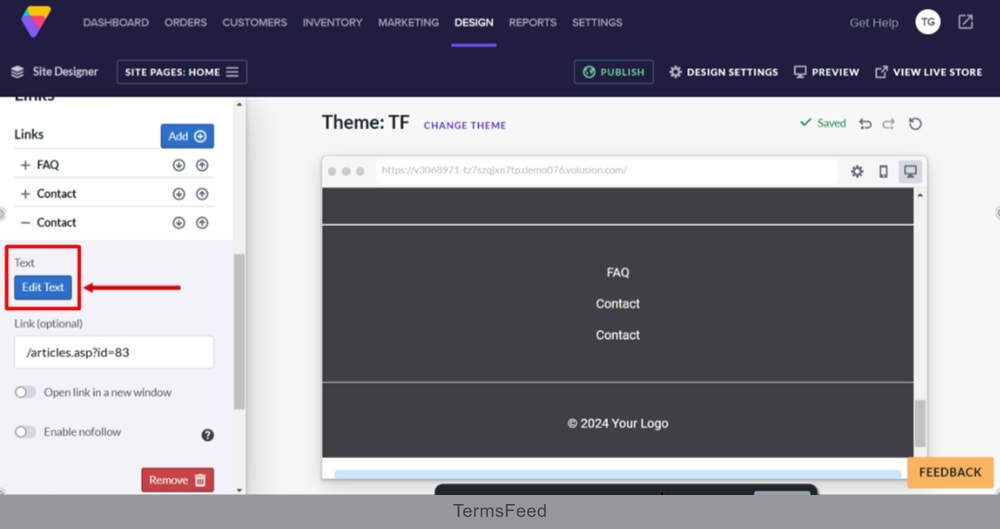
    TermsFeed Volusion - Site Designer - Footer block - Links section - Add - copied - open settings - Edit Text

  5. Replace "Contact" with "Privacy Policy" and click Update button at the bottom of the new text editor window:
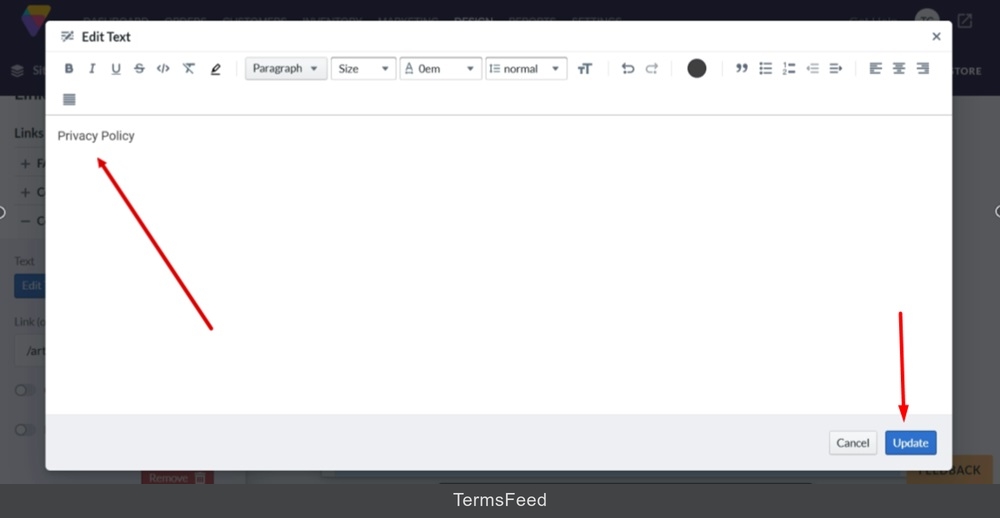
    TermsFeed Volusion - Site Designer - Footer block - Links section - Edit Text - Privacy Policy - Update

  6. In the Links (optional) field add your Privacy Policy URL.

    To get a Privacy Policy URL link, go to the TermsFeed Privacy Policy Generator to create a Privacy Policy and get the hosted Privacy Policy URL.

    Once you have a Privacy Policy created by TermsFeed, click Copy from the Link to your Privacy Policy section to copy the URL:
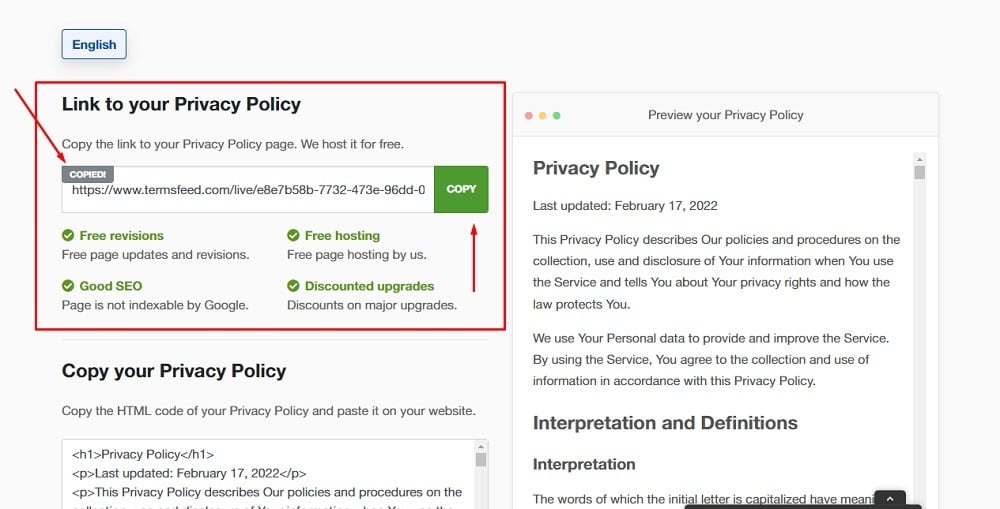
    TermsFeed Generators App: Privacy Policy Download Page - Link to hosted Privacy Policy URL copy option highlighted

  7. Paste the URL in the Link (optional) field:
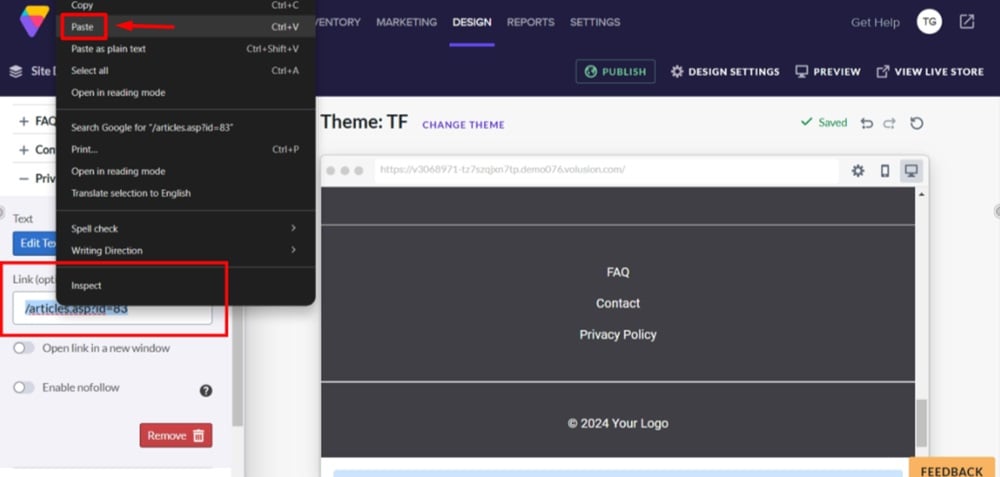
    TermsFeed Volusion - Site Designer - Footer block - Links section - Text edited - Paste the Privacy Policy URL the Link (optional) field

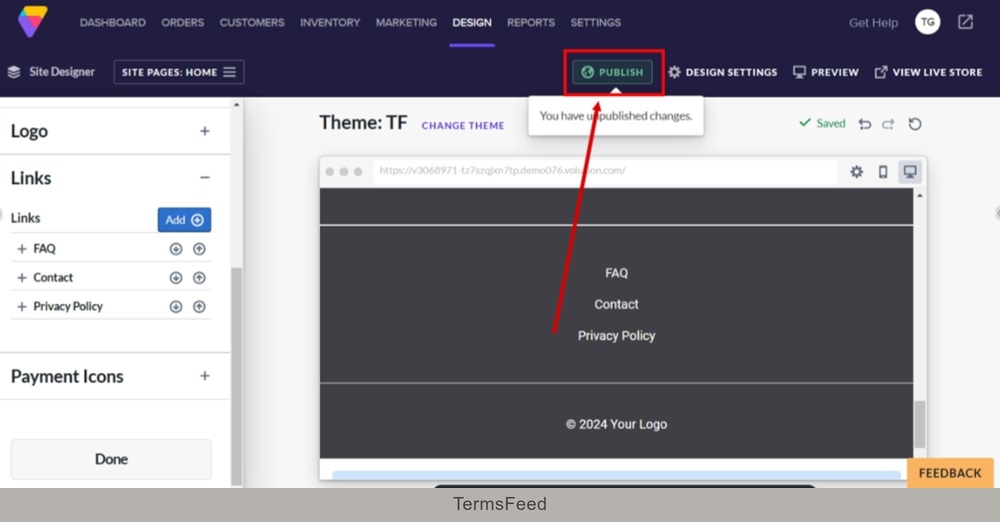
  8. Click Publish:

    TermsFeed Volusion - Site Designer - Footer block - Links section - Text edited - Pasted link - Publish

  9. Click on the live link to see changes:
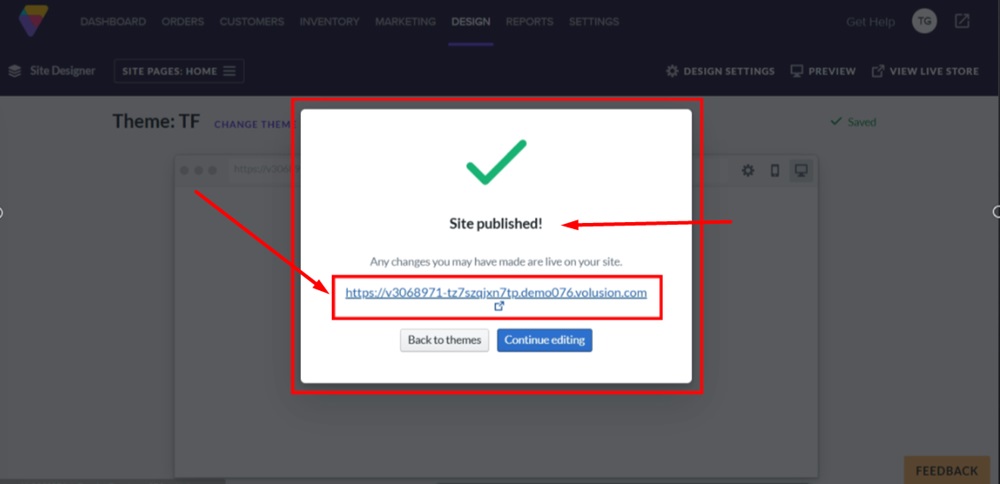
    TermsFeed Volusion - Site Designer - Footer block - Links section - Updated - Published - Live link

  10. The Privacy Policy page is linked and displayed in the footer section of the Volusion website:
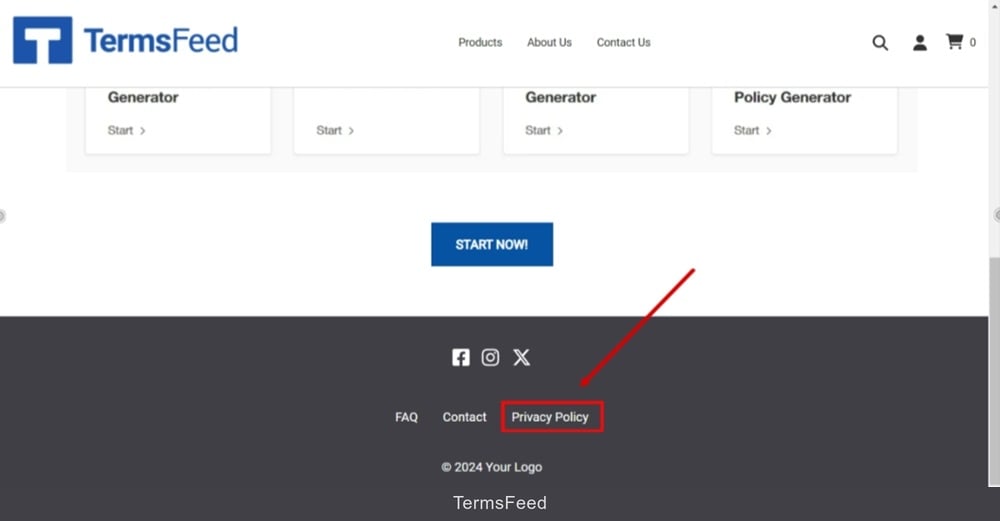
    TermsFeed Volusion - Published - Footer section with Privacy Policy page linked and displayed