Steps

  1. Log in to your Tilda account. Click "Edit site":
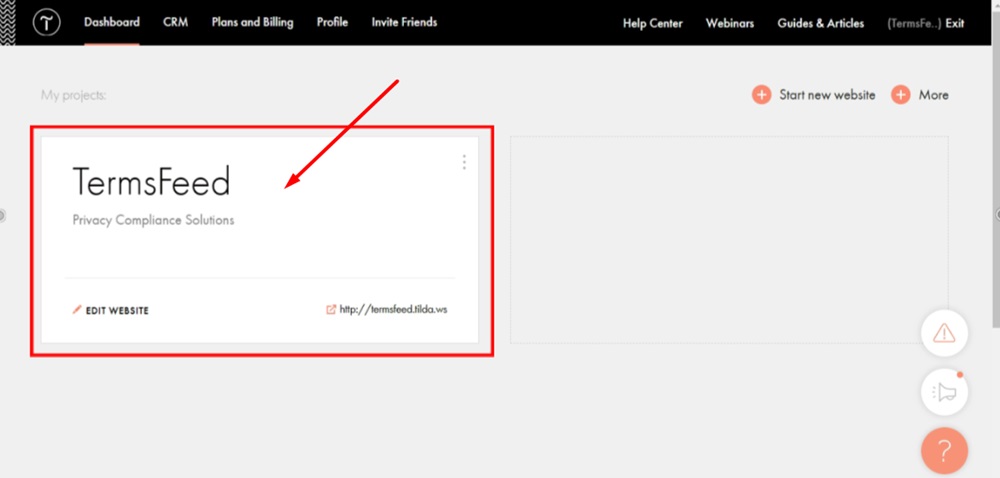
    TermsFeed Tilda - Dashboard - Edit website

  2. Go to the Contact Us page to start editing it:
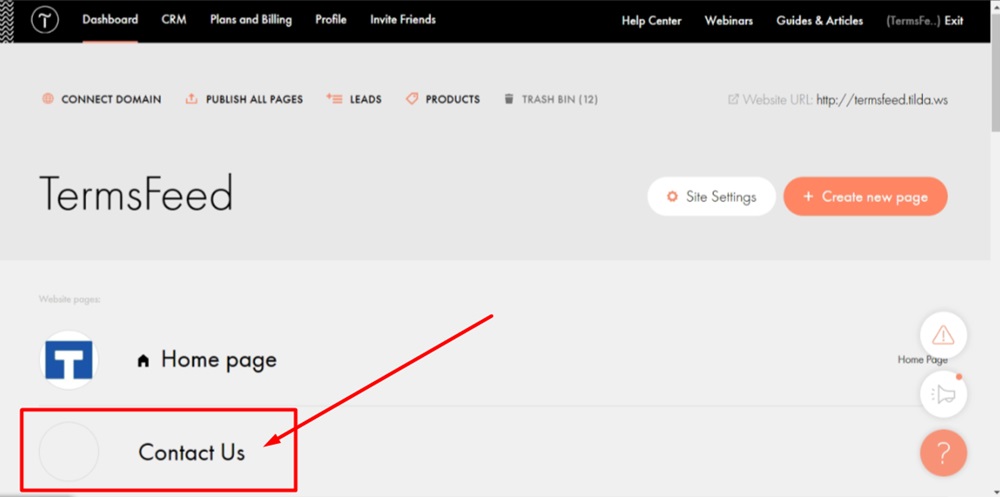
    TermsFeed Tilda - Edit Website - Contact Us page

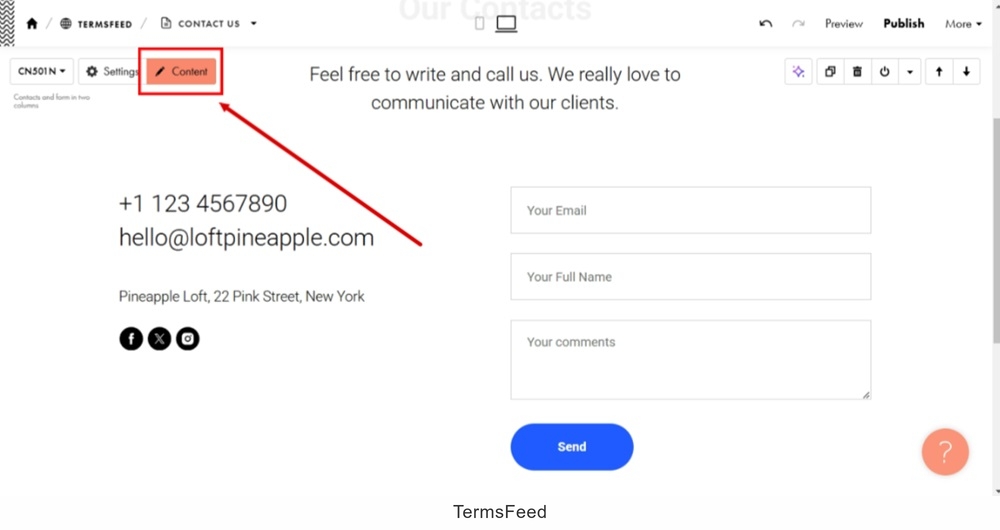
  3. Open the "Content" section:

    TermsFeed Tilda - Contact Us page - Edit Content

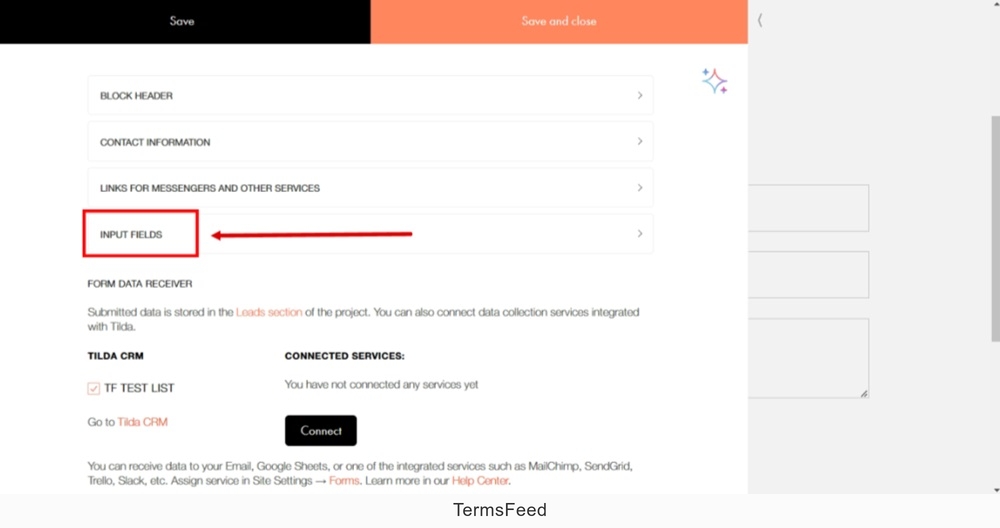
  4. Click the "Input Fields:"

    TermsFeed Tilda - Contact Us page - Edit Content - Input Fields

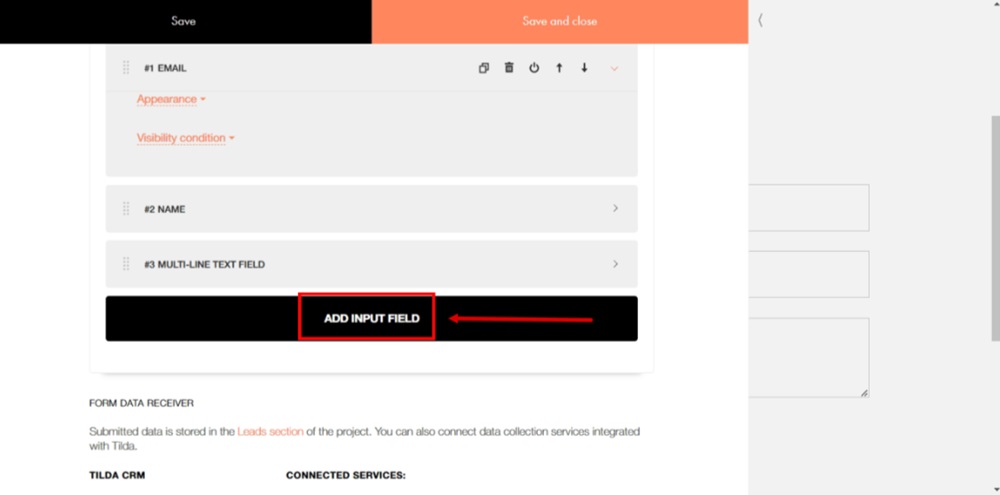
  5. Click the "Add Input Field" button:

    TermsFeed Tilda - Contact Us page - Edit Content - Input Fields - Add

  6. In the "Type" field, select "Checkbox" as the Input type:
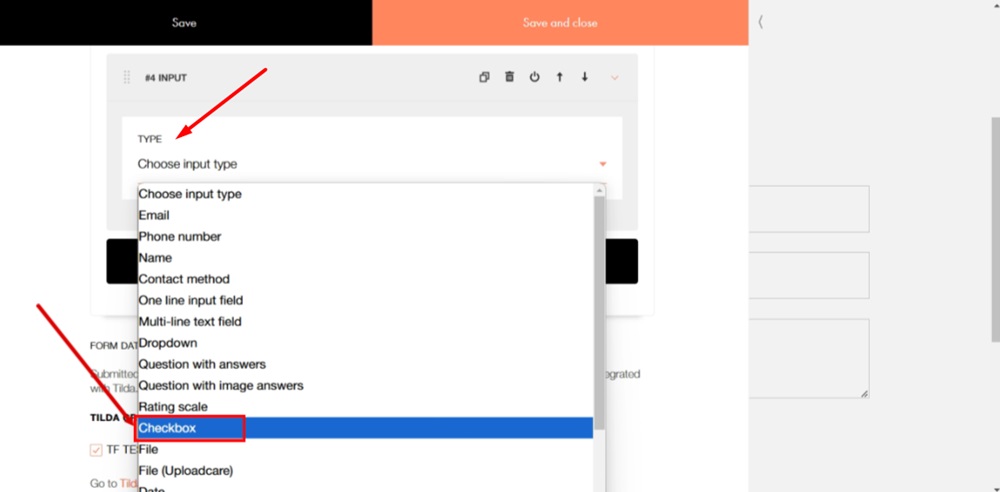
    TermsFeed Tilda - Contact Us page - Edit Content - Input Fields - Add - Type - Checkbox

  7. In the "Label" field type: "I agree to the Privacy Policy." Select the "Privacy Policy" words and click the Link icon:
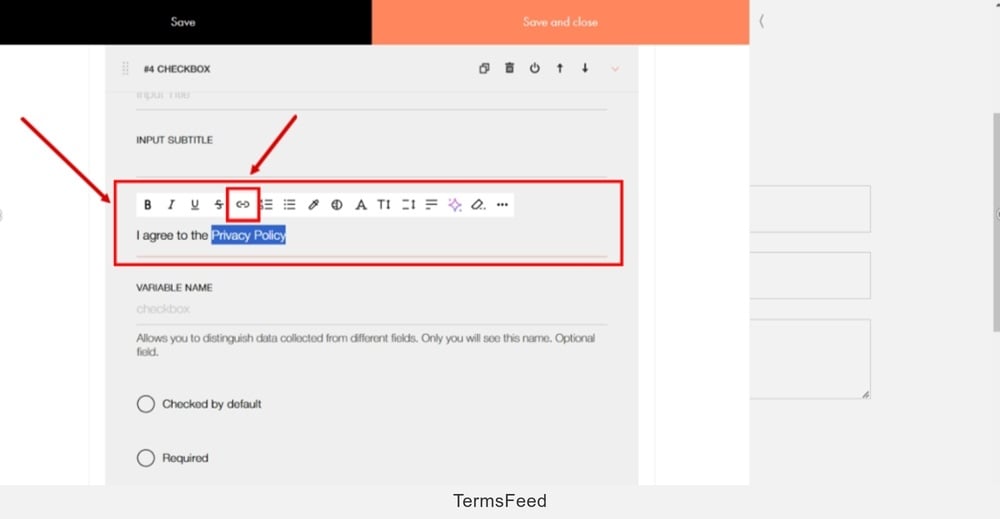
    TermsFeed Tilda - Contact Us page - Edit Content - Input Fields - Add - Label - I agree to the Privacy Policy - select words and click the Link icon

  8. A new "Enter a Link" window to add a link opens.

    To get a Privacy Policy URL link, go to the TermsFeed Privacy Policy Generator to create a Privacy Policy and get the hosted Privacy Policy URL.

    Once you have a Privacy Policy created by TermsFeed, click Copy from the Link to your Privacy Policy section to copy the URL:
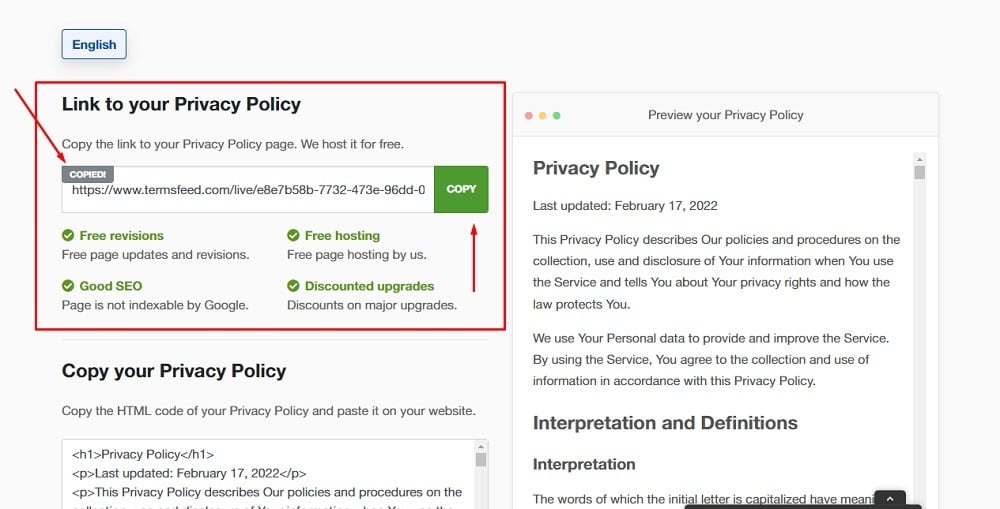
    TermsFeed Generators App: Privacy Policy Download Page - Link to hosted Privacy Policy URL copy option highlighted

  9. Paste the Privacy Policy URL in the field:
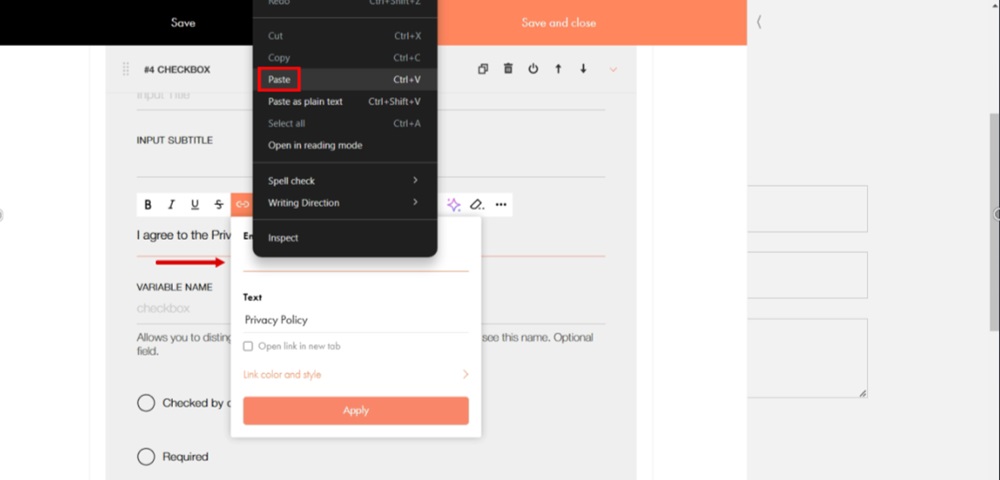
    TermsFeed Tilda - Contact Us page - Edit Content - Input Fields - Add - Label - I agree to the Privacy Policy - select words and click the Link icon - Paste URL

  10. Check the "Open link in new tab" and click "Apply" button:
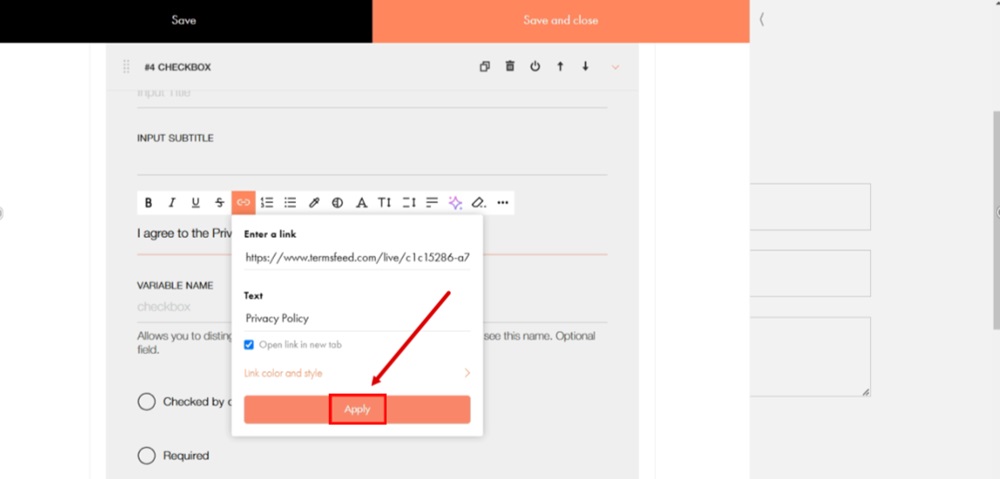
    TermsFeed Tilda - Contact Us page - Edit Content - Input Fields - Add - Label - I agree to the Privacy Policy - link added - Apply

  11. Check the "Required" option and go to the "Save and close:"
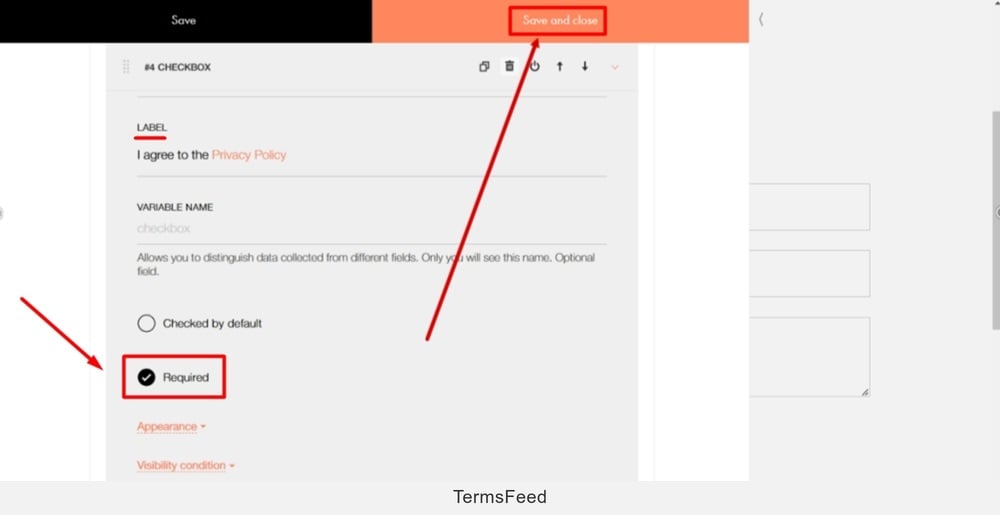
    TermsFeed Tilda - Contact Us page - Edit Content - Input Fields - Add - Required option and Save and close

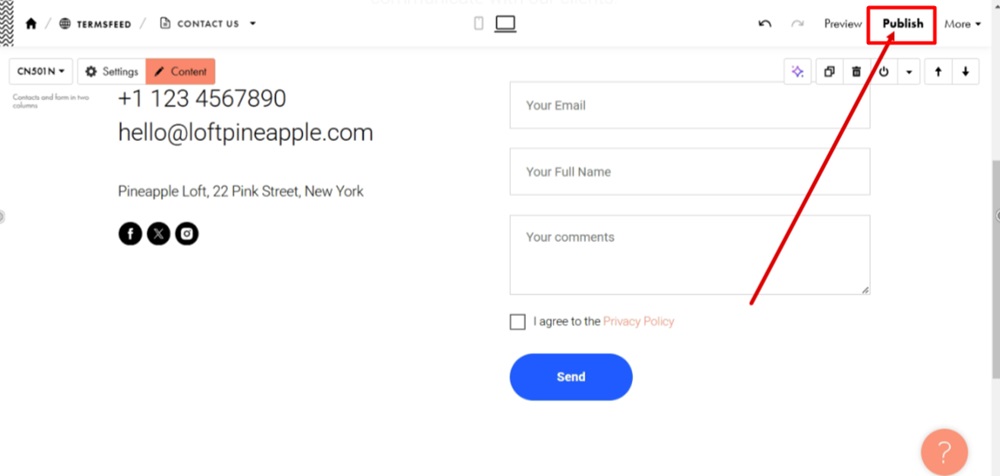
  12. Publish changes:

    TermsFeed Tilda - Contact Us page - Edit Content - Input Fields - Added - I agree to the Privacy Policy checkbox field - Publish

  13. The displayed form on the Contact Us page now has a new consent field - the checkbox with the "I agree to the Privacy Policy" text and a link to it:
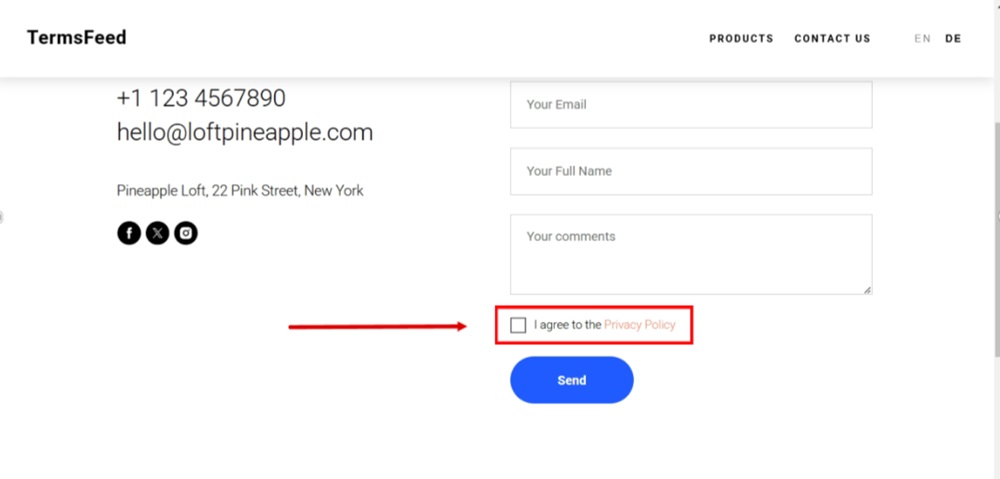
    TermsFeed Tilda - Published - Contact Us page - Added - I agree to the Privacy Policy checkbox field displayed