
In this video, we'll show you how to create and add a Privacy Policy URL to the footer of your Tilda website.
The header and footer sections on Tilda are separate pages. For our video, these pages have already been created and configured.

Let's proceed by adding the Privacy Policy URL to the footer:
Steps
-
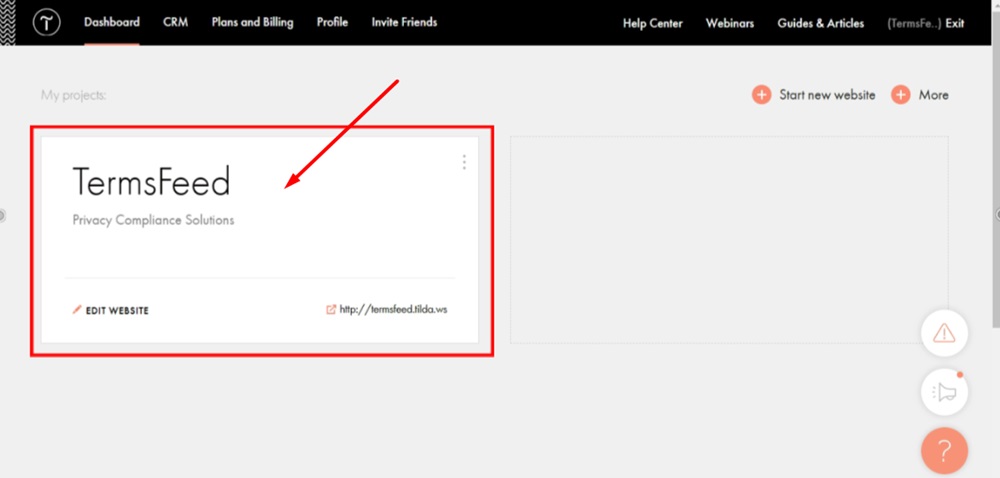
Log in to your Tilda account. Click "Edit site":
-
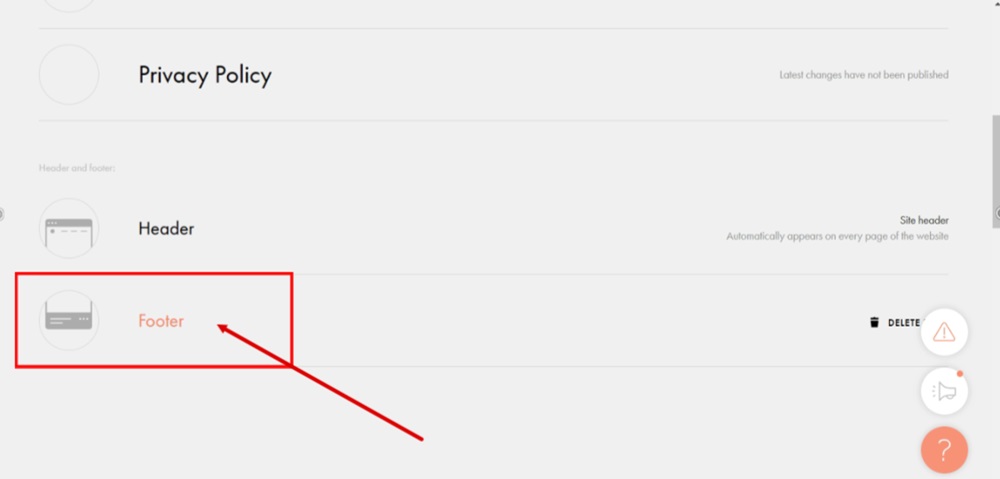
Click the Footer to start editing it:
-
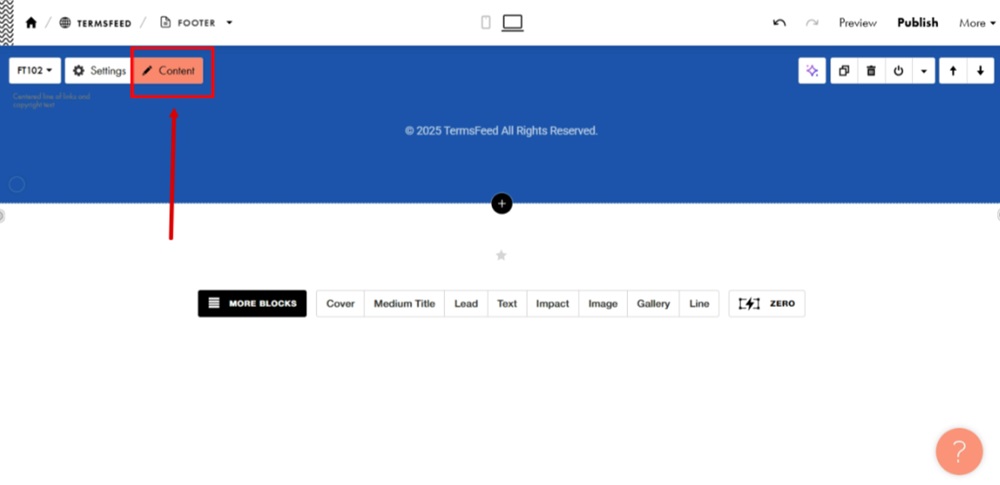
Open the "Content" section:
-
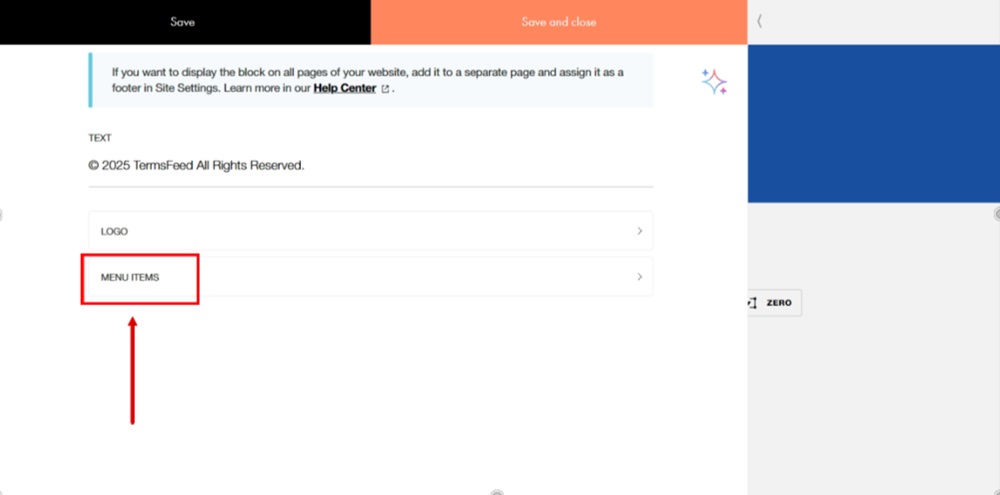
Click the Menu Items option:
-
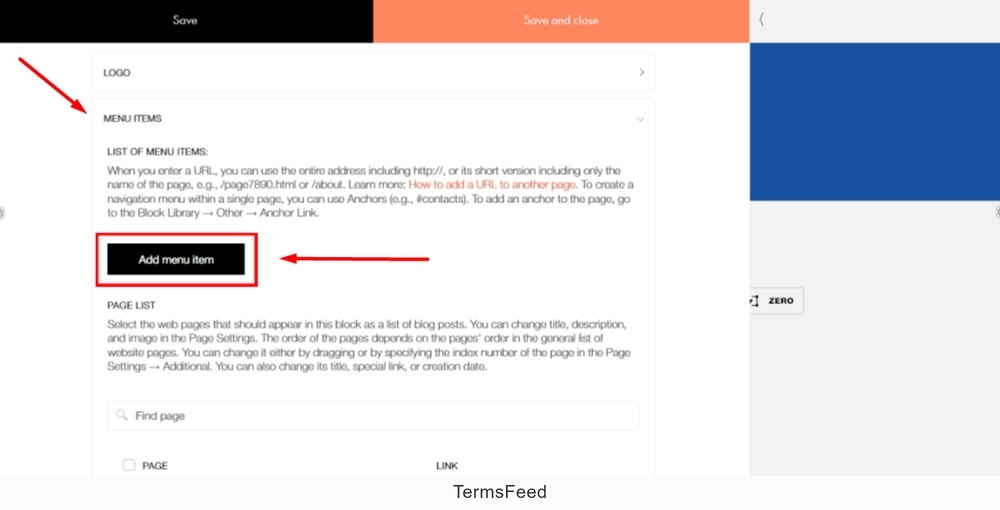
Click the Add menu item button:
-
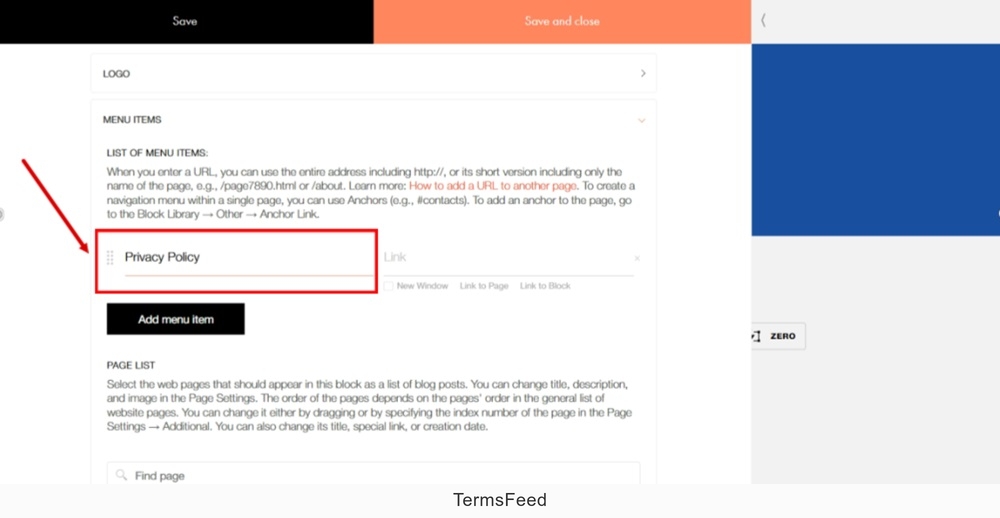
In the new field, add "Privacy Policy" as the Title:
-
In the "Link" field, add a link.
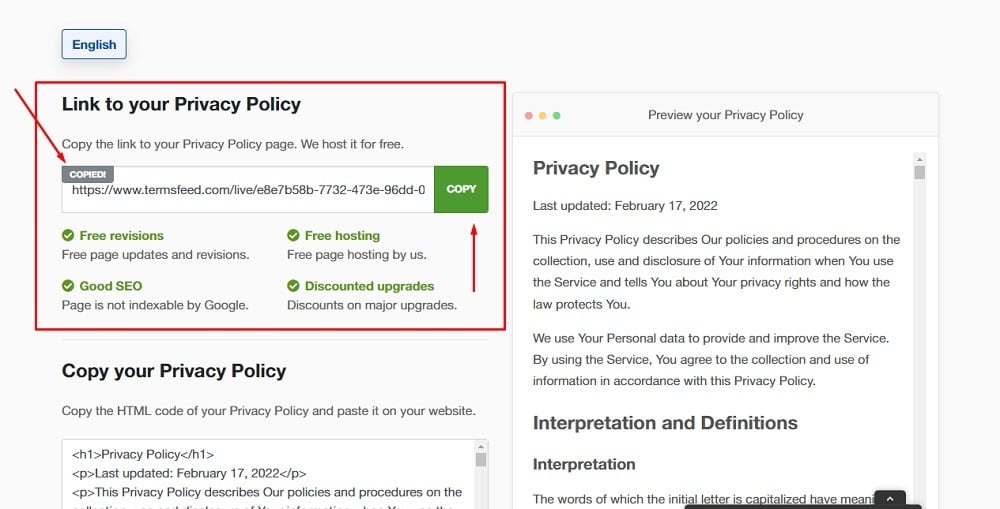
To get a Privacy Policy URL link, go to the TermsFeed Privacy Policy Generator to create a Privacy Policy and get the hosted Privacy Policy URL.
Once you have a Privacy Policy created by TermsFeed, click Copy from the Link to your Privacy Policy section to copy the URL:
-
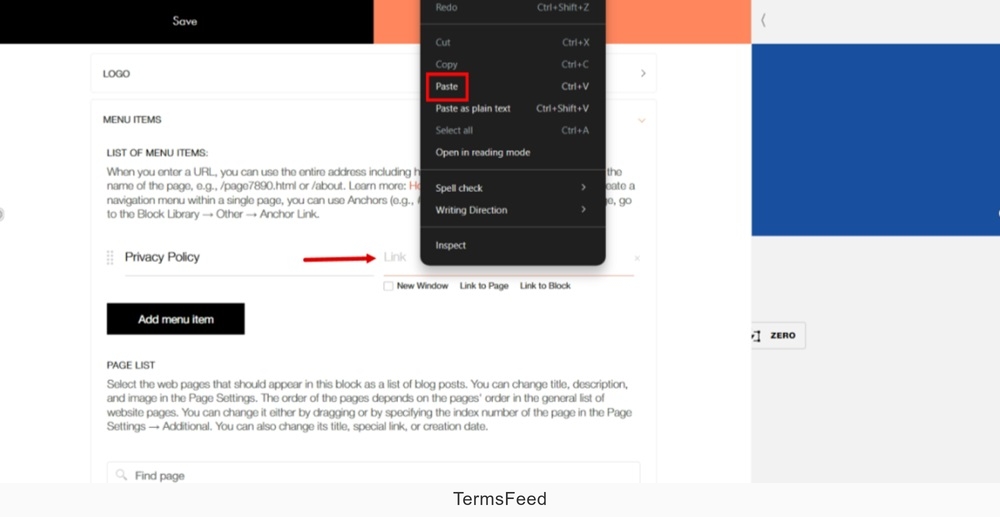
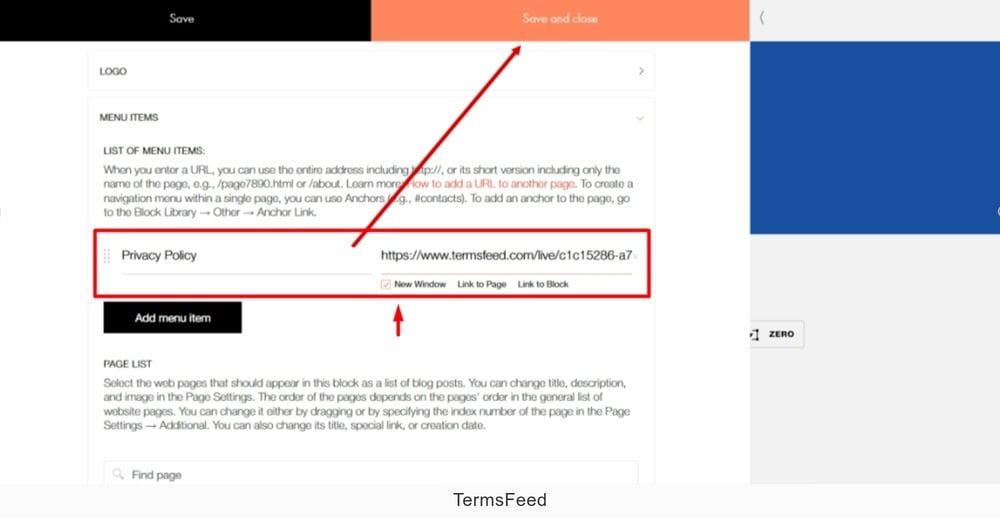
Paste the Privacy Policy URL in the link field:
-
When done, click the Save and close:
-
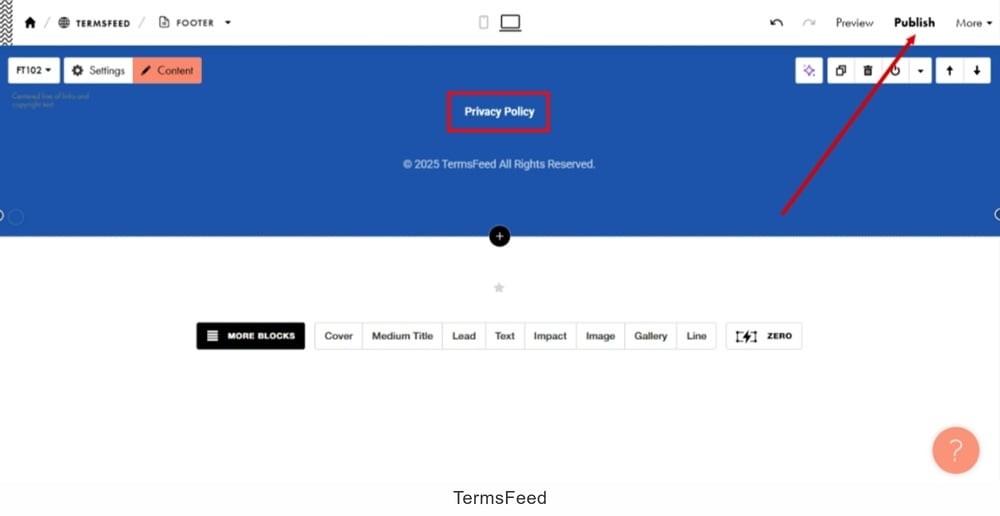
Publish changes:
-
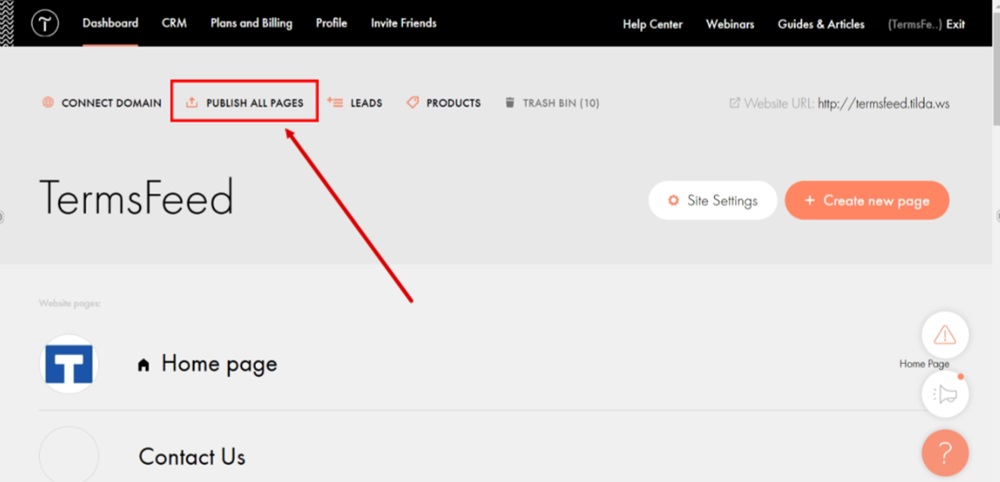
Go back to the website and click "Publish All Pages:"
-
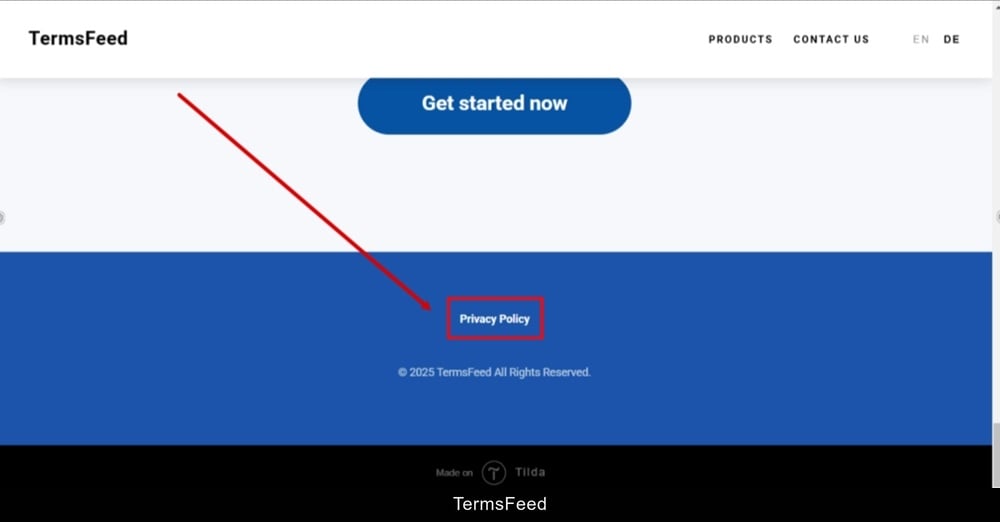
The Privacy Policy page is now linked and displayed at the footer on the Tilda website:
-
Done.


