Steps

  1. Log in to your Pixpa account. From the dashboard, go to Design:
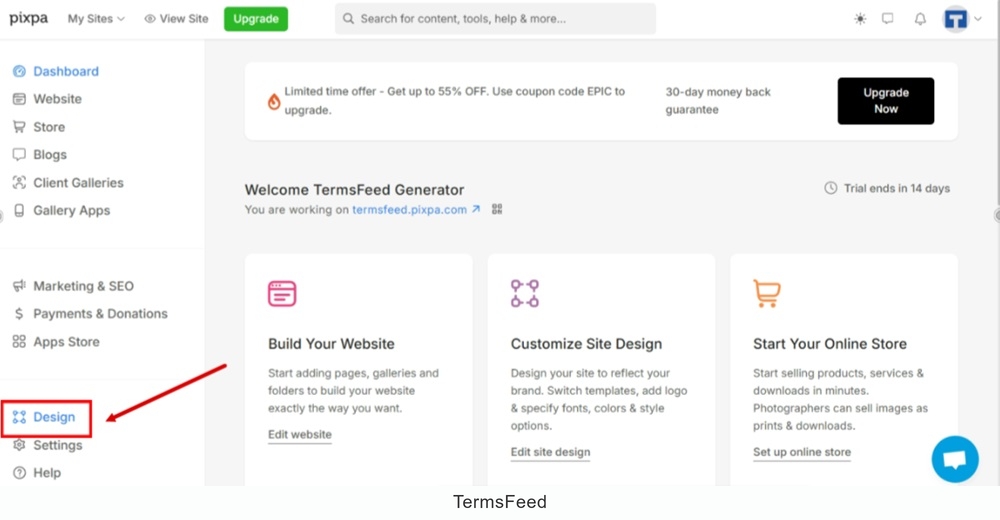
    TermsFeed Pixpa - Dashboard - Design

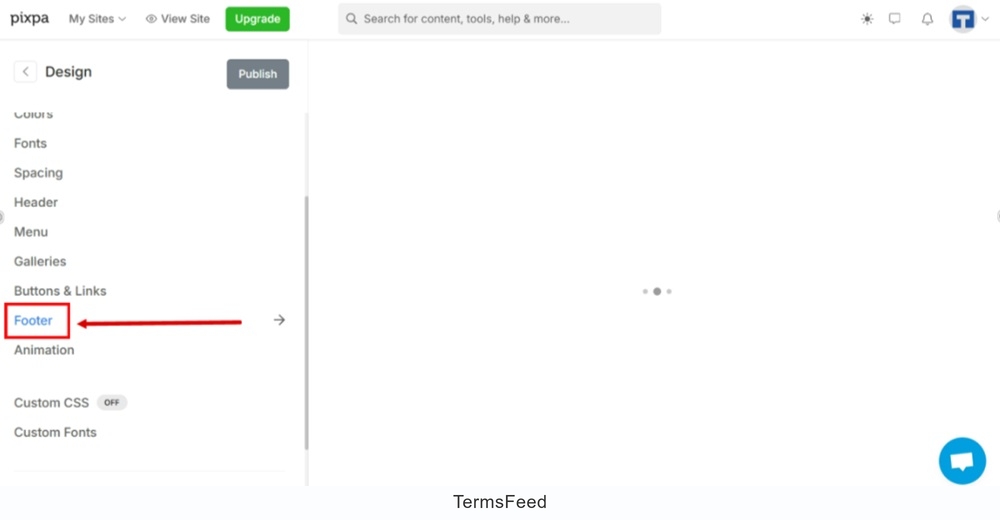
  2. Open the "Footer" settings:

    TermsFeed Pixpa - Design - Footer - open settings

  3. Scroll down to the "Footer Text" section. Type "Privacy Policy" in the field. Select it and click on the Link icon. Go to the Insert Link option:
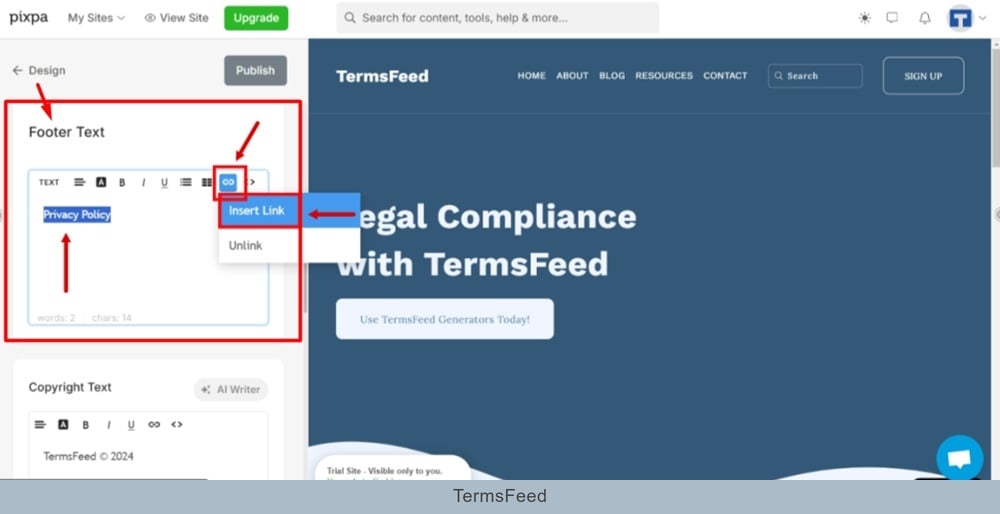
    TermsFeed Pixpa - Design - Footer - settings - Footer Text section - Type Privacy Policy, select it, and go to the Link icon to Insert Link

  4. The new window "Insert Link" opens. In the "URL" field click the gear icon to open link settings:
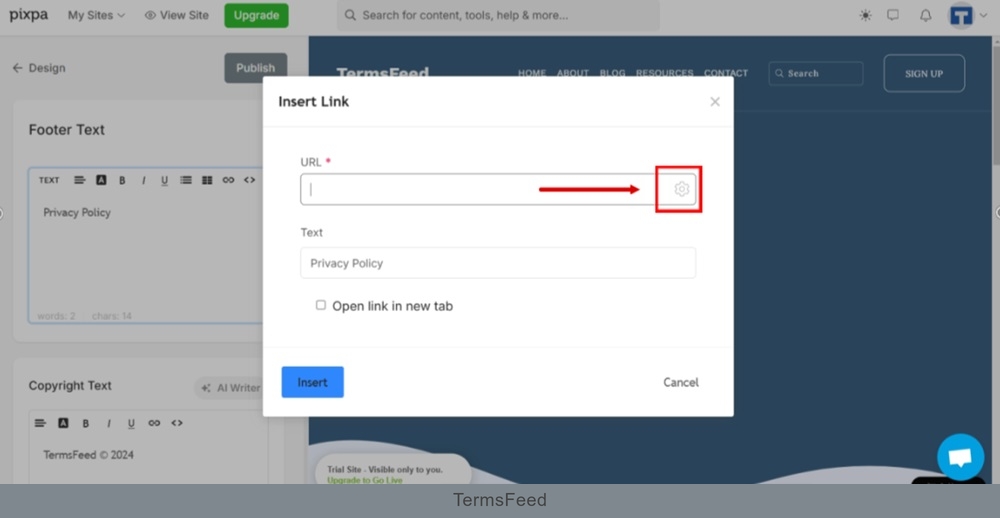
    TermsFeed Pixpa - Design - Footer - settings - Footer Text section - Privacy Policy - Insert Link - URL - gear icon

  5. Another new window "Add Link" opens. Switch to the External Link tab:
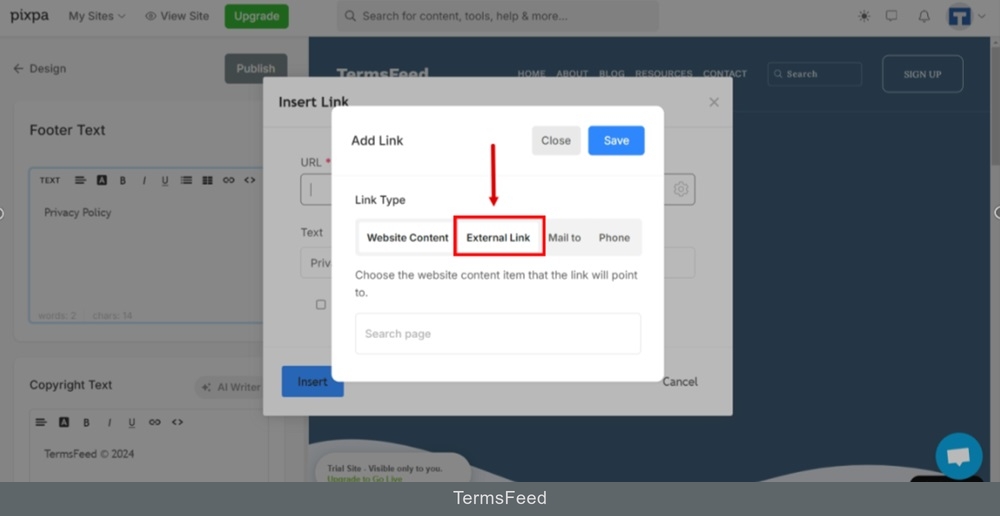
    TermsFeed Pixpa - Design - Footer - settings - Insert Link - Settings - Add link window switch to External Link tab

  6. The field for your Privacy Policy URL external link appears. Add your link.

    To get a Privacy Policy URL link, go to the TermsFeed Privacy Policy Generator to create a Privacy Policy and get the hosted Privacy Policy URL.

    Once you have a Privacy Policy created by TermsFeed, click Copy from the Link to your Privacy Policy section to copy the URL:
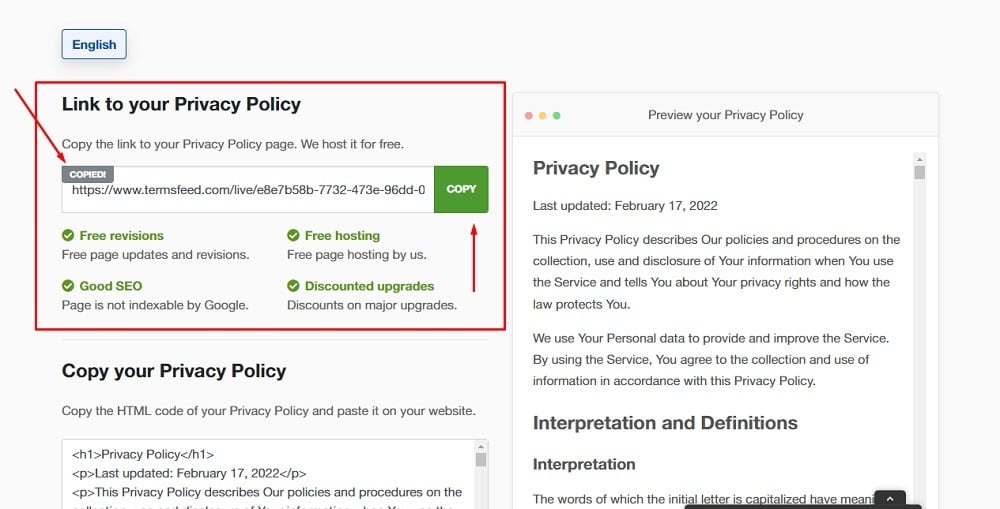
    TermsFeed Generators App: Privacy Policy Download Page - Link to hosted Privacy Policy URL copy option highlighted

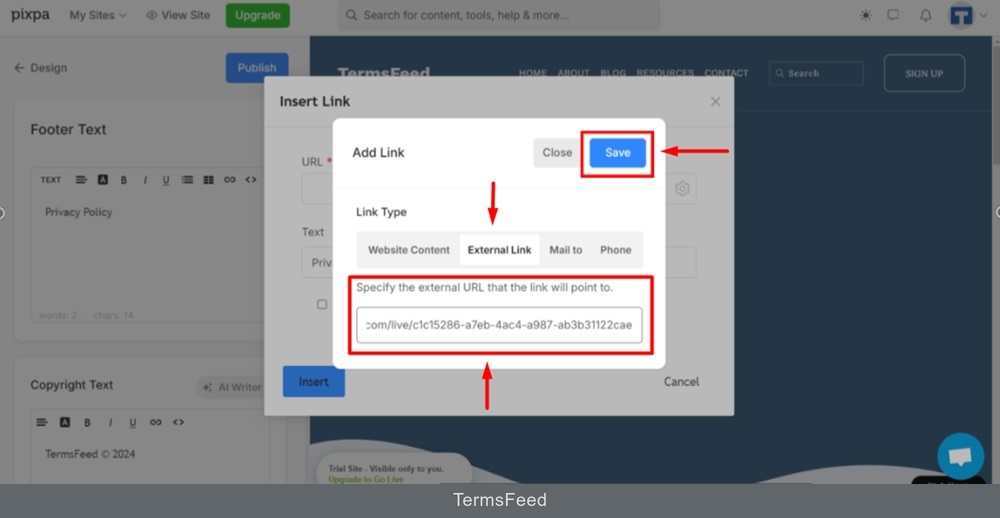
  7. Paste the link and click Save:

    TermsFeed Pixpa - Design - Footer - settings - Privacy Policy - Insert Link - Settings - Add link window switch to External Link tab - Pasted - Save

  8. Check the "Open link in new tab" option and click the "Insert" button:
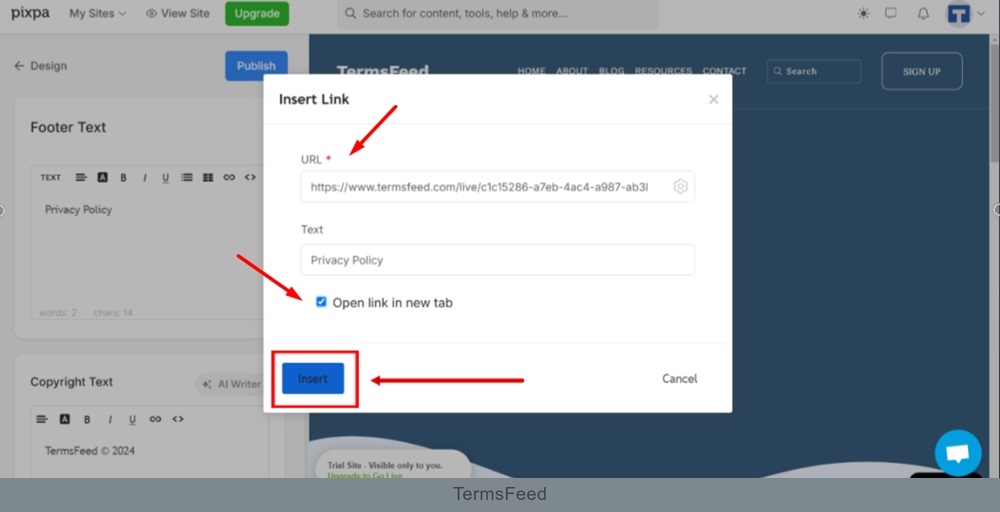
    TermsFeed Pixpa - Design - Footer - settings - Privacy Policy - Insert Link - Settings - Open in new tab - Insert

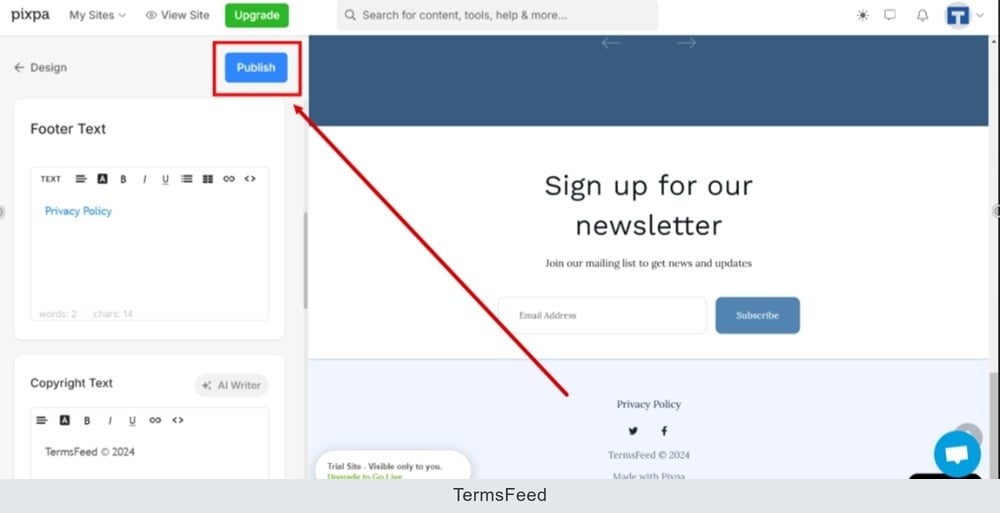
  9. Click Publish:

    TermsFeed Pixpa - Design - Footer - settings - Privacy Policy - Link Inserted - Publish

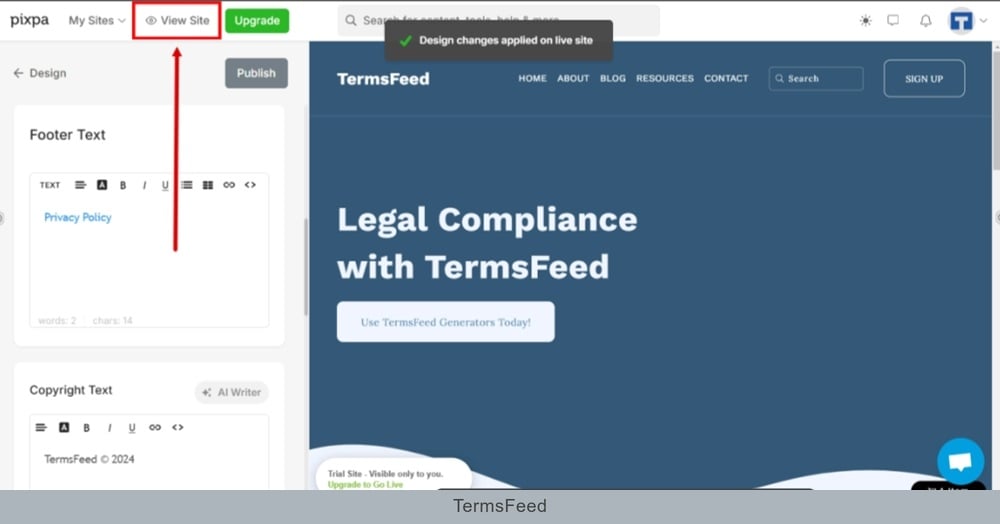
  10. Go to the View Site to see changes:

    TermsFeed Pixpa - Design - Footer - settings - Privacy Policy - Link Inserted - Published - View Site

  11. The Privacy Policy URL is displayed in the footer section of the Pixpa website:
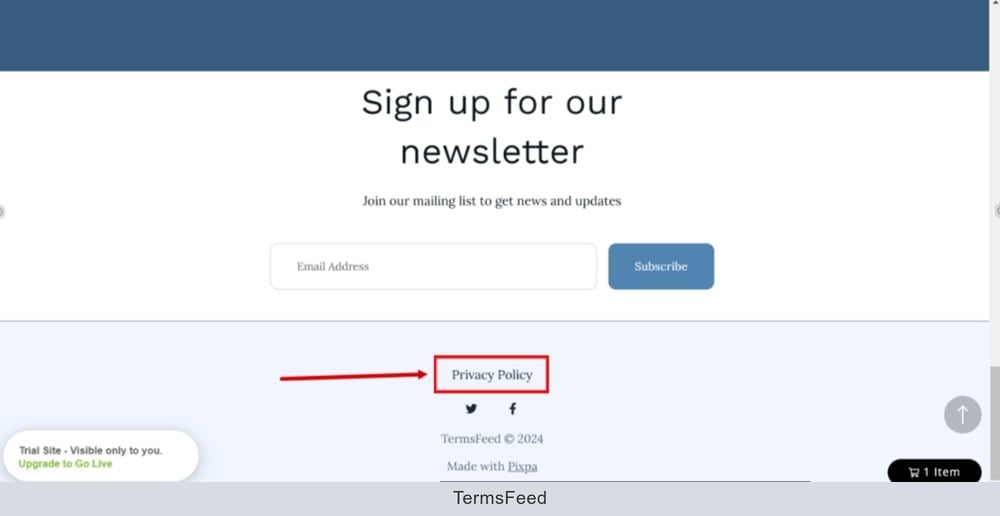
    TermsFeed Pixpa - Preview - Footer - Privacy Policy URL displayed