In this video we'll show you how to create a new page on the Big Cartel platform.
Let's start.
-
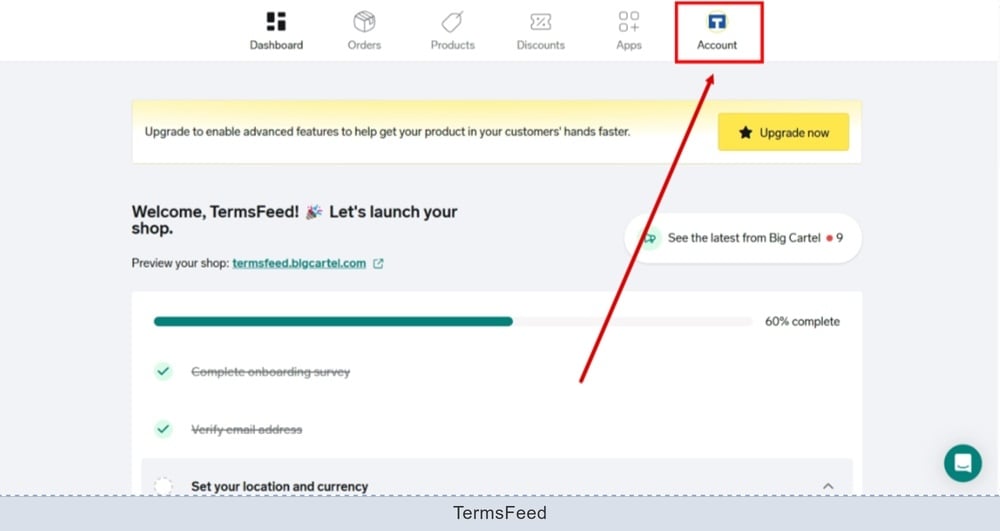
Log in to the Big Cartel dashboard and go to Account:
-
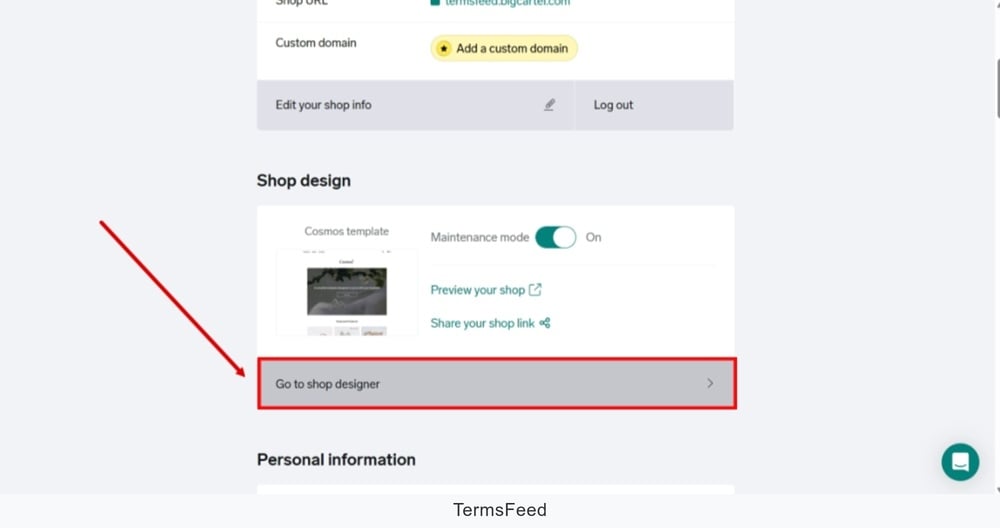
Find the Shop design and click the "Go to shop designer" to start editing:
-
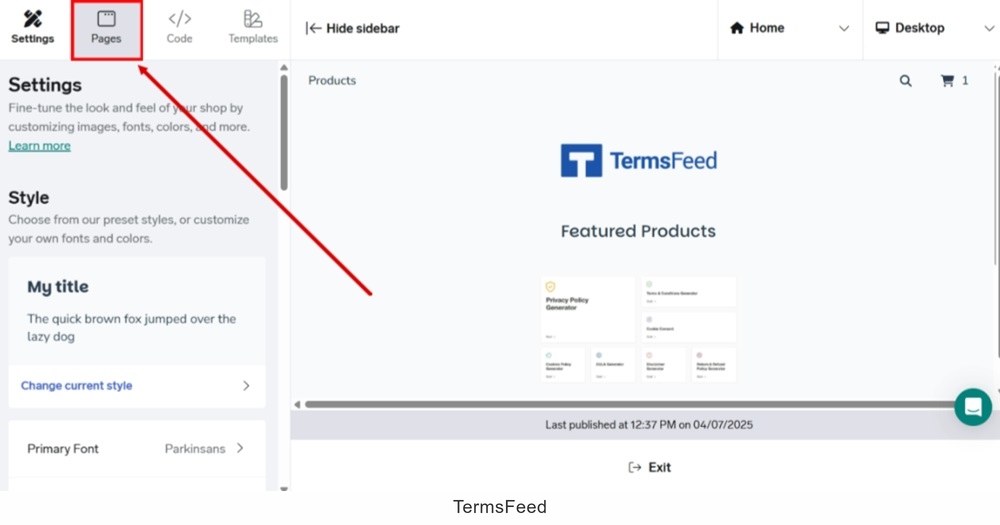
Select Pages from the menu:
-
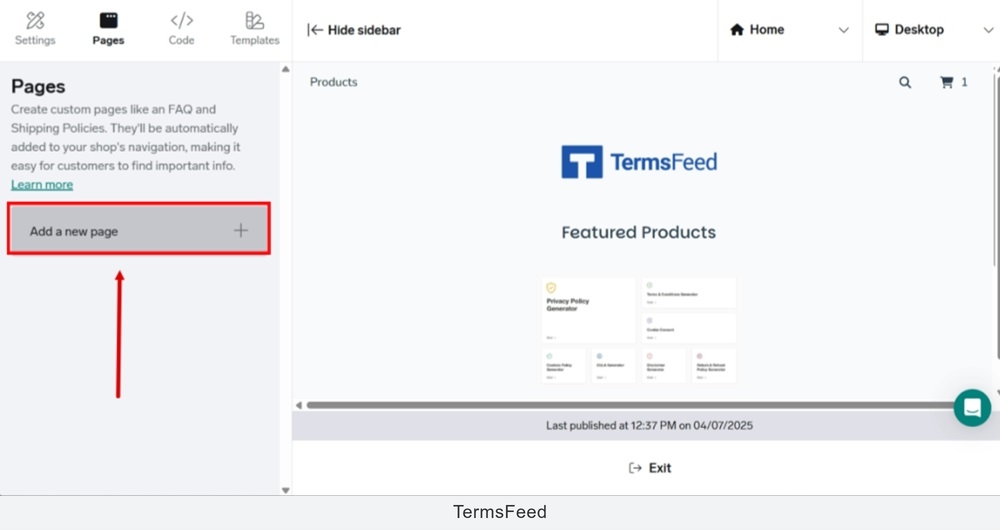
Click the "Add a new page" button:
-
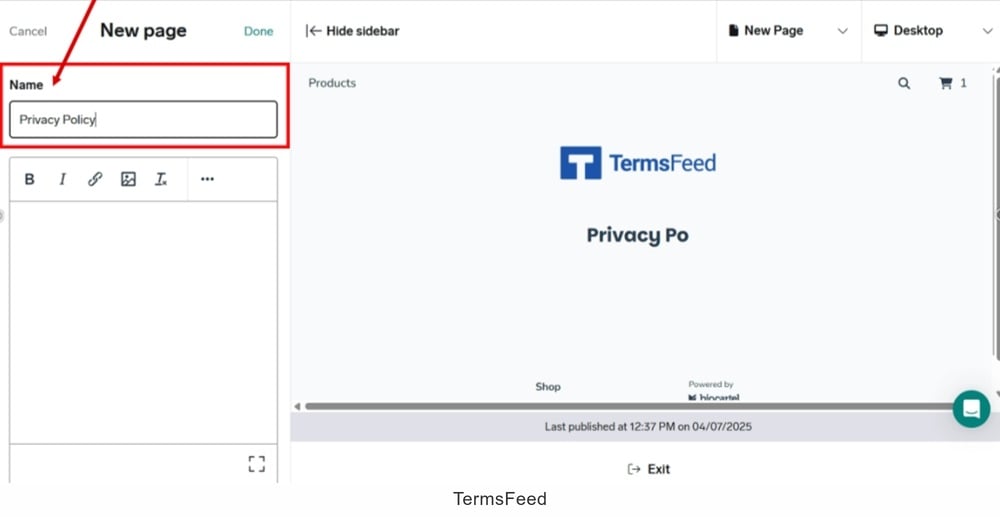
Type "Privacy Policy" in the "Name" field:
-
Copy the text for the Privacy Policy page.
If you do not have a Privacy Policy, you can use our Privacy Policy Generator and create one within minutes.
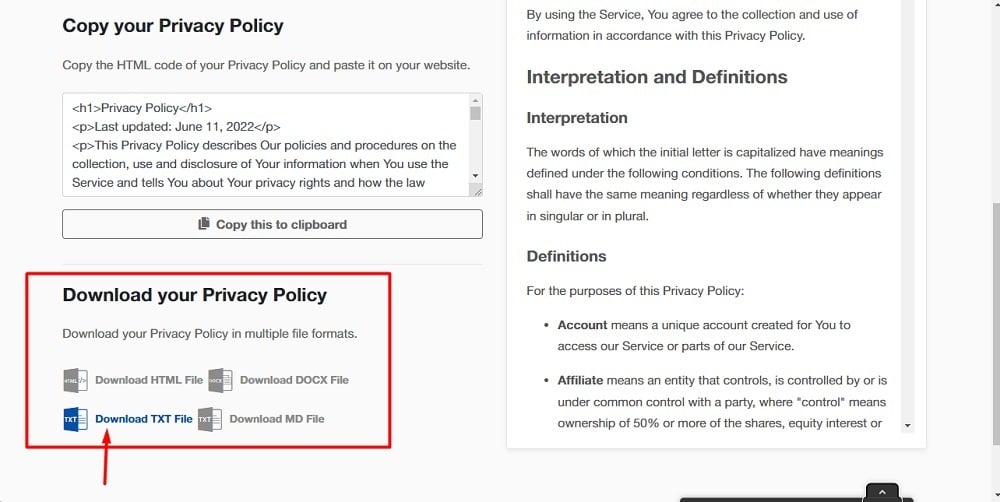
Once you have the Privacy Policy created by TermsFeed, let's get the policy text. You can copy the HTML variant of the policy or download the Plain Text file format:
-
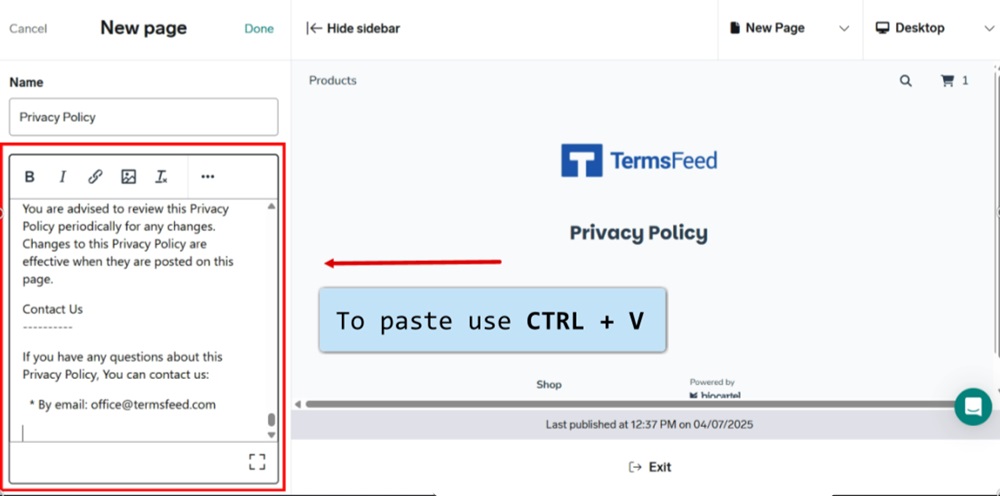
Paste the copied text. Use the CTRL + V from your keyboard:
-
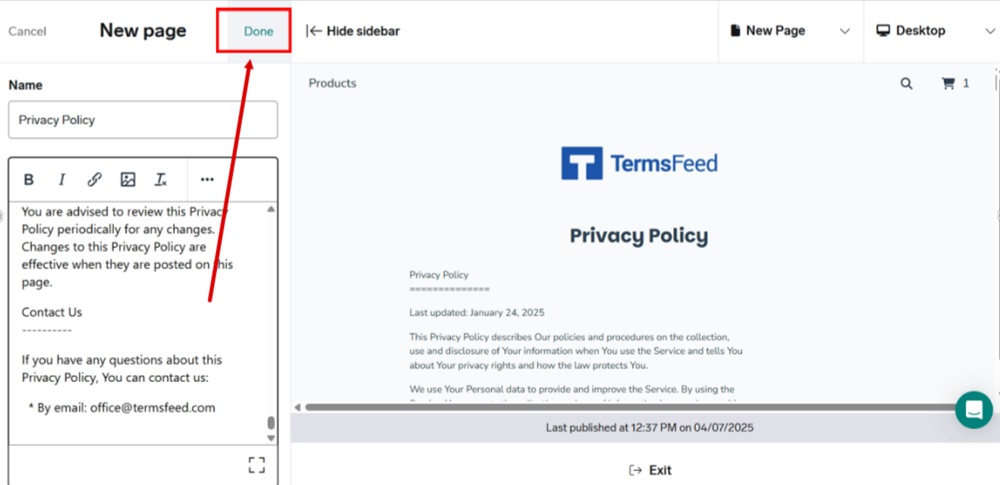
Click "Done" at the top:
-
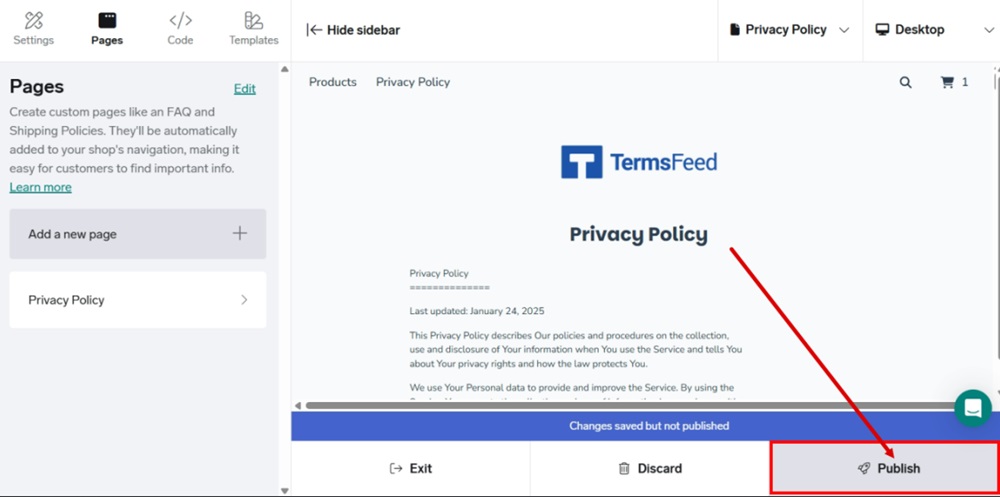
Publish your changes:
-
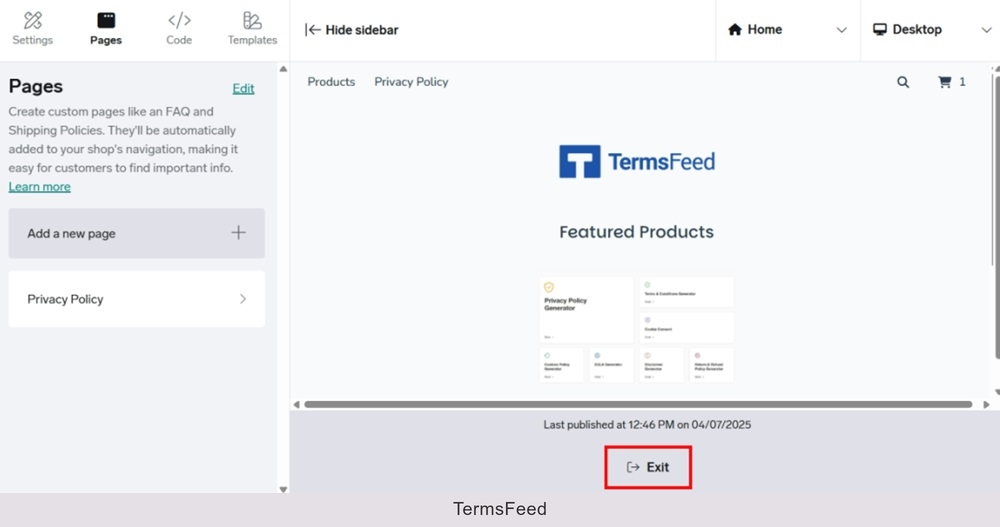
Exit the editor:
-
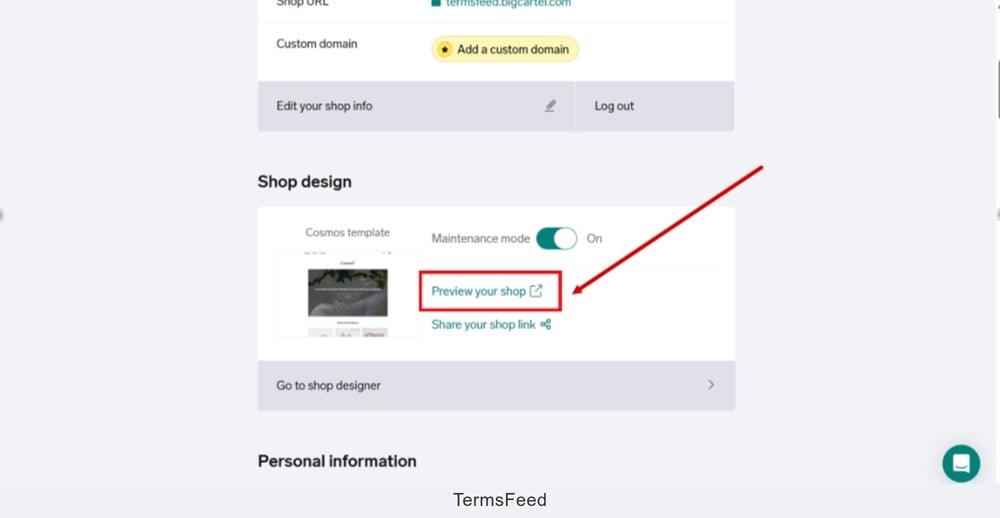
Go back to the "Shop design" and click the "Preview your shop:"
-
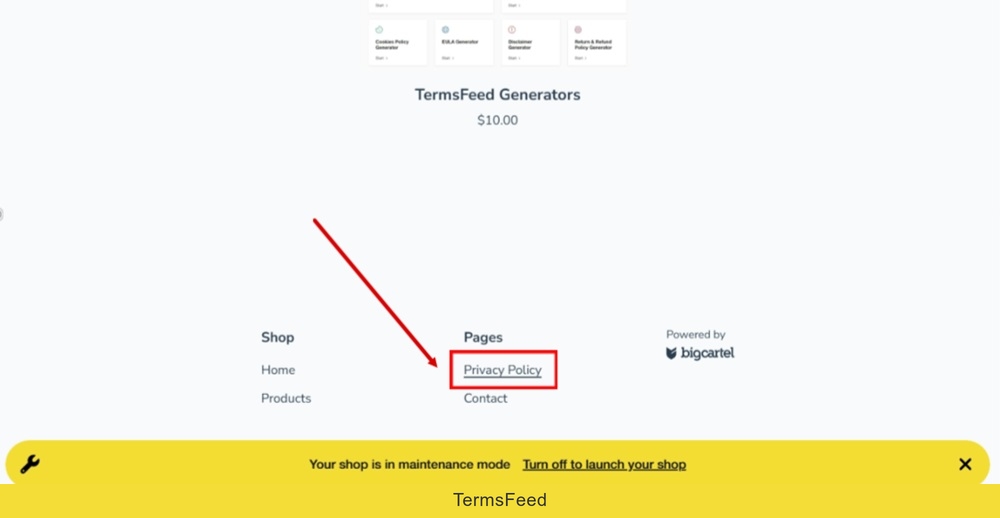
The new Privacy Policy page is displayed at the header and the footer of your Big Cartel shop: