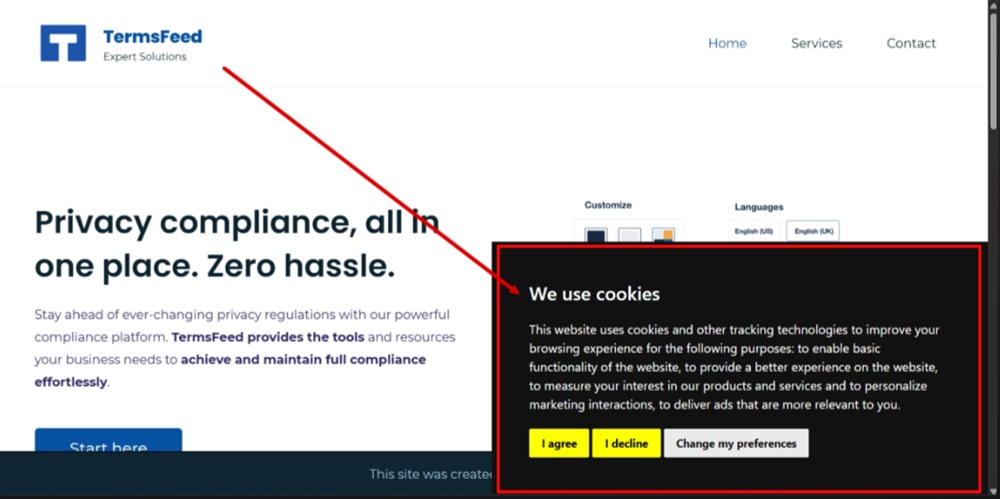
In this video, we'll show you how to generate a free cookie consent notice banner and add it to the footer on your Zoho website.
Let's start:
-
Go to our Free Cookie Consent Solution page to create the Cookie Consent code necessary to show the notice banner on your Zoho website.
-
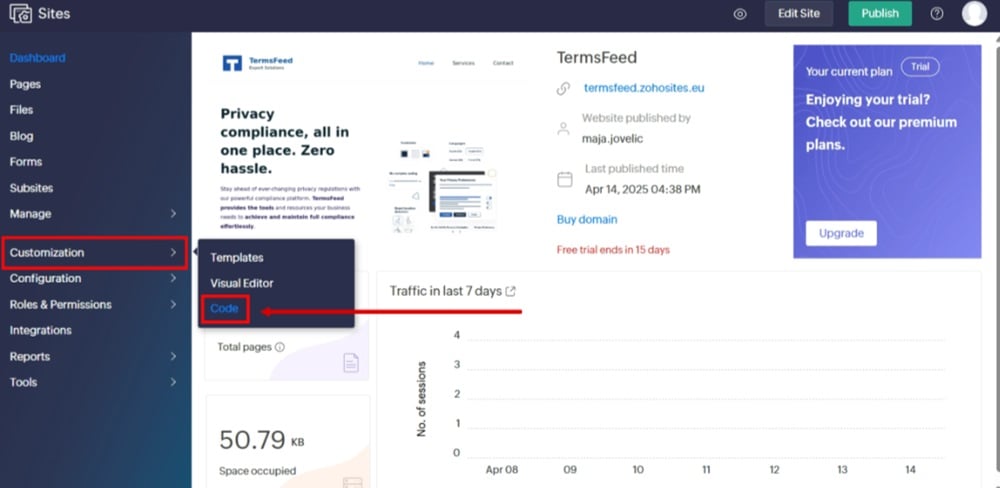
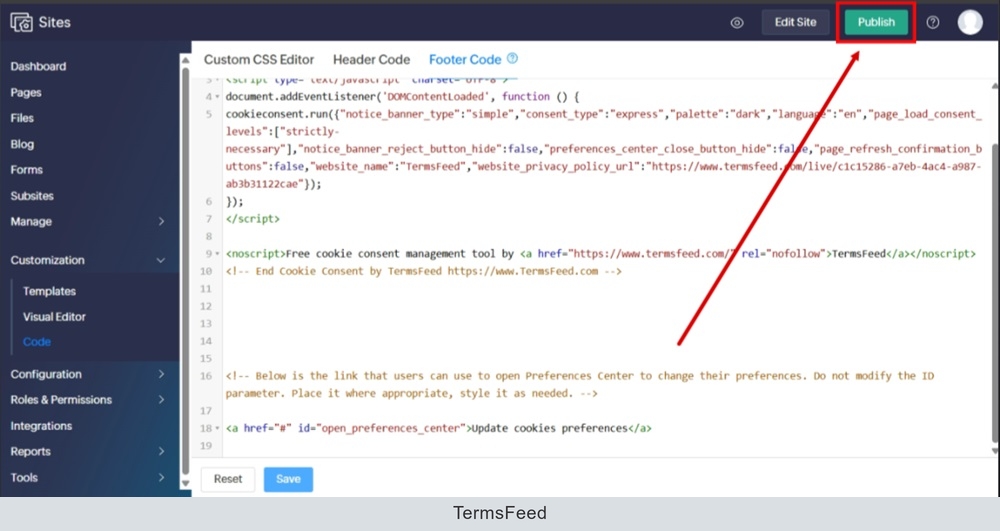
Log in to your Zoho account. From the dashboard, go to "Customization" and select "Code:"
-
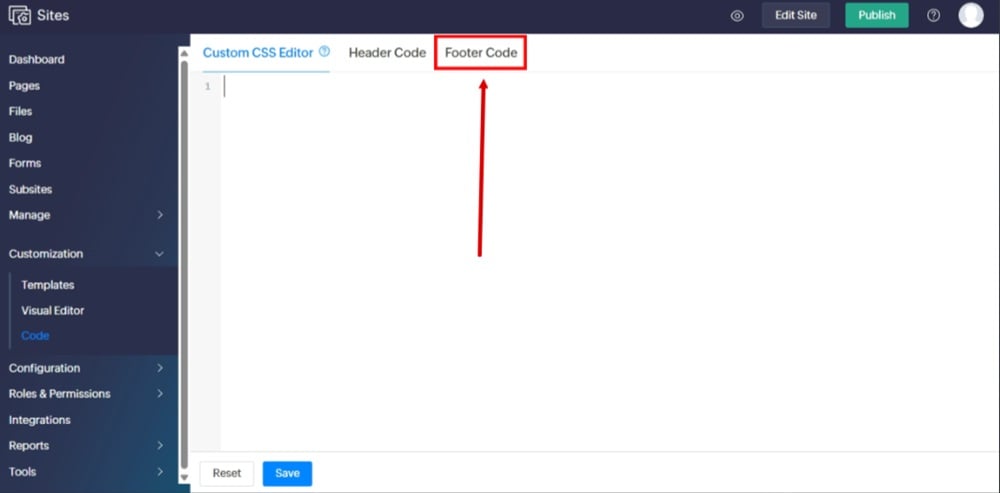
Switch to the "Footer Code" tab:
-
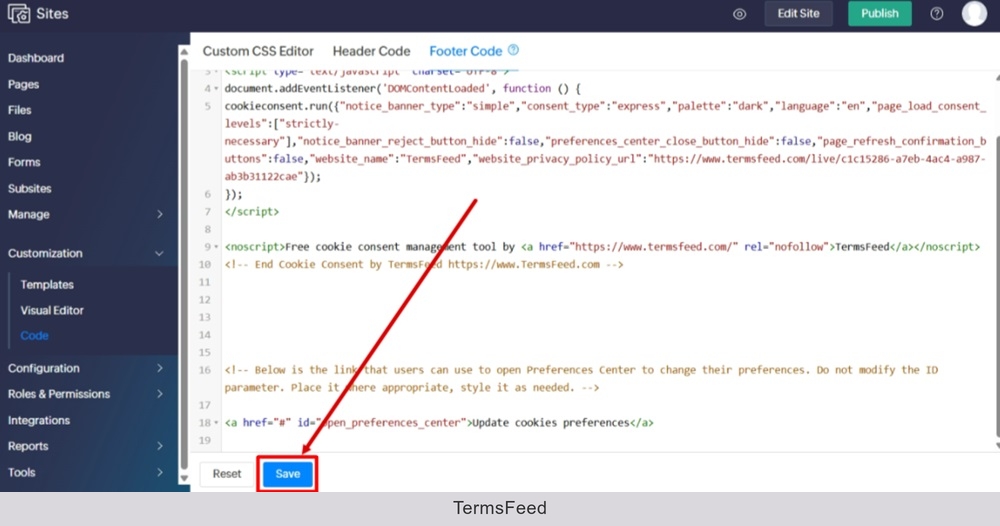
Paste the generated code and click "Save" at the bottom:
-
Go to "Publish:"
-
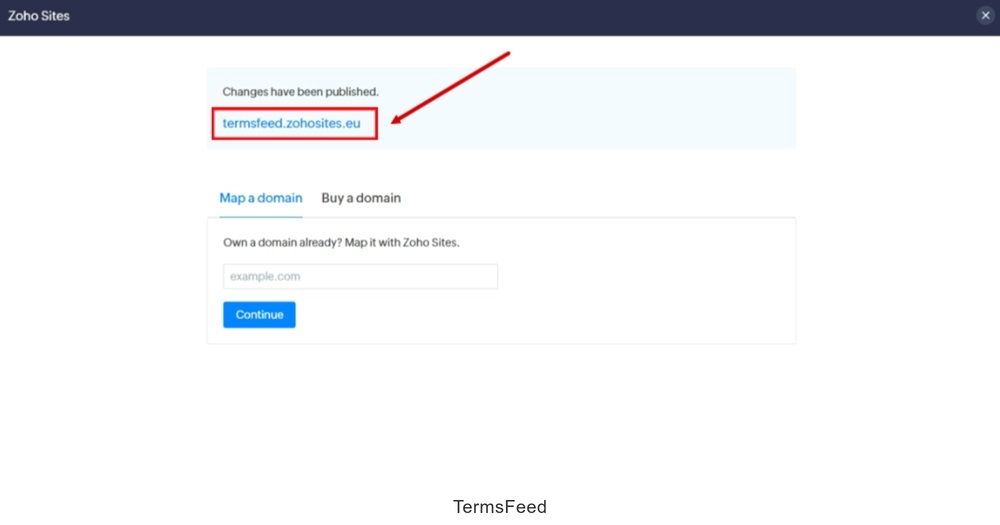
Go to your site URL:
-
The Cookie Consent Notice Banner is now displayed on the Zoho website: